When you purchase through links on our site, we may earn an affiliate commission. Here's how it works. |
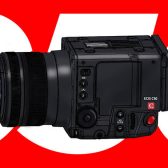
Canon has released a bug fix firmware update for the Canon Cinema EOS C500 Mark II. The firmware update v1.1.5.1 also includes the features added in v1.1.4.1
Firmware Version 1.1.5.1 incorporates the following enhancements and fixes
- Enables the display of the digital tele-converter icon on [Main Recording Displays] of [DISP Level 2].
- Adds the ability to apply Full-Screen display to an external display according to OSD Output setting when using [Peripheral Border Display].
- Adds the [Motion Vector for Digital IS] menu option. Default [Disable]*.
- [Disable]: Prevents a phenomenon that may cause the image to shake along with the subject when recording a subject (such as a person or an animal) with a large amount movement.
- Fixes minor issues.
- Fixes an issue, in which aspect markers and other markers are not displayed correctly if the resolution of the video output configuration is set to [4192x3140 (4:3)] or [3768x3140 (6:5)] and the anamorphic desqueeze is applied.
- Fixes an issue in which markers, AF frame, focus position guide, and tally OSD do not display correctly when the main recording format is set to [XF-AVC] under certain conditions.
Note: 1 to #5 were added in Version 1.1.4.1. #6 is added in Version 1.1.5.1. For details, please refer to the user manual (latest version) for this product.
Source: Canon USA