


When you purchase through links on our site, we may earn an affiliate commission. Here's how it works. |
Last week Canon announced and launched two major firmware updates for the Canon EOS R1 and EOS R5 Mark II. Unfortunately, they were pulled a few hours after their initial release to address an issue around playback in camera or on a computer with memory cards above 2TB when shooting video with pre-capture activated.
We have been told by a Canon service center that the fixed firmware is scheduled to be released later this week. With all things software, that doesn't mean it's going to happen that quickly, but we're sure Canon has a level of embarassment about screwing up yet another firmware update.
Below are the updates that will be coming in the re-release of the latest firmware for the EOS R1 and EOS R5 Mark II.
Canon EOS R1 Firmware
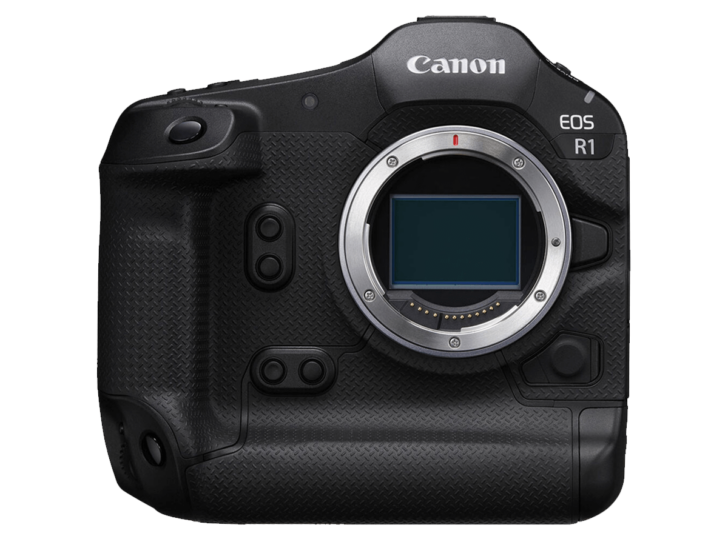
Canon EOS R1 Firmware v1.1.0
- The security function has been improved.
- A password can now be requested when the power is turned on.
- You will need to set a password the first time.You can change the settings so that the password request screen does not appear.You can check the history of password changes, network information changes, etc.
- You can now update the firmware on the camera alone by downloading it from the Internet.
- A “finder display priority mode” has been added, which turns on the viewfinder when the camera’s rear sensor detects a person.
- 100/120Hz flicker can now be automatically detected during live view.
- It is now possible to register the focus position in the preset function of the camera remote application CR-A100. When used with the Robotic Camera System CR-S700R, this makes it easier for the photographer to focus on the intended subject distance and take pictures.
- Added [Panning Assist] to the menu. When panning with a compatible lens, camera shake correction and subject blur correction are performed during exposure.
- The servo AF characteristics have been expanded to include [Case Special], which is suitable for shooting subjects through a net, such as badminton and volleyball.
- Added support for the digital camera software development support kit (EDSDK/CCAPI).
- A function has been added that allows you to protect an image at the same time as rating it.
- Supports CFexpress cards up to 8TB.
- Cards over 8TB require a low level format in the camera.
- Any card over 8TB will be treated as an 8TB card.
- Cards over 2TB cannot be used for firmware updates
- A setting has been added to lower the image capture frame rate to prevent heat generation when connecting the CR-A100 and taking remote shots over long periods of time.
- When transferring images with voice memos via FTP, the order of transfer has been changed to voice memo, then image. Also, if a voice memo is added to an image waiting to be transferred, the image and voice memo will be transferred last.
- The number of shots recorded during pre-continuous shooting can now be set in single increments.
- [Airplane Mode] has been added to the shooting button customization.
- It is now possible to simulate exposure when using a strobe.
- AF tracking performance has been improved for subjects that are difficult to focus on when shooting video.
- Fixed an issue that could cause Err70 to occur when enlarging the display after shooting with [Blackout Free Display] set to “On” and [Servo AF 1st Frame Release/One-Shot AF Release] set to “Release Priority.”
- Fixed an issue where Err70 could occur during Bluetooth communication due to interference from other Bluetooth devices.
- Fixed the phenomenon that Err70 would very rarely occur when repeatedly shooting in “High-speed continuous shooting +”.
- Fixed the phenomenon that Err70 would very rarely occur when shooting with the electronic shutter immediately after starting up the camera.
- Fixed the phenomenon that Err70 occurs very rarely when recording video with the “FHD239.8P/200.0P” setting.
- Fixed an issue that occasionally caused Err70 to occur when using the camera in movie mode with the frame rate set to “50.00P” and [Movie Digital IS] set to “On” or “Strong.”
- Fixed an issue that could cause Err70 to occur while waiting to shoot when [Pre-recording] was set to “On” and [Auto Transfer] to image.canon was set to “Yes”.
- Fixed an issue that could cause the camera to stop working properly if [Review] was set to “Off” and the monitor displayed a low brightness image after taking pre-continuous shots.
- Fixed an issue that could cause video recording to be impossible when using remote live view shooting in EOS Utility with HDMI output.
- Fixed an issue where large RAW images could not be transferred via Camera Connect.
- Fixed the issue of being unable to connect to a Wi-Fi 7 compatible router.
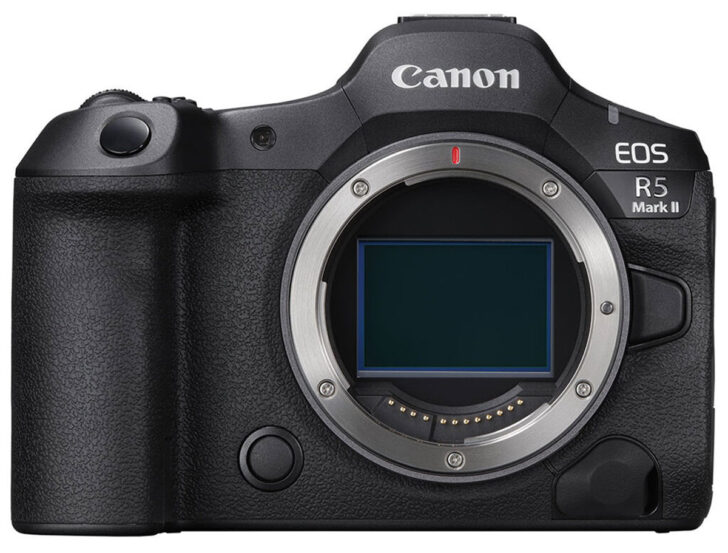
Canon EOS R5 Mark II v1.1.0
- The security function has been improved.
- A password can now be requested when the power is turned on.
- You will need to set a password the first time.You can change the settings so that the password request screen does not appear.You can check the history of password changes, network information changes, etc.
- *Please refer to the detailed guide “Setting a Password” on cam.start.canon.
- You can now update the firmware on the camera alone by downloading it from the Internet.
- A “finder display priority mode” has been added, which turns on the viewfinder when the camera’s rear sensor detects a person.
- 100/120Hz flicker can now be automatically detected during live view.
- It is now possible to register the focus position in the preset function of the camera remote application CR-A100. When used with the Robotic Camera System CR-S700R, this makes it easier for the photographer to focus on the intended subject distance and take pictures.
- Added [Panning Assist] to the menu. When panning with a compatible lens, camera shake correction and subject blur correction are performed during exposure.
- The servo AF characteristics have been expanded to include [Case Special], which is suitable for shooting subjects through a net, such as badminton and volleyball.
- Added support for the digital camera software development support kit (EDSDK/CCAPI).
- A function has been added that allows you to protect an image at the same time as rating it.
- Supports CFexpress cards up to 8TB.
- Cards over 8TB require a low level format in the camera.
- Any card over 8TB will be treated as an 8TB card.
- Cards over 2TB cannot be used for firmware updates
- A setting has been added to lower the image capture frame rate to prevent heat generation when connecting the CR-A100 and taking remote shots over long periods of time.
- When transferring images with voice memos via FTP, the order of transfer has been changed to voice memo, then image. Also, if a voice memo is added to an image waiting to be transferred, the image and voice memo will be transferred last.
- The number of shots recorded during pre-continuous shooting can now be set in single increments.
- [Airplane Mode] has been added to the shooting button customization.
- It is now possible to simulate exposure when using a strobe.
- AF tracking performance has been improved for subjects that are difficult to focus on when shooting video.
- Fixed an issue that could cause Err70 to occur when enlarging the display after shooting with [Blackout Free Display] set to “On” and [Servo AF 1st Frame Release/One-Shot AF Release] set to “Release Priority.”
- Fixed an issue where Err70 could occur during Bluetooth communication due to interference from other Bluetooth devices.
- Fixed the phenomenon that Err70 would very rarely occur when repeatedly shooting in “High-speed continuous shooting +”.
- Fixed the phenomenon that Err70 would very rarely occur when shooting with the electronic shutter immediately after starting up the camera.
- Fixed the phenomenon that Err70 occurs very rarely when recording video with the “FHD239.8P/200.0P” setting.
- Fixed an issue that occasionally caused Err70 to occur when using the camera in movie mode with the frame rate set to “50.00P” and [Movie Digital IS] set to “On” or “Strong.”
- Fixed an issue that could cause Err70 to occur while waiting to shoot when [Pre-recording] was set to “On” and [Auto Transfer] to image.canon was set to “Yes”.
- Fixed an issue that could cause the camera to stop working properly if [Review] was set to “Off” and the monitor displayed a low brightness image after taking pre-continuous shots.
- Fixed an issue that could cause video recording to be impossible when using remote live view shooting in EOS Utility with HDMI output.
- Fixed an issue where large RAW images could not be transferred via Camera Connect.
- Fixed the issue of being unable to connect to a Wi-Fi 7 compatible router.








You need to install a password, and then when you confirm the password by putting your password in for a second time you will be able to disable the password at startup if so desired.
Has anyone tried installing and running this on a R5MkI?
As Canon pulled their latest R5MkII and R1 firmware release and then re-released it, I'm **just a bit** hesitant to install this version on my R5Mk1 based on their latest \"oops\" firmware release. Below is the link to the R5Mk1 description:
Firmware Version 2.2.0 incorporates the following fixes and enhancements:
Improves security features. A password must be set initially.
a. Adds the ability to review the history of any changes made to the password, network information, or other settings.
b. For more information, please refer to the 'Setting a Password' section in the Advanced User Guide on cam.start.canon.
Enables firmware updates to be performed when the camera is connected to the internet and new firmware is made available on Canon servers.
Adds support for the Software Development Assistance Kit (EDSDK/CCAPI).
Adds a function that simultaneously protects images when they are rated.
Adds the ability to use up to 8TB of CFexpress cards.
a. Note:
i. Cards larger than 8TB require low-level formatting by the camera.
ii. Cards larger than 8TB are treated as 8TB cards.
iii. Cards larger than 2TB cannot be used for firmware updating.
Adds compatibility for Peripheral Coordinated Control with RF16-28mm F2.8 IS STM lens.
a. With RF16-28mm F2.8 IS STM, Peripheral Coordinated Control only applies to still photo shooting.
Fixes an issue in which Err70 may occur during Bluetooth communication due to interference from other Bluetooth devices.
Fixes an issue in which Err70 may occur when repeatedly shooting in the \"High-speed continuous shooting +\" mode.
Fixes an issue in which HDMI output may momentarily stop when [Screen Off] is activated in the Power Saving settings.
If the camera's firmware is already Version 2.2.0, it is not necessary to update the firmware.
Support
EDIT: Just checked, they re-uploaded the video a few minutes ago with an updated device list