Canon EOS R1 Firmware Update Available

Craig Blair
2 Min Read

When you purchase through links on our site, we may earn an affiliate commission. Here's how it works.

Canon has released new firmware for the Canon EOS R1. This firmware is identical to the latest firmware release for the Canon EOS R5 Mark II.

The firmware update addresses an autofocus bug along with optimization of the temperature warning feature.

Canon EOS R1 Firmware v1.0.2

  • Optimized the timing when the camera temperature rise warning appears.
  • Fixed an issue where the subject could not be focused during AF in certain zoom ranges

Download Firmware v1.0.2

Canon EOS R1 Weathersealing

Overview

  • 24MP Full-Frame Stacked BSI CMOS Sensor
  • DIGIC Accelerator + DIGIC X Processing
  • Dual Pixel AF with Action Priority
  • Improved Eye Control AF
  • 6K 60 Raw & 4K 120 10-Bit Internal Video
  • Up to 40 fps, Pre-Continuous Shoot Mode
  • 9.44m-Dot 0.9x EVF, OVF Sim. View Assist
  • 3.0″ 2.1m-Dot Vari-Angle Touchscreen LCD
  • Vertical Grip, 2x CFexpress Type B Slots
  • Wi-Fi 6E, 2.5G Base-T Wired Ethernet

Speed, precision, and reliability, the Canon EOS R1 is built for photojournalists, sports photographers, wildlife shooters, and other image-makers who can't afford to miss the shot.

The flagship of the EOS R line, this mirrorless camera sports a full-frame 24MP BSI stacked sensor, DIGIC Accelerator processing, next-gen Dual Pixel Intelligent AF, and the robust design expected from a professional workhorse.


Go to discussion...

Share This Article
Craig is the founder and editorial director for Canon Rumors. He has been writing about all things Canon for more than 17 years. When he's not writing, you can find him shooting professional basketball and travelling the world looking for the next wildlife adventure. The Canon EOS R1 is his camera of choice.

26 comments

  1. If the camera's firmware is Version 1.0.1, please update the firmware with only one memory card inserted into the camera.
    Subtle admission that the previous update was really hard to apply.
    • 0
  2. What happened? Where's the major update?
    From the article:
    We still expect a much larger firmware firmware update in the next month or two, but Canon felt these solved issues were big enough to release now.
    • 0
  3. Interesting? "Fixed an issue where the subject could not be focused during AF in certain zoom ranges."

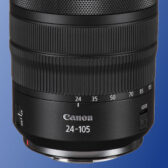
    This was an issue I had with both R1 cameras shooting video with the RF 24-105 f/2.8L IS USM Z lens before the last firmware update. It specifically happened right around 35mm and I would have to zoom out to 24mm and focus would work just fine - zoom to around 50mm and it would work, too. It does say "subject" in the text, and I wasn't using subject detection. After the last update, I shot 2 video projects and the issue appeared to be resolved - at least for the 24-105. Perhaps it impacted more lenses or they recognized something else that I thankfully haven't encountered. haha But it was the absolute weirdest thing to see...the R1 just would not focus at all unless I changed the focal length on the lens. Taking photos, focus was just fine.
    • 0
  4. Silly question, I updated the Firmware on my R1. I didn’t know about the installing with one memory card. It appeared everything loaded up fine. I did a minor test yesterday and all seems fine. What is the reason why it was suggested to install the firmware with only one card? I was able to upload the firmware via the camo connect app. Thank you in advance.
    • 0
  5. Silly question, I updated the Firmware on my R1. I didn’t know about the installing with one memory card. It appeared everything loaded up fine. I did a minor test yesterday and all seems fine. What is the reason why it was suggested to install the firmware with only one card? I was able to upload the firmware via the camo connect app. Thank you in advance.
    The notation about having only one card inserted for the firmware update is specific to the R5II, the R1 update does not include that statement.
    • 0
  6. The notation about having only one card inserted for the firmware update is specific to the R5II, the R1 update does not include that statement.
    AHHH, PHEW!!!! Thank you!
    • 0
  7. Subtle admission that the previous update was really hard to apply.
    I -always- update with only one card - no matter what camera. If there are any
    images on the other card they are not at risk. And I low-level format the card I
    will use for the update before uploading the update to it. I'm in the process of
    doing the 1.03 update right now ... about 80% complete as I type this.
    • 0
  8. I -always- update with only one card - no matter what camera. If there are any
    images on the other card they are not at risk. And I low-level format the card I
    will use for the update before uploading the update to it. I'm in the process of
    doing the 1.03 update right now ... about 80% complete as I type this.
    Update went fine - zero problems. All of my custom settings preserved (as expected)
    and camera appears to be working "as though I hadn't done an update at all" (again -
    as expected).
    I am always amazed at how slow updates are - with a camera processor and card
    capable of taking pictures at such high rates of speed you would think that the
    update progress bar would be 'racing' across the screen. *G*.
    • 0
  9. My R5ii won't upgrade from 1.0.2 to 1.0.3. I've removed the lens, used only 1 card at a time - tried both slots - downloaded firmware several times, and tried via Canon EOS Utility as well as directly copying to card. The camera just freezes and needs the battery removed and replaced to restart. Anyone else have this problem?
    • 0
  10. My R5ii won't upgrade from 1.0.2 to 1.0.3. I've removed the lens, used only 1 card at a time - tried both slots - downloaded firmware several times, and tried via Canon EOS Utility as well as directly copying to card. The camera just freezes and needs the battery removed and replaced to restart. Anyone else have this problem?
    Perhaps battery isn't fully charged? Or just won't hole enough charge? Plug camera into power?
    - just guessing. My upgrade went fine, first time. I copied upgrade file to the SD (or CF?)
    card using Windows and a Lexar card reader/interface ... - Jim in the PNW
    • 0
  11. Perhaps battery isn't fully charged? Or just won't hole enough charge? Plug camera into power?
    - just guessing. My upgrade went fine, first time. I copied upgrade file to the SD (or CF?)
    card using Windows and a Lexar card reader/interface ... - Jim in the PNW
    When attempting via Eos 3, the camera is being powered by the USB-C connection as well as the battery.
    • 0
  12. My R5ii won't upgrade from 1.0.2 to 1.0.3. I've removed the lens, used only 1 card at a time - tried both slots - downloaded firmware several times, and tried via Canon EOS Utility as well as directly copying to card. The camera just freezes and needs the battery removed and replaced to restart. Anyone else have this problem?
    Formatted card before copying .fir file to it? Tried >1 card?
    • 0
  13. Formatted card before copying .fir file to it? Tried >1 card?
    Formatted several times - downloaded .fir 3 times in case corrupted. Tried the CF and SD cards.
    • 0
  14. Does it start the update? IIRC, the R1 update seems to ‘pause’ at <10% complete for quite a while.
    Freezes early on. Says Update? or similar but the ok is grayed out and the cancel is unresponsive. Left half an hour but nothing progress. Eos utility self quits.
    • 0
  15. My R5ii won't upgrade from 1.0.2 to 1.0.3. I've removed the lens, used only 1 card at a time - tried both slots - downloaded firmware several times, and tried via Canon EOS Utility as well as directly copying to card. The camera just freezes and needs the battery removed and replaced to restart. Anyone else have this problem?
    Strange. I did not have any problems upgrading to 1.0.3. Have you tried upgrading with the Camera Connect app on your phone?
    Other suggestion: try updating with a lens mounted on the camera.
    • 0

Leave a comment

Please log in to your forum account to comment