

|
When you purchase through links on our site, we may earn an affiliate commission. Here’s how it works. |
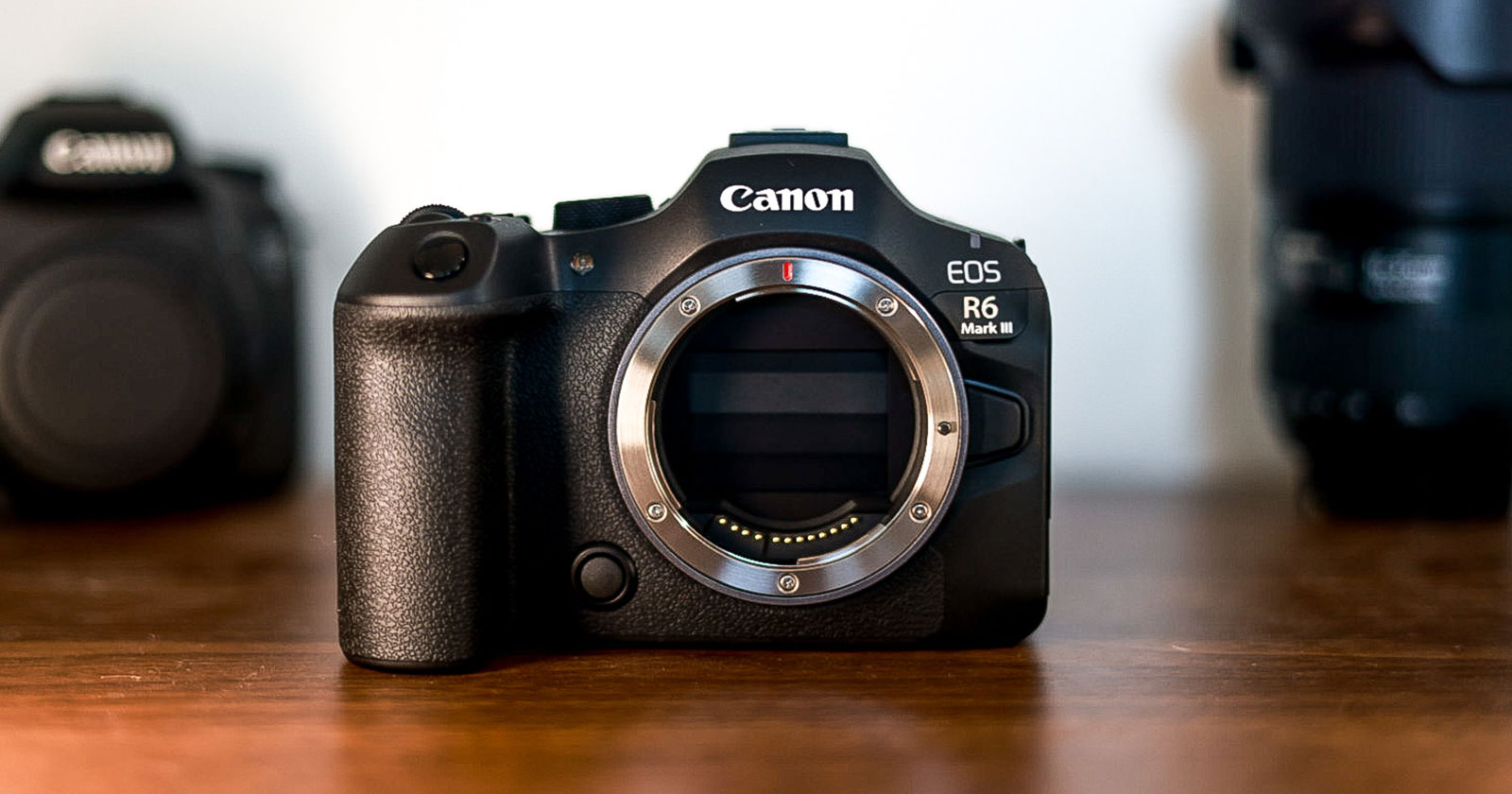
I’ve had the Canon EOS R6 Mark III in-hand for about a month now, and let’s just get this out of the way right now: on paper, the R6 Mark III is probably the best hybrid camera that Canon has ever created. The photo side is about all one would ever need out of a photography camera. On the video side—which let’s be real, is why we’re all here—it’s an impressive piece of kit.
However, after almost four weeks of shooting with it, including doc, vlog, vertical content, and scripted situations; it’s becoming clear that the R6 Mark III now occupies an odd place in Canon’s lineup. Let’s get into it…
This review is sponsored by the good people at Midwest Photo. Thanks to Ken and the team for providing me with a loaner unit.
- Initial Impressions: Yup, it’s an R6 Mark III.
- Testing The Main Upgrades
- 4K 120p and S&F Mode
- 7K Open Gate
- Is it “Professional?”
- Menu Quirks and Annoyances
- Why no Shutter Angle?
- No Real World Overheating Issues….. Yet
- Open Gate, C Log 2, and Intra Frame
- Overkill For Content Creators?
- VS R6 Mark II & R8
- Not Enough For Filmmakers?
- VS R5 Mark II & R5 C
- Which Camera To Buy?
- No Man’s Land
- Final Thoughts
- Pros & Cons
Initial Impressions: Yup, it’s an R6 Mark III.
Taking the camera out of the box, there aren’t too many surprises. It’s a Canon camera after all. In the hand it feels almost identical to the R6 Mark II. Maybe too much so? I’m a R5 shooter and there’s a noticeable difference right away in terms of build.
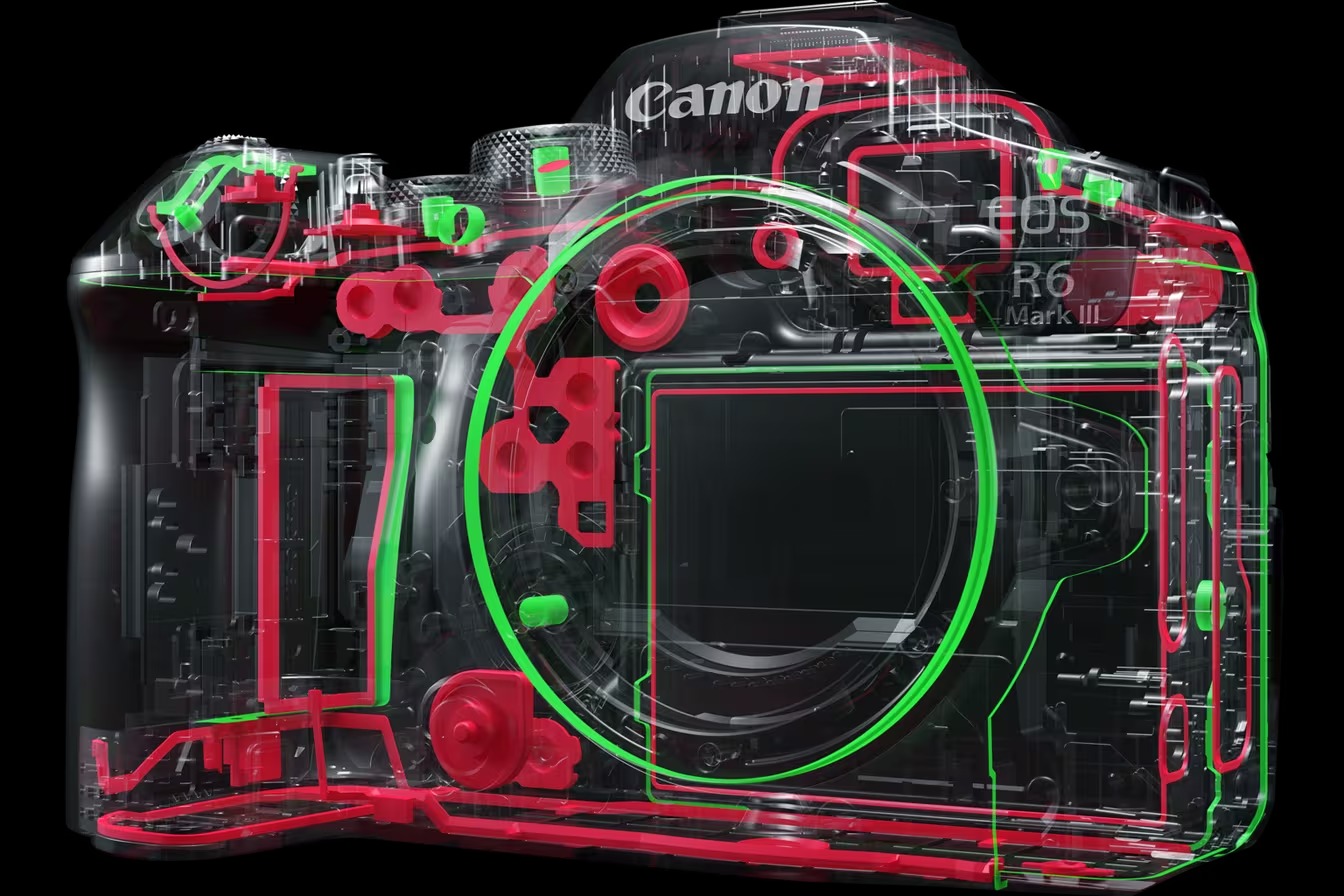
The R6 has a hint of a more plastic feel to it. I realize this doesn’t affect how it works at the end of the day, but for almost $3000, I want my cameras to feel like almost $3000. The clicky sounds from all the dials don’t feel as dampened and the action on some of the buttons aren’t as satisfying as my R5, but that’s to be expected.
Another thing I noticed is it seems Canon has done away with including a cable protector. Full sized HDMI is great and all, but even so—that little bit of plastic does wonders when a camera is all rigged up. There doesn’t appear to be a way to attach one as an optional accessory anyway, so you’ll have to rely on cage-makers like SmallRig for building that functionality into their rigs.
In general, it feels like we’re picking up right where we left off with the R6 Mark II. My experience with the R6 line is relatively limited—I practically ignored the original R6 since my R was a good enough backup camera.
However, in the last couple of years, I’ve found an increasing need for the R6 Mark II’s “it just works” factor. Whether it was needing a set-it-and-forget-it angle during live event coverage, or wanting (functionally) overheat-proof oversampled 4K footage in low-weight, web-friendly codecs, the Mark II quickly positioned itself as a very useful addition to my bag. It didn’t do anything great, but it did everything I needed—like music videos for YouTube.

This music video footage came out pretty nice. Especially in an era of web and social-only content that doesn’t need the bit depth of broadcast footage. I’ve always been quite pleased with the R6 in the past, and as I mentioned in my R5C vs C50 piece, the only thing that held me back from actually buying a Mark II was a lack of proper video codecs. Well, all that’s changed. Enter the EOS R6 Mark III.
Now it literally just arrived hours ago so I haven’t shot anything meaningful or significant yet, but the first thing I noticed after slapping my RF 16mm on was how sticky the Eye Tracking AF was when pointing the camera at myself. That’s gonna be very useful as I get deeper into the inevitable dreaded “IBIS wobbles” part of this review.
A Few Quick Observations
Canon really wants you to use the new LP-E6P battery. When using an older LP-E6NH battery, you’re unable to use wireless FTP, and an ominous “some functionality may be limited” warning screen appears at startup. It’s annoying, because the older batteries worked just a generation ago.
One thing I always change at startup is setting the main shutter button to start/stop recording in video mode. When I navigated to the menu item however, I was shocked to find that it only let me set the half-press function, not the whole-press like in previous cameras.
At first I was thinking this is another arbitrary limitation—come on, Canon, it’s bad enough we can’t customize the record button to do anything else, but don’t make me actually have to use it. The shutter button is more natural to use versus that awkward right angle twist you have to do with your index finger to hit the record button. But then I realized I wasn’t in video mode. After switching over, the ability to set a full press of the shutter to start/stop video appeared. Weird.
You can set a custom setting to fast-swap white balance presets during shooting! That’s awesome for doc-style shoots where you’re following a subject from tungsten indoor lighting into daylight.
Of course some classic Canon annoyances still persist.
Unlike the Cinema EOS menu, the standard UI places arbitrary limitations on which buttons can be customized to which functions. Which makes no sense to me. Let me pick what button I want to do the thing I want it to do.
Additionally, you can’t use Digital IS mode without also activating IBIS. I don’t understand why these can’t be independent functions. There are many situations (like vlogging) where I’d like to use digital-only IS on, say, my face to avoid warping, but then toggle on mechanical IBIS when shooting B-roll on longer lenses.
Finally, there STILL isn’t a way to switch from full frame to a Super 35 crop with a single button stroke. That would be incredibly handy in doc and event coverage settings.
Testing The Main Upgrades
I’ve had the R6 Mark III for a week or so now, and I’m quite impressed. Not because it’s a revolutionary advancement in imaging technology or anything that would warrant such a bombastic upheaval of the camera gear blogosphere. No, the R6 Mark III is impressive because of how it does just about everything you would need—and does it well. It feels silly to say, but we really don’t need to be “comparing” cameras anymore. Everything just looks good.
With family visiting Los Angeles for Thanksgiving, my first tests were in casual walk around and “B-roll” gathering situations. Naturally, I went straight for the settings that sets the R6 Mark III apart from its predecessor: 7K Open Gate and 4K 120p. Both of these modes are incredible nice-to-have’s in a sub-$3000 camera.
Here is some low light footage I shot at Descanso Gardens near LA at their Enchanted Forest of Light exhibit, using a mix of codecs and resolutions. For the most part, I tried to stick to ISO 6400, which is the cleanest high ISO setting.
You’ll notice when I shifted above or below that, it gets pretty noisy pretty quick. Unfortunately that’s a trade off compared to the Mark II’s better high ISO performance, though that camera doesn’t have the Mark III’s data-heavy video codecs where imperfections are more noticed.
In short, both 4K 120p and 7K Open Gate work great. I didn’t get to touching Raw. We’ll see if I ever do. I personally don’t see a practical use case for it just yet. (Where are my Raw-Heads at? Let me know what you use raw video for in the comments below.)
It’s important to note that for this review, and for subsequent updates, I will do my best to shoot as much footage as possible in the XF-AVC S YCC422 10 bit flavor of the h.264 codec, in Intra frame compression. In my opinion, this is the most “professional” codec that Canon offers filmmakers and videographers in this price range, as it’s a stellar balance of image fidelity to file data rate, and traditionally was the benchmark for television broadcast standards.
EOS R6 Mark III Testing
It also happens to be a major deciding factor between this camera and the (still “current”) R6 Mark II which only shoots in Long GOP (called “IPB” in the old Canon nomenclature) compression and at an indeterminate degree of h.264 or h.265 depending on whether or not Canon Log 3 is activated. I personally love that Canon is listing compressions, codecs, and data rates in-menu now.
If none of this codec talk matters to you, you may want to consider purchasing the R6 Mark II for considerably less money
In short, both 4K 120p and 7K Open Gate work great. I didn’t get to touching Raw. We’ll see if I ever do. I personally don’t see a practical use case for it just yet. (Where are my Raw-Heads at? Let me know what you use raw video for in the comments below.)
It’s important to note that for this review, and for subsequent updates, I will do my best to shoot as much footage as possible in the XF-AVC S YCC422 10 bit flavor of the h.264 codec, in Intra frame compression. In my opinion, this is the most “professional” codec that Canon offers filmmakers and videographers in this price range, as it’s a stellar balance of image fidelity to file data rate, and traditionally was the benchmark for television broadcast standards.
It also happens to be a major deciding factor between this camera and the (still “current”) R6 Mark II which only shoots in Long GOP (called “IPB” in the old Canon nomenclature) compression and at an indeterminate degree of h.264 or h.265 depending on whether or not Canon Log 3 is activated. I personally love that Canon is listing compressions, codecs, and data rates in-menu now.
If none of this codec talk matters to you, you may want to consider purchasing the R6 Mark II for considerably less money.
4K 120p and S&F Mode
The high frame rate mode comes in two different flavors. First, you can switch into 120p in the normal video resolution menu like you would the other frame rates. This will give you a normal video file with audio like the rest that you can slow down in post. I can’t think of a realistic scenario where you would need real-time audio with a 120p clip, but it’s in there. This 120p setting will work in any video codec, and in both 4K DCI and UHD—but just the standard version of the resolution. It won’t work in either aspect ratio’s downsampled “Fine” mode.
I should note that even Canon’s larger cinema cameras don’t have a native 120.00 Hz mode in the system frequency menus.
If you need slower slow motion, by dropping the resolution into 2K or Full HD (“2K” is 1080p in a DCI 17:9 aspect ratio), you unlock 180p slow motion. Again, nice to have, but personally I find 120 frames slow enough.
The other flavor of high frame rate comes from the dedicated S&F Mode on the top mode dial. Personally, this is my preferred use case for high frame rate shooting thanks to the customization options. When you switch to S&F, the video resolution setting screen adds a fourth column among resolution, frame rate, and frame compression.

Due to the way S&F Mode bakes in the frame rate conversion, you can dial in the base frame rate for the video file will play at. This is incredibly useful if you’re working in a (standard) 24p sequence in post, because unlike previous time lapse modes in photo mode that defaulted to 30fps, this could give you a native 24fps clip in whatever slow or fast capture rate you choose. And there’s a wide variety of capture rates, much more than 24, 30, 60, and 120.
It’s also great for client work where you might get requested to play back the clip on the day. Gone are the days of “trust me, it will look good once I slow it down.”
There are of course trade-offs here. First, you don’t get audio at all. Which again, isn’t really an issue if you shoot slow motion sparingly in short bursts. The other (larger) downside here is that you’re still required to manually set your shutter speed accordingly to the capture rate.
I’m going to talk more about shutter angle in a little, but needless to say, manually setting your shutter speed (or being able to accidentally bump the shutter dial) for varying frame rates presents a real problem in fast-paced situations when one needs to be capturing action with as little menu-chimping as possible.
For as much as Canon is rightfully receiving praise for adding professional cinema features to it’s prosumer EOS R series, their omission of shutter angle in a camera whose marquee feature upgrades include a variable frame rate S&F mode is pretty dang frustrating. I just want my shutter speed to automatically be double my frame rate, no matter what frame rate I’m in.
“Shutter Angle” determines the shutter speed by a factor of degrees, not a fraction of time. By following the rule of setting your shutter speed to double your frame rate, you’re effectively setting your “shutter angle” to 180 degrees.On a proper cinema camera, you can select a shutter angle, and no matter what frame rate you set, your shutter will act accordingly. This leaves one third of the exposure triangle automatically solved on the day…and leaves you with far less thinking.
7K Open Gate
This is why we’re all here, isn’t it? The addition of Open Gate recording is arguably the main event in the R6 Mark III’s showcase. If you were following along with the rumor mill in the days and weeks prior to the R6 Mark III’s launch, it’s clear from all the comments and YouTube videos and Reddit posts just how much everyone was excited for Open Gate.
“It’ll make cropping in post easier,” they said. “We can have more real estate for vertical social media cutdowns.” And on the surface, that’s kind of what you get.
When you switch into Open Gate mode, which is its own top-level option in the red video menu, the black letterboxing we’re all used to on Canon’s screens goes away, leaving you with a full 3:2 image. It works exactly as expected. I wouldn’t say there’s anything particularly spectacular about the image quality. But it’s definitely taller.
We Compare
If anything, the usefulness of the Open Gate mode is limited by a few restrictions. First of all, since you’re using the full size of the image sensor, 7K is the only resolution you’re able to shoot in. There is no downsampled or subsampled 4K Open Gate option. This makes sense though if you think about it—the reason for shooting open gate is for flexibility in cropping the image into multiple aspect ratios. The trade off however is in computer storage space and memory bandwidth in your NLE software of choice.
Additionally, neither IBIS or Digital IS is available in Open Gate. This isn’t necessarily a bad thing, but it is something to keep in mind. Personally, I think the best use case for this mode is talking head A-roll for a YouTube video that will also be an Instagram Reel, instead of something you’d use out on location, save for some moments where there’s large, uncontrollable action you can’t afford to lose framing of.
Finally, Open Gate is only available in either Raw or XF-HEVC. And since the h.265/HEVC codec is only available in Long GOP, that means Open Gate mode cannot shoot in Intra frame.
Is it “Professional?”
The question that’s on my mind as I continue to use it is not a matter of image quality. Regardless of the image mode you’re shooting in, the image you’re getting out of this camera is top notch. The oversampled 7K sensor, coupled with C Log 2, might result in the best full frame video Canon has ever produced.
I think the Super 35 sensor on the C300 Mark III with its dual gain output might still best it in the dynamic range department, but I’ll leave that to the image technicians (and Gerald Undone) to determine.
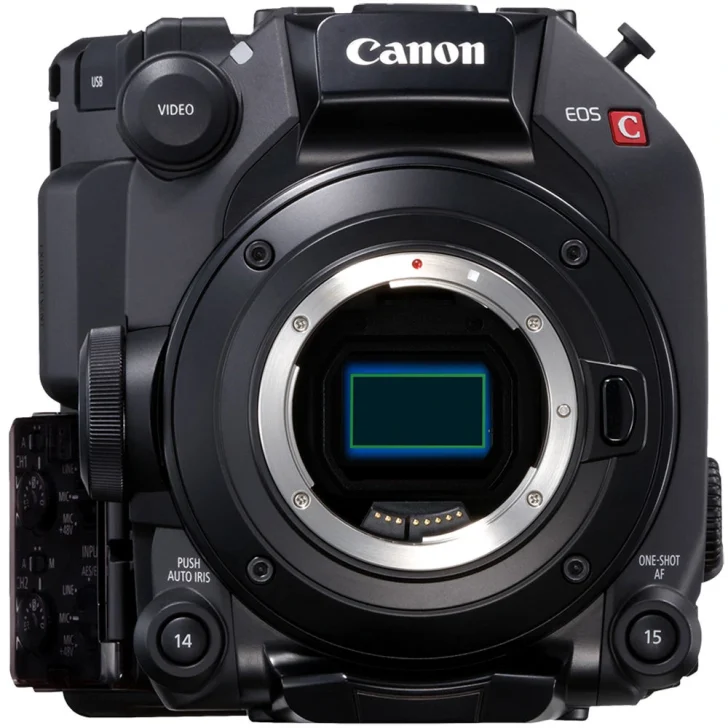
Instead, I keep asking myself if the R6 Mark III a professional camera? It could be. I think it comes down to how you define the word “professional.” The image it produces certainly is. Would I buy it as a personal camera for social media and casual video, or for a no budget short film? Absolutely.
Would I use it on a larger set or a paid gig in an uncontrolled location? I’m not so sure. Maybe as a B cam? Or crash cam?
Maybe that’s what Canon made here: its most professional non-professional camera yet. Because there are several downsides in my few days of using it so far.
Menu Quirks and Annoyances
My biggest grievance on the day was actually a small menu glitch that kept getting in the way. When you switch into Open Gate mode, the camera also switches into 30p. No idea why. If you have your frame rate settings set to 24p, the moment you turn on Open Gate, you have to go back into the menu and readjust your frame rate back to 24. That alone drove me nuts.
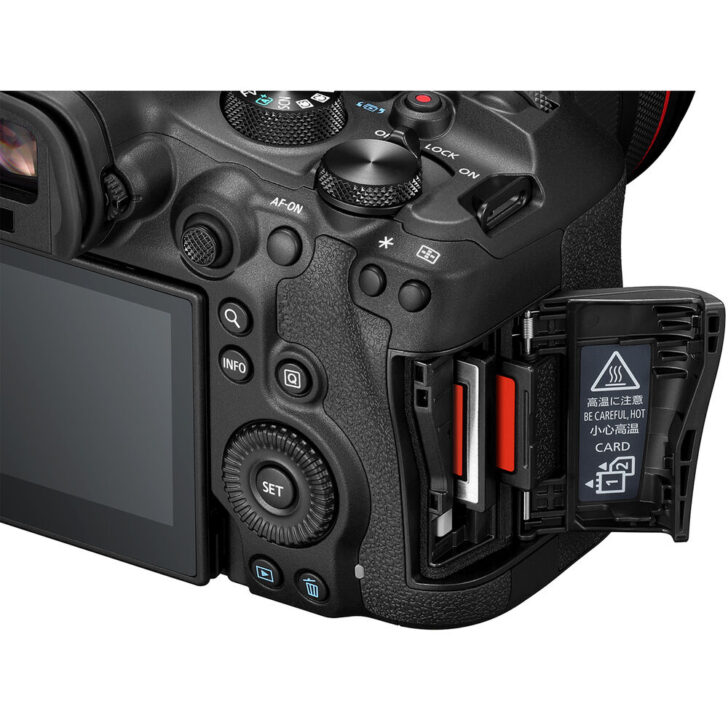
Equally as weird: when you exit Open Gate, it doesn’t return you back to the settings you were at before. It puts you in 4K DCI, meaning you have to again go into your recording size menu and reset your resolution. Canon’s quirkiness with its EOS photography menu system might be the biggest thing getting in the way of professional videographers adopting this camera.
Why no Shutter Angle?
The same goes for a lack of shutter angle. It takes just enough time to have to think through “wait, do I have my shutter speed set correctly?” that it’s easy to lose focus of what you’re shooting. Or vice versa: forget to ask yourself that question and get into the edit bay and learn you ruined your slow motion footage.
A few comments on social media told me to look into setting custom shooting modes for Open Gate, high frame rate, etc. This actually worked for me. I set C1 for Open Gate, which mitigated the weird resolution/frame rate adjustment issue. And I set C2 for 4K 60p in Super 35 Crop Mode (notably not limited by heat in any codec). This was a good stop gap measure, but the larger issue at hand is still a variable shutter speed setting that can be changed, possibly without you noticing.
Dear Canon: If shutter angle as a unit is too much of a cinema thing that’ll drive sales towards the C50 or R5C, then at least build in the option to have default shutter speeds we can toggle between like you have with white balance.
No Real World Overheating Issues….. Yet
And then there’s everyone’s favorite subject: overheating. The C50’s active cooling system is a major factor in distinguishing the R6 Mark III from its Cinema line counterpart. What’s nice about the R6 Mark III is that it lets you know immediately via a message if you’re shooting in a mode that could cause overheating.
That’s good. What’s even better is that, if you forget, or quickly click out of the warning message because you need to be moving quickly when switching modes: the recording time counter will turn yellow and stay on screen as you’re recording.
As a rule of thumb: White numbers: you won’t overheat. Yellow numbers: you’re in a mode that could overheat. This is good. I’d argue the original R5 and R6’s overheating issues weren’t actually issues, but rather the idea that Canon poorly advertised those cameras’ technological limits are core features.
We don’t have that here six years later with the R6 Mark III. I’d rather be aware of my camera’s limits and plan accordingly than think it can reliably and indefinitely do a task that it can’t. That said, I never got the camera to overheat, or even show me the heat scale. Granted it wasn’t really a scientific test.
Open Gate, C Log 2, and Intra Frame
From a filmmaker’s perspective, the EOS R6 Mark III feels like a bit of a Frankenstein’s Monster; a camera facing a split personality identity crisis. Though, unlike, the C50 and R5C that have their own unique issues with literally booting a different operating system depending on what mode you’re in, the R6 Mark III’s issue seems to be a lack of clarity on who the camera is designed for. It’s a mid range camera, with pro features, that’s marketed to content creators.
At the end of the day, the winners here are anyone who needs these three features: open gate recording, C Log 2 color profile, or Intra frame compression.
If these sound juicy to you, then please read on, because we’re gonna dive into the nuances of their first appearance in a sub-$3000 camera from Canon. If none of those features matter to you, well then maybe you don’t need to be spending almost-$3000 on a camera. And maybe, something like the R6 Mark II or R8 would do the job here.
Overkill For Content Creators?
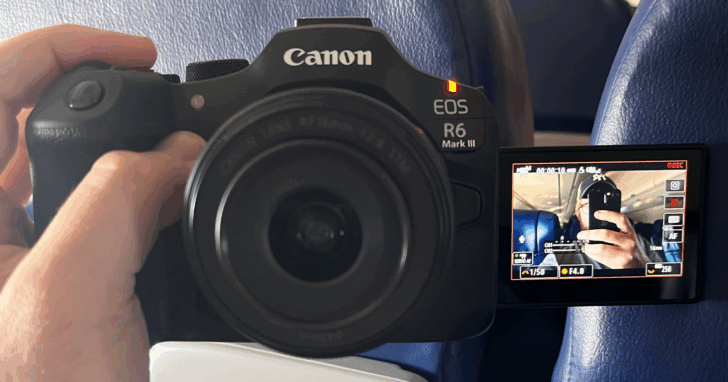
I think social media content creators, vloggers, and YouTubers are the most to benefit from the R6 Mark III. Case in point, a large portion of the upgrades are targetted at them: Open gate? 7K? Tally lamp? The better to film yourself with on a 15-35mm f2.8L and figure out framing later, my dear.
VS R6 Mark II & R8
I personally love the R6 Mark II. I flew to Sacramento last week to shoot some YouTube videos for a couple comedy friends of mine with fairly large followings. When I visited their studio, I noticed a couple R6 Mark II’s on sticks. It’s been their go-to camera of choice since it arrived on the market. Since I had the camera with me of course, I let them leave their own cameras at home and shot on the R6 Mark III.
However, when we were shooting their material, we shot in downsampled 4K, in Rec.709 color, Long GOP (IPB). Sound familiar? That’s identical to the Mark II’s max specs. We weren’t even utilizing any of the upgrades of the Mark III, except for a slight bump in max resolution downsampled into 4K.
All of the decisions were made to make editing timelines less intensive, which at the end of the day is a big priority for social media creators.
If $3000 is a simple purchase for you, none of this matters. Get the R6 Mark III. It’s better to have the capability to do something and not need it than to need a key feature and not have it. But if you’re hemming and hawing over the price, and you don’t plan to do any color correction or shoot in intensive compression modes, maybe save the money and get the R6 Mark II and it’s already-fantastic image.
Not Enough For Filmmakers?
On the other hand, the R6 Mark III simply didn’t feel as “professional” as I would have hoped out of a camera in this price range. I could very well be biased as a longtime EOS R5 user, but I think anyone coming from an upmarket camera, even one that’s a generation and a half-removed, might look at the R6 Mark III as a step down.

As I said above, there’s plenty of good going on with the R6 Mark III. I’m not trying to deny that. For those used to spending more than $3000 on a camera, the R6 Mark III is probably an amazing deal on a competent B or C cam, or, in all likelihood its only use case on anything resembling a Hollywood production, a crash cam.
VS R5 Mark II & R5 C
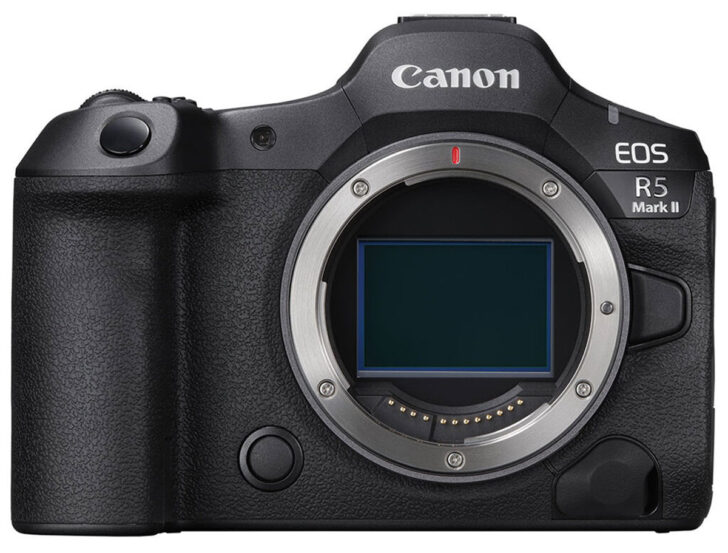
As a primary camera however, there are going to be some noticeable downgrades compared to the R5/C or R5 Mark II. None of them are necessarily deal-breaking, but all of them are easily acquirable in better cameras for relatively not that much more than what the R6 Mark III costs.
Let’s start with physical construction. The R5 line are classic Canon chunks of metal. Anyone coming from the 5D or 7D DSLRs know that feeling. The R6 Mark III, while I’m told having more metal construction that the R6 Mark II, still feels plastic. Not having a top screen killed me. I know it’s relatively minor at the end of the day, but it’s so useful being able to check settings quickly with a glance.
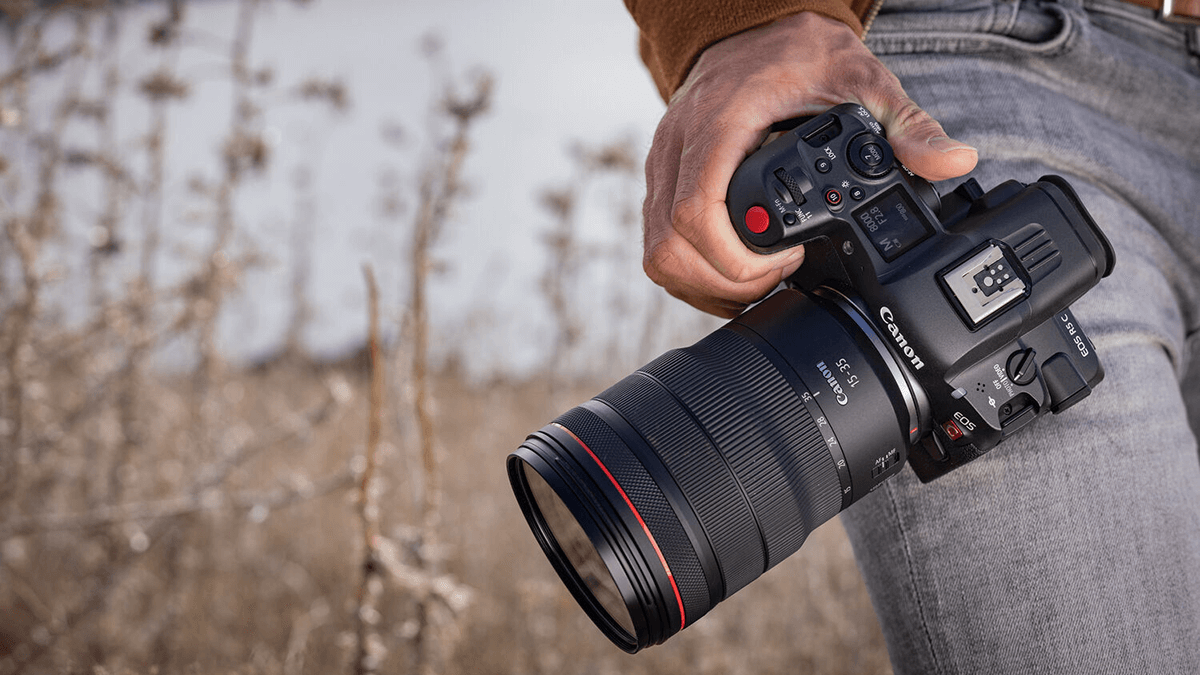
The R6 Mark III can shoot Intra frame compression, but only in XF-AVC S YCC422 10 Bit. Not 420, and not in the h.265 wrapper of HEVC S. The R5C and the R5 Mark II offer Intra frame in all of its modes, allowing greater flexibility of choice regarding the specific codec, resolution, and compression you can dial in.
That isn’t totally a knock though against the R6 Mark III, because the Mark II and Mark I never offered it to begin with. You would know if delivering in XF-AVC is a requirement for the job you might find yourself on. If it is, power to the R6 Mark III for increasing its usability and having that option.
Time Code is also a very nice addition that’s present in the R6 Mark III menu system. However, unlike the R5C, there is no dedicated Time Code port. Some newer timecode units can allow jamming of code via USB-C, but the dedicated port allows for better assimilation on larger multi-camera sets.
Which Camera To Buy?
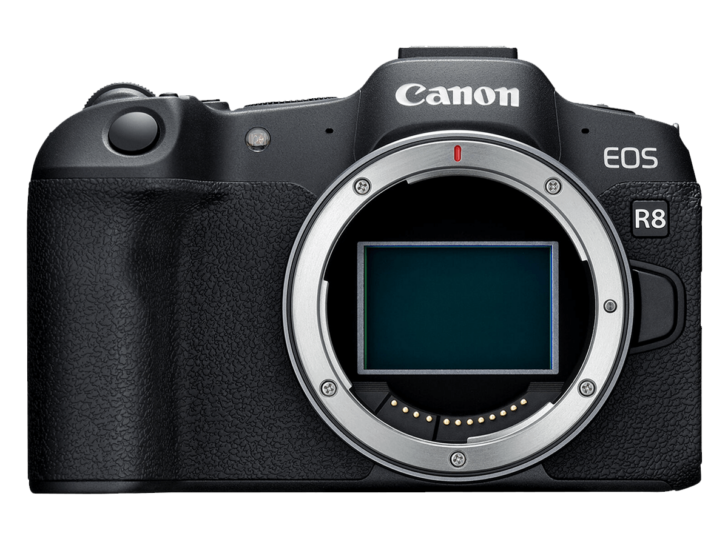
I think this is the conundrum I’m facing with the R6 Mark III. Most content creators won’t tell the difference between the R6 Mark III and the R6 Mark II, save for the tally light—and by the same logic, not all of them will need the better thermal performance or battery life that separates the R6 Mark II from the (very fun to use) R8. This means a lot of people could, and should, buy the R6 Mark II or R8 and put the extra $1000+ of savings into glass or a good microphone.
At the same time, most serious filmmakers or videographers who have $3000 to spend should, at minimum, get the R5C. I would argue that the lack of C Log 2 is not as big of a deal breaker as the YouTubers would tell you it is. Remember, the R5C is Netflix-approved, and if it’s good enough for them, it’s good enough for you.
Best Cameras for Video Under $1000
By the same logic, if you already have $3000 to spend and you’re serious about filmmaking and working jobs with your camera, you could likely justify the extra $1000 to get the C50 with its XLR handle, or R5 Mark II & cooling grip—along with a significantly better user experience across the board by almost every measurable degree. A single job could cover that difference, and you’d have a more capable camera for all situations.
No Man’s Land
Canon choosing to keep the R6 Mark II as a “current” camera in the line up is a huge tell, in my opinion, about how they view the R6 Mark III. Yes, it’s literally slotted in price between the Mark II and the higher-classed R5 Mark II.
More importantly, however, the new sensor and all the image quality changes that come along with it—like native ISO and low light performance, resolution and downsampling performance, readout speed, all the super technical quirks—create a new class of camera for the R6 Mark III.
It’s better than the R5 Mark II in a couple small ways, but I wouldn’t choose it over an R5. And it naturally out-performs the R6 Mark II in almost every way—except price, which might be enough of a deciding factor to lean you towards the predecessor.
As a result, there’s a thin line of use cases that justify purchasing the R6 Mark III. I don’t think it’s going to achieve the popularity the R6 Mark II reached. That said, it’s a very good camera, and besides overall build quality, I don’t see how Canon can improve on the hardware here.
The incredibly annoying menu quirks is another story however…
Final Thoughts
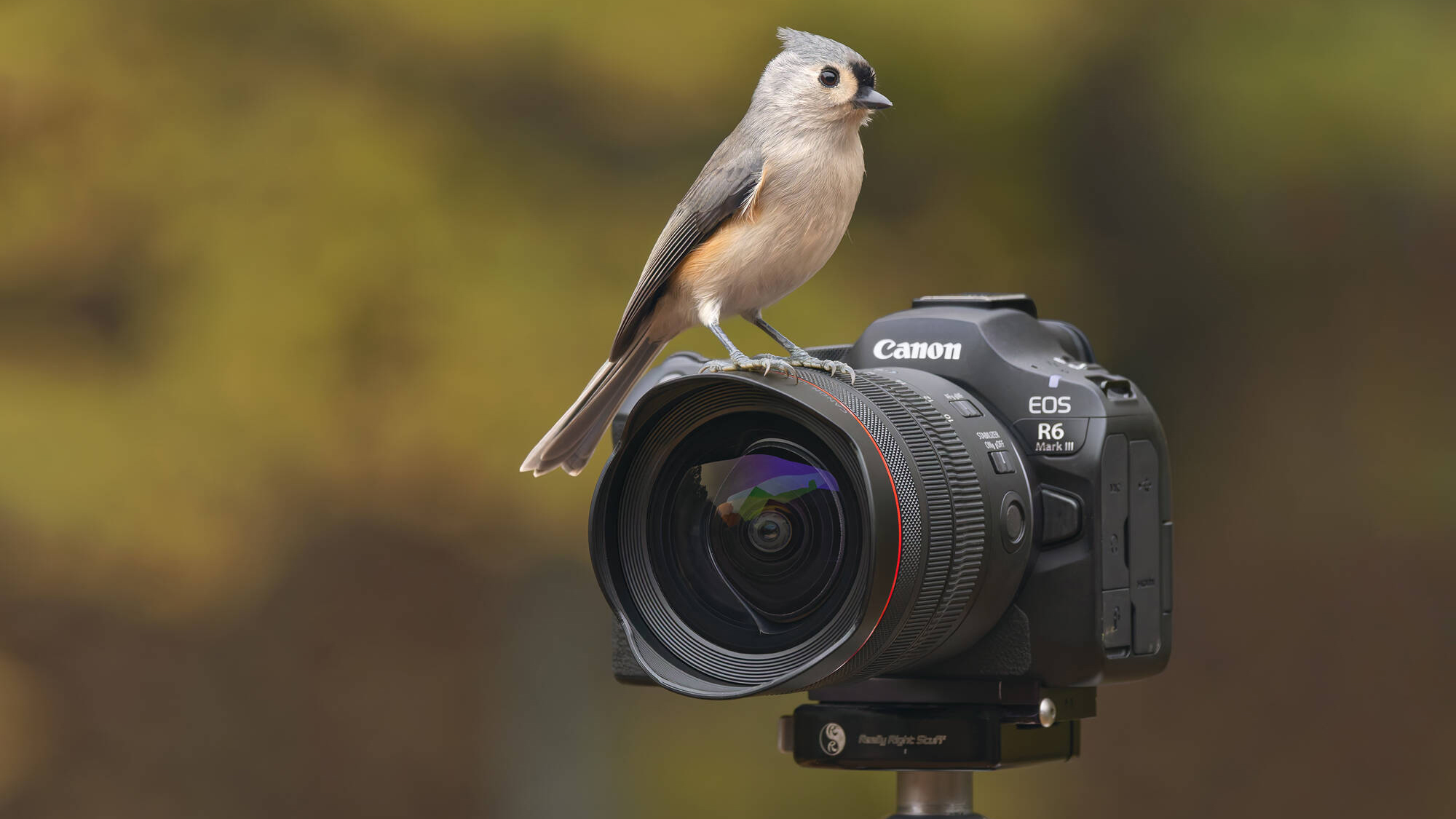
The EOS R6 Mark III is a great camera. It’s easy to use. Everything you need is in the right place. It feels great in the hands. The image quality is incredible too. That’s it, right? We should just wrap it up here?
I’m not so sure. Despite all ease of use I was experiencing while shooting with it, something to me felt off. Throughout my time with the camera, it was as if I was hoping for something just a little bit more, and simultaneously, just a little bit less.
Pros & Cons
PROS |
CONS |
|
|




Why not use h.265? I don't shoot a ton of video, so this may be a silly question, but does h.264 offer any advantage?
H.265 does better compression, resulting in smaller files, but also more load on the CPU.
Intra is only available in h.264 on R6 III. LGOP is the sole option for h.265. You get Intra High, Standard, and Light in h.264, along with LGOP. And I can say from experience with h.265 LGOP, you'll want a higher bitrate if you're working with noisier files. h.265 LGOP definitely loses some grain definition that's otherwise helpful for NR like Topaz.
Unfortunately there is still a wobble problem. GyroFlow is a good 3rd party software solution, but it needs the gyro data that only the modern cameras have (R6 III and C50). Here's a good video showing footage without and with GyroFlow: https://www.youtube.com/watch?v=-uRclDI4fmE&t=51s
I agree. If it is any consolation, there is only one interchangeable lens camera brand doing IBIS well enough to eliminate a gimbal right now, and reliably shoot smooth looking hand held (even 200mm is achievable), and that is with a Panasonic Lumix. The Canon R6 is indeed still a compelling camera in many ways, especially if you are doing a limited amount of video. Shorter clips will look as good as the R6 II, slightly better in the R6 III but again, more incremental and not needed much unless you need to shoot video over 30 minutes at a time or 4k 60 fps over 10 minutes (to avoid overheating). I agree that brands like GoPro/DJI/Insta360 are moving into video fast. The DJI Osmo Pocket 3 for only $525 USD (new on B&H right now), is the clear leader and somewhat of a game changer. Its larger 1" sensor has helped it a bit in lower light situations over previous models, the gimbal for obvious reasons (no wobble) and the ability to pull the camera out and start recording so quickly. Its sensor can always improve, especially for low light, but the biggest limiting factor is probably the 20mm full frame equivalent field of view. For most "vlog" style video its perfect to shoot yourself and the scene behind you. A firmware update gives us a 40mm equivalent crop, but that does limit the sensor. My guess is the next generation Pocket 4 was going to work on these two weaknesses (sensor capabilities and field of view). The fact that it is over 2 years old means that DJI was probably close to releasing a version 4 but then the December, 2025 ruling in the United States banned not only drones from China/DJI but also any new device with radio communications (which includes the Wi-Fi / Bluetooth connectivity to your phone or lav mics standard on the new Pockets). The good news is that the Osmo Pocket 3 is still for sale in the US. DJI was so far ahead of the competition that it probably still has a couple years before anything else comes close. It is likely DJI will continue to innovate and have new models ready to offer the US market if/when the ban is lifted. For now, if you need 4k video in a 20mm equivalent field of view in moderate to well-lit situations, there is nothing easier than the Osmo Pocket 3.