

When you purchase through links on our site, we may earn an affiliate commission. Here's how it works. |
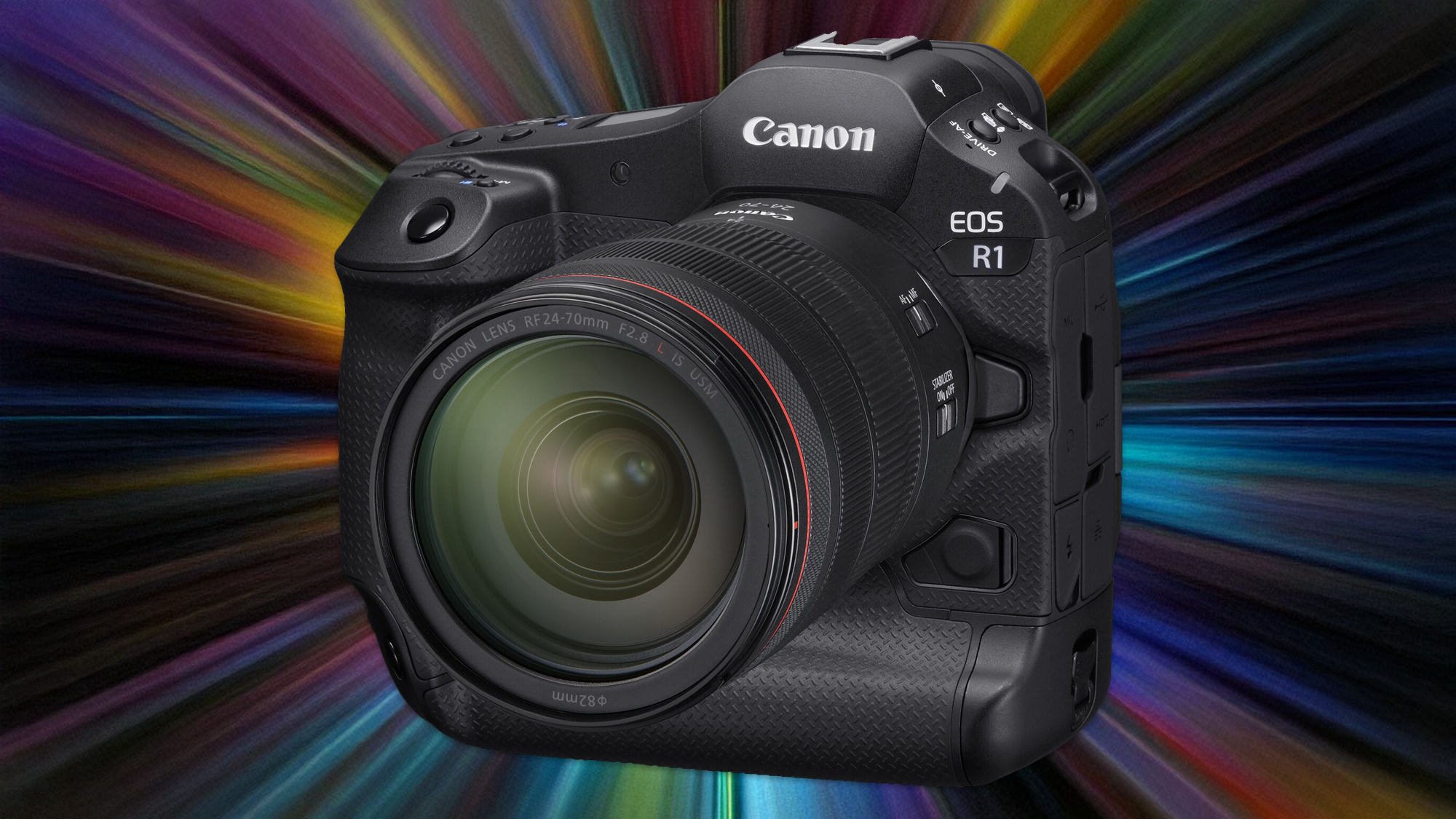
Canon has released new firmware for the Canon EOS R1, bringing it up to version 1.2.0. The latest firmware update is more about bug and stability fixes than new features.
Unfortuntaely, we still cannot bind pre-capture to a button. Why? Who knows, but we can keep wishing!
I tend to wait a week or so to update firmware from Canon, they have dropped the ball a few too many times in recent years.
Firmware Version 1.2.0 Overview
- Adds support for the EOS Multi Remote, a remote shooting system for professional photographers.
a. For an overview and specifications of EOS Multi Remote, please refer to the Canon website: https://ssw.imaging-saas.canon/app/app.html?app=emr - Fixes an issue in which image transfers to an FTP server may fail, displaying Err41.
- Fixes an issue that, in rare instances, may prevent certain CFexpress cards from being formatted in the camera.
- Other improvements to system stability.
Canon EOS R1 Overview
- 24MP Full-Frame Stacked BSI CMOS Sensor
- DIGIC Accelerator + DIGIC X Processing
- Dual Pixel AF with Action Priority
- Improved Eye Control AF
- 6K 60 Raw & 4K 120 10-Bit Internal Video
- Up to 40 fps, Pre-Continuous Shoot Mode
- 9.44m-Dot 0.9x EVF, OVF Sim. View Assist
- 3.0″ 2.1m-Dot Vari-Angle Touchscreen LCD
- Vertical Grip, 2x CFexpress Type B Slots
- Wi-Fi 6E, 2.5G Base-T Wired Ethernet
Speed, precision, and reliability, the Canon EOS R1 is built for photojournalists, sports photographers, wildlife shooters, and other image-makers who can't afford to miss the shot. The flagship of the EOS R line, this mirrorless camera sports a full-frame 24MP BSI stacked sensor, DIGIC Accelerator processing, next-gen Dual Pixel Intelligent AF, and the robust design expected from a professional workhorse.
[affiliatable id='309720′] |





Canon should give us also in photo mode option to take a video, at least in classic HD and 4K so that we can take a video while we take a photos, in order to save time going from one OS to another. Canon should know that many of us are multi function video - photo users. Many times for wedding's, we need quicker switch over video - photo mode (operation's) in a second. 4, 5 second for us is to long to loose what we need to capture. I am suggesting in photo mode HD 1920 x 1080 60f/s and 4K 60 f/s in normal video recording to be added in photo mode.