When you purchase through links on our site, we may earn an affiliate commission. Here's how it works. |
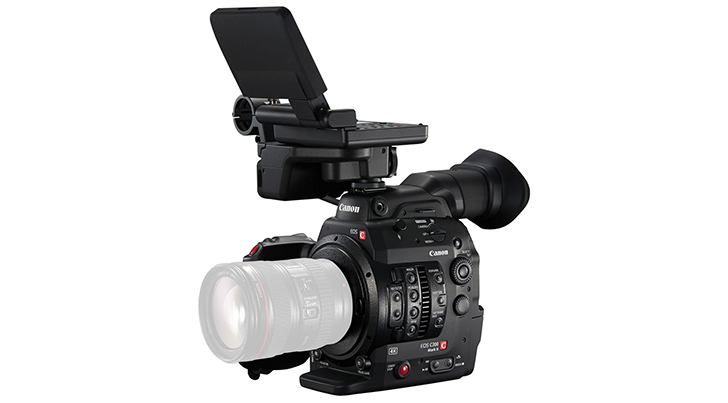
Canon has released new firmware for the Cinema EOS C100 Mark II & Cinema EOS C300 Mark II.
Canon Cinema EOS C300 Mark II Firmware Version 1.0.9.1.00 incorporates the following fixes and enhancements:
- When CN-E70-200mm T4.4 L IS KAS S is attached the following features are enabled:
- Autofocus using the Dual Pixel CMOS AF function.
- Dual Pixel Focus Guide function.
- The joystick on the camera's grip unit can be set to operate the zoom.
- Manual control of the iris with Camera's Control dial.
- Control of focus, zoom and iris using the separately-sold Remote Controller RC-V100.
- Automatic aperture and push auto iris functions.
- Start/stop recording on the lens grip.
- Retrieval of Lens metadata, such as the model name and the focal distance will display on the camera.
- Allows the position of waveform monitor to be changed on the display.
- Adds peripheral illumination/chromatic aberration correction for the following lenses:
- COMPACT-SERVO Lens [CN-E70-200mm T4.4 L IS KAS S]
- EF Lens [EF 70-300mm f/4-5.6 IS II USM], [EF 16-35mm f/2.8L III USM]
- When [Face Only] is active, the icon will change from gray to white when a face is not detected.
- When the camera is turned off the IS mechanical lock will be active regardless of the position of the switch.
- Fixes the list of shutter speed on the display when using Browser Remote.
Download Firmware Version 1.0.9.1.00 for the Cinema EOS C300 Mark II
Canon Cinema EOS C100 Mark II Firmware Version 1.0.5.1.00 incorporates the following enhancements:
- When CN-E70-200mm T4.4 L IS KAS S is attached the following features are enabled:
- Autofocus using the Dual Pixel CMOS AF function.
- The joystick on the camera's grip unit can be set to operate the zoom.
- Manual control of the iris with Camera's Control dial.
- Control of focus, zoom and iris using the separately-sold Remote Controller RC-V100.
- Automatic aperture and push auto iris functions.
- Start/stop recording on the lens grip.
- Retrieval of Lens metadata, such as the model name and the focal distance will display on the camera.
- Adds peripheral illumination correction for the following lenses.
- COMPACT-SERVO Lens [CN-E70-200mm T4.4 L IS KAS S]
- EF Lens [EF 70-300mm f/4-5.6 IS II USM], [EF 16-35mm f/2.8L III USM]
- When [Face Only] is active, the icon will change from gray to white when a face is not detected.
- When the camera is turned off the IS mechanical lock will be active regardless of the position of the switch.
Download Firmware Version 1.0.5.1.00 for the Cinema EOS C100 Mark II