When you purchase through links on our site, we may earn an affiliate commission. Here's how it works. |
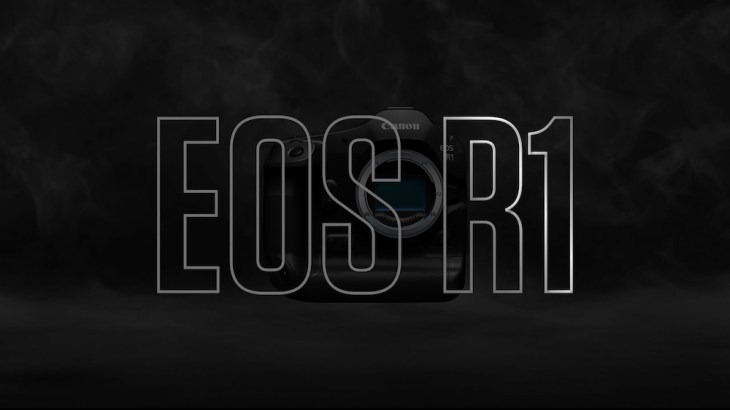
Joshua Holko, a renowned wildlife photographer specializing in polar and sub-polar areas of the planet, has released an update to his EOS R1 Noise Reduction Preset, it is now using the Lightroom AI engine.
The presets are meant to be used during the importing of your images, so every image gets the treatment. The new Lightroom AI Noise Reduction preset from Joshua will do the same, and in a lot of cases, better results.
Customers who purchased the original EOS R1 Noise Reduction preset should have received an email with a coupon code to get 50% off the new version.
There is one cavaet, using the new noise reduction plugin will require some computer horsepower to use in batch applications.
A warning if you are going to apply these new presets on import: A.I Denoise is extremely processor intensive. Even on a very fast computer, it can take upward of five seconds per image. If you are importing from a big shoot of say 4000 photographs, for example, this will send your computer’s CPU into overdrive (as well as your power bill) and could take a very long time to process!
In this example, that’s 20,000 seconds or 333.333 minutes or 5.55 hours! Instead of applying to all your photographs on import, I suggest you apply the preset only to those photographs you wish to process after import.
If you are a user of our legacy NR presets, then you can continue to apply these on import as a ‘starting point’ and then apply the new A.I Preset to any photograph you want to process. When you do this, the old legacy NR will be turned off automatically for you.
[prli-product-display type=”product” id=”82025″]
EOS R1 Lightroom AI Noise Reduction Preset Overview
Fully optimised Adobe Lightroom A.I Noise Reduction Pre-sets for the Canon EOS R1. Includes RAW Test files for each full ISO stop and 1/3rd stop increments. Once purchased, the files will be sent to you via drop box.
A.I Noise Reduction: A few important notes about how the new Adobe Lightroom A.I Noise Reduction functions: A.I Denoise does not include any aspect of sharpening (under the hood). Even as you adjust the slider to the right to perform stronger denoising, the A.I is not actually trying to perform sharpening (but it is trying to preserve RAW details – Adobe’s terminology). It does try to retain the sharpness of the original content as much as possible, and in some cases, this may perceptually appear to be increasing sharpness (because it can be harder to judge the sharpness of the original content with all the noise present, also because the default legacy NR setting of Colour 25 tends to smear some colours).
Is it worth it?
If you want to apply noise reduction efficiently on import, this preset is worth the investment. Since presets aren't destructive to RAW files, you still have the control to adjust things to your liking on an indivudual basis. I have personally haven't felt the need to do that with the original EOS R1 Preset.
You can also use the original preset on batch imports and apply the new one to individual images if have thousands of images to import and don't want to wait for the processing time required.
A note about example images: In case you are wondering why I have not dotted this long post with visual examples comparing various ISO’s pre- and post-ISO specific noise preset, it is because the images, once converted to jpeg and resized for the web, are not representative of the RAW file results.
Read the full article about the new Lightroom AI Preset for the EOS R1 here.
[prli-product-display type=”product” id=”82025″]