

When you purchase through links on our site, we may earn an affiliate commission. Here's how it works. |
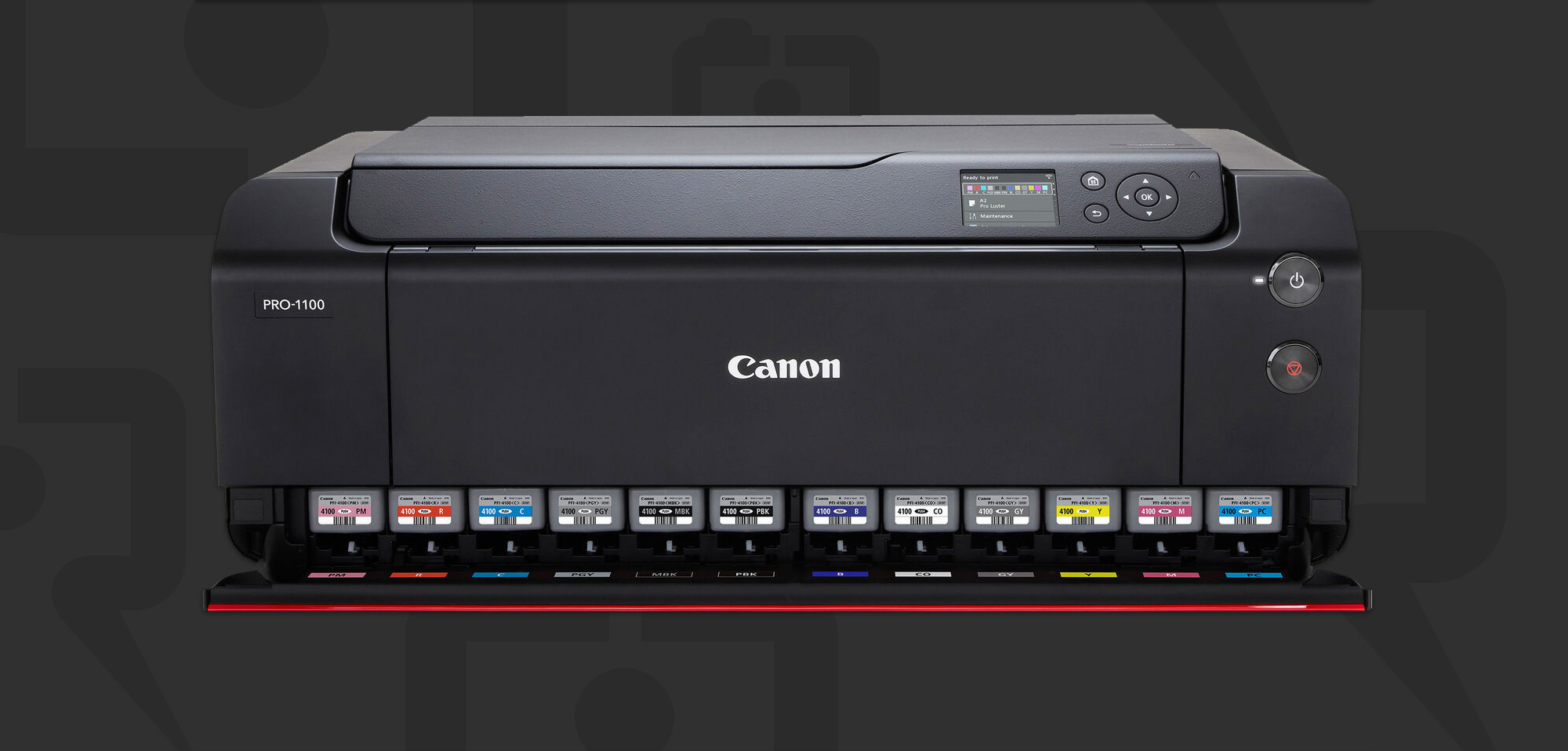
Back in August, Canon announced the imagePROGRAF PRO-1100 17″ printer, which came 8 years after it's predecessor, the imagePROGRAF PRO-1000.
Keith Cooper has completed his exhaustive review of the PRO-1100 and has come away impressed. As suspected, if you're already an PRO-1000 owner, the PRO-1100 probably isn't worth worrying about as far as an upgrade goes, unless you need a couple of the features such as a new longer paper format, which allows you to print up to 3 metres long from a piece of cut rolled paper, or the wax coating from the new LUCIA PRO II inks which can help with scratching, which may be a benefit if you do take advantage of that 3 metre print length when you're handling it.
Keth has also done a written review to go with the above YouTube review.
There's probably no one better to get a printer review from than Keith, and you'll appreciate the honesty in this one. My favourite part from the video is calling out a couple of reviewers that claim you must go out and upgrade from the PRO-1000 as “arrant nonsense”, which it definitely is.
Compared to the previous PRO-1000 model, differences are relatively minimal. There is the longer paper support and the new ink set is somewhat improved in several ways [gamut, longevity, depth of blacks]. Likely not enough to warrant replacing a good working PRO-1000.
https://www.northlight-images.co.uk/canon-pro-1100-printer-review/If you don't have a PRO-1000 and are using a something like the PRO-300, then the PRO-1100 may indeed be a worthwhile upgrade for you. If you're just buying your first printer, the PRO-1100 should definitely be on your shortlist, as it's a terrific printer.
Canon imagePROGRAF PRO-1100

- Max Resolution: 2400 x 1200 dpi
- Print Size: 3.5 x 5″ to 17 x 25″
- Print Speed: 17 x 22″ in 4 Minutes
- Borderless Printing: 4 x 6″ to 17 x 22″
- Max Printable Paper Length: 129″
- L-COA PRO Image Processing Engine
- 11 LUCIA PRO II Pigment-Based Inks
- Grayscale Photo Printing; 3.0″ Color LCD
- Canon PRINT App, Apple AirPrint & Mopria
- USB, Ethernet, and Wi-Fi Connectivity
For a lot of people, saving about $300 USD on the current inventory of imagePROGRAF PRO-1000 printers may be the way to go. There is currently a $300 instant rebate at B&H Photo, which brings the printer down to $999. The LUCIA PRO ink set is also slightly cheaper for the PRO-1000 than the PRO-1100.
Additionally, as pointed out by Keith. If you're running on older versions of MacOS or Windows, you may want the PRO-1000 for driver support. The PRO-1100 driver doesn't officially support older operating systems.
PRO-1000 support and ink from Canon should be available for many years to come, so you can still buy one with confidence. I currently use the PRO-1000 and I have no plan on upgrading unless something catastrophic happens to the printer.
Canon imagePROGRAF PRO-1000

- Max Resolution: 2400 x 1200 dpi
- Max Print Size: 17 x 23.4″
- Print Speed: 17 x 22″ in 4 Min 10 Sec
- Borderless Printing at up to 17″ Wide
- FINE Printing Technology
- L-COA PRO Image Processing Engine
- 12 LUCIA PRO Pigment-Based Inks
- Grayscale Photo Printing; 3.0″ Color LCD
- Canon PRINT App, PIXMA Cloud Link
- USB 2.0, Ethernet, & Wi-Fi Connectivity




1 comment