|
When you purchase through links on our site, we may earn an affiliate commission. Here's how it works. |
There are rumors going around that people are having autofocus issues with firmware 1.5.0 and the Canon EOS R5. This isn't something that I have experienced, nor I have received any communication about issues. Sometimes I'm the first line of tech support for whatever reason.
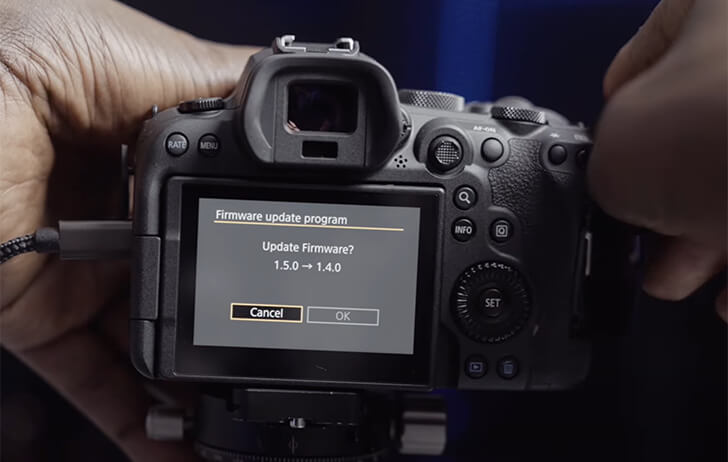
KH Cams on YouTube has posted a video showing you how to downgrade the firmware on the Canon EOS R6. This will also work with the Canon EOS R5. It's claimed that it'll work on any Canon dual card slot camera, but I have not and likely never will test this out.
Canon firmware downgrade instructions:
- Put firmware v1.5.0 on one SD card and v1.4.0 on another.
- Insert the SD card with 1.5.0 into the camera
- Go to the firmware update in the menu
- Press okay on the update, and as quickly as possible open the battery door on the camera or battery grip
- Insert the SD (Or CFExpress) card with firmware 1.4.0
- Close the battery door to turn the camera back on
- The camera will automatically start ‘updating' from 1.5.0 to 1.4.0″