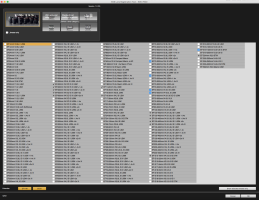
Maybe you could point me to the right direction. What EOS Utility and/or Lens Registration Tool are you using for the 8-15mm fisheye? I cant seem to find the right utility or tool for this lens.
I'm so sorry, but I don't understand your question and I suspect that others in the forum may not understand it either. If you are trying to register your lens, just go to the Canon website and look for the product registration link. If you're asking about something else, if you could please try to reword your question, I'm sure that there are people on this forum that can help you.
The Canon 5D mk III has this Lens Aberration Correction feature. Whenever I attach a 100 mm f/2.8 L macro or a 35 mm L, the LAC feature does it job since these lenses are registered in the Lens Registration Tool. But when I attach the 8-15mm L fisheye, it has no data on the firmware. I updated my firmware to the latest one even the Lens Registration Tool but still the firmware did not contain the data of the fisheye lens.
My question is, how do I register the fisheye lens to my camera and what firmware updates do I have to download to so I could register the lens?
No need for apologies and thank you so very much for the clarification.
Unfortunately, I do not know the answer to your question as it is beyond my knowledge base. But I'm sure someone on the forum can answer your question. Since no one else has responded, I would suggest that you repost your question with the phrase lens aberration correction feature in the subject field.
Maybe something like: Need help with Lens Aberration Correction for Canon 8-15mm fisheye.
By the way, I'm assuming your lens is a Canon lens.
Just updating the firmware or software for the lens registration tool does add the lens to your camera. You have to open the lens registration tool and find the 8-15 fisheye in the list and tick the box beside it. I always check that my lenses are still selected if I update the software. Once you have that box ticked, connect your camera to your computer and use the EOS utility. Depending on your version of EOS utility it might not open unless your camera is already attached. Not sure what you need to do after that but everything up to that should be correct. Once EOS loads the lens data into your camera you should be good to go. You might have to enable it for that lens specifically in your camera since it can be disabled on the fly.
maybe you came to the idea to install the distoprtion correction of the Fisheye and get a 180° rectangular lens for free.
To hones i came to the same idea but for me ist seems there are no correction data for this lens available.
BUT if you shoot at maybe 11mm with just the Corners black, with the image circle using the full with of the sensor and just cropping at the top and bottom, you can later "defish" the pic and get some sort f cylindrical projection which is really pleasing.
Bad News is, it's ot for free, but good News is,. it's about 30$, so possibly you can afford it. BUT: it's a photoshop plugin, not a standalone Programm, you need at least PS Elements.
Maybe you could point me to the right direction. What EOS Utility and/or Lens Registration Tool are you using for the 8-15mm fisheye? I cant seem to find the right utility or tool for this lens.