
You are using an out of date browser. It may not display this or other websites correctly.
You should upgrade or use an alternative browser.
You should upgrade or use an alternative browser.
Need advice for high ISO shooting / noise management
- Thread starter ahsanford
- Start date
- Status
- Not open for further replies.
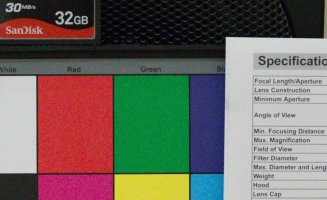
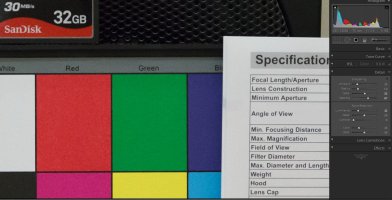
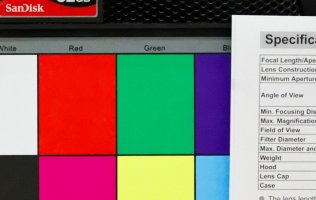
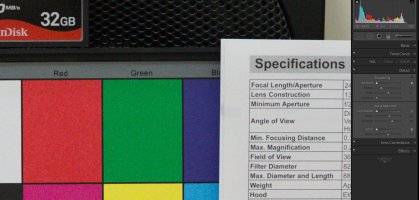
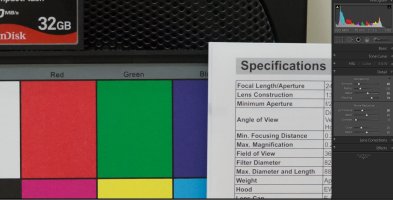
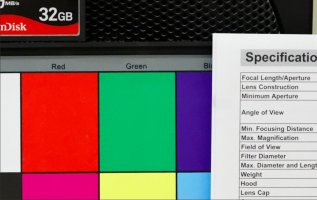

RLPhoto said:Thanks for the Crops. I prefer the LR NR in those crops. It looks more natural.
Yes, this is what I was describing earlier
"But in general LR4 leaves more details and with just a little bit of luminance grain image is more real - does not destroy low contrast surface textures so you feel it more realistic and more "tangible". DXO at default setting smears low contrast surface texture details and gives more "plastic" look. "
LR was very poor before regarding NR but recent upgrades are drastically changed the landscape in NR area, now DXO is lagging behind LR though not long back there was nothing comparable to DXO.
We will see if DXO will answer this challenge - they claim themselves to be the number 1 in this area.
Upvote
0

Ahsanford:
If you have PS, and don't mind a bit of post processing, download a trail of Nik DFine NR2 and try it out. It does a great job of reducing grain while keeping details. it doe snot completely remove it as other software do and make things look plasticky...
If you want more radical elimination, then download a trial of Topaz denoise... and give that a shot.
I used ot use LR NR which was better than standard PS NR, but after owning Nik/Topaz, I rarely use LR.
Hope this helps!
If you have PS, and don't mind a bit of post processing, download a trail of Nik DFine NR2 and try it out. It does a great job of reducing grain while keeping details. it doe snot completely remove it as other software do and make things look plasticky...
If you want more radical elimination, then download a trial of Topaz denoise... and give that a shot.
I used ot use LR NR which was better than standard PS NR, but after owning Nik/Topaz, I rarely use LR.
Hope this helps!
Upvote
0
ahsanford said:1) Best RAW processing parameters to managing noise in Camera RAW. I get lost on the five noise reduction sliders (Luminance, L Detail, L Contrast, Color and Color Detail) -- so pointers on which to use and when would be terrific.
2) Are there other settings in camera that are recommended for shooting in these indoor/handheld/low-light situations?
3) Is Camera RAW is the best tool for noise reduction work? Should I use another RAW handler? Does saving noise work for Photoshop to manage a better path to take? Advice appreciated!
Thanks for posting the comparison images Neutral.
I think we're doing a great job answering ahsanford's last two questions, but could anyone try to tackle Question 1 above? I'm asking because I've also been wondering this for awhile and I'm dying to hear what you guys can suggest.
All I can offer is a quote from the Lightroom 4 reference guide:
Reducing Image Noise:
1. (Optional) Zoom in on the photo to at least 1:1 to better see image noise and the effects of the sliders.
2. Drag the 1:1 image preview in the Detail panel of the Develop module to see the area of the photo that looks grainy or displays colored artifacts.
3. In the Noise Reduction area of the Detail panel, adjust any of the sliders. The first three sliders affect luminance noise. The last two sliders affect color noise.
Luminance: Reduces luminance noise.
Detail: Controls the luminance noise threshold. Useful for very noisy photos. Higher values preserve more detail but may produce noisier results. Lower values produce cleaner results but may also remove some detail.
Contrast: Controls luminance contrast. Useful for very noisy photos. Higher values preserve contrast but may produce noisy blotches or mottling. Lower values produce smoother results but may also have less contrast.
Color: Reduces color noise.
Detail: Controls the color noise threshold. Higher values protect thin, detailed color edges but may result in color speckling. Lower values remove color speckles but may result in color bleeding.
Taken from: http://help.adobe.com/en_US/lightroom/using/WS67a9e0c3a11b149632d4213d12864349b1a-8000.html
Upvote
0

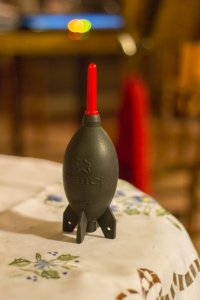
I was just playing around with a crappy file. 6400 ISO on my 60d, touched up in LR, didnt go too heavy, I dont like the smeared soft look of over-zealous NR. 1/15th handheld 50mm f/1.8 ISO 6400
...1/15th 50mm handheld on a crop? was my heart beating? anyways, just for fun
...1/15th 50mm handheld on a crop? was my heart beating? anyways, just for fun
Attachments
Upvote
0

Neutral said:RLPhoto said:Thanks for the Crops. I prefer the LR NR in those crops. It looks more natural.
Yes, this is what I was describing earlier
"But in general LR4 leaves more details and with just a little bit of luminance grain image is more real - does not destroy low contrast surface textures so you feel it more realistic and more "tangible". DXO at default setting smears low contrast surface texture details and gives more "plastic" look. "
LR was very poor before regarding NR but recent upgrades are drastically changed the landscape in NR area, now DXO is lagging behind LR though not long back there was nothing comparable to DXO.
We will see if DXO will answer this challenge - they claim themselves to be the number 1 in this area.
also that little bit of remaining grain will barely be noticable when printed (at normal sizes) billboards it would but then there are other issues there too
Upvote
0

I bet you're raising your ISO to get an acceptable shutter speed. Higher ISO means more noise. Well I've got another tip. If you feel that your shutter speed is a bit too low to avoid camera shake and you want to raise your ISO because of this, then don't... Instead choose "continuous shooting" as drive mode and shoot 3-5 consecutive shots. Many times one of the middle ones will be "in focus".
Upvote
0


Upvote
0
- Status
- Not open for further replies.
Similar threads
D
- Replies
- 32
- Views
- 5K


