So there's bsically 2 camps in the "what I want from the 5D3" various threads:
The High-MP camp, looking for something to beat the (alleged, i'll believe it when i see it) 36MP D800. Beat as is beat it in MP.
The High-ISO camp, looking for a see-in-the-dark camera, to beat the current lord-of-darkness D3S.
Now, If you take a low-MP camera, and upscale the image to high-mp, you don't get nearly as much detail for printing billboards (sometimes I think everyone prints billboards at 300dpi on a daily basis given what I read here, yet noone gets paid enough for these billboards to hire a Phase One IQ 180).
But, if you take a high-MP camera, you can shrink it down to the same printable-size as the low-MP camera, but is the noise better or worse?
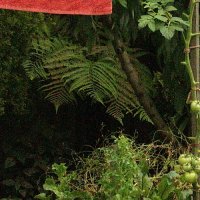
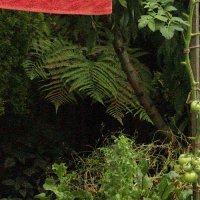
Here's my basic test I just did. With a 7D and Samyang 35/1.4, taking a shot of my garden at various ISOs, in both RAW and sRAW.
Conveniently, sRAW on a 7D is exactly half the width and half the height of a RAW file, so 1/4 the size at 4.5MP. That means that every pixel is made up of one block of RGGB photosites (which makes 4 pixels in RAW mode). Now I don't know exactly how canon makes the sRAW file, but my guess is that shooting in sRAW will equate to what you'd get if they made a native 4.5MP sensor using the same sensor tech available at the time (it is for this reason you can't compare, say, the 1Ds2 to shrunk-1Ds3, because the processes and designs are 3-4 years newer).
Is it better to shoot in full-size RAW, then shrink when printing, or to shoot in the sRAW size that you need?
All shots are DPP processed, Standard style, WB cloudy, Sharpness 3, NR 0:0, ALO, PIC, etc all off, and converted to 100% jpg.
The 4.5MP sRAW shots were cropped at 500x500 and saved as 100% jpg.
The 18MP RAW shots were cropped at 1000x1000 (for same framing), then shrunk to 500x500 (which is what would happen if you print it on the same size paper as the sRAW shot), using GIMP, then saved as 100% jpg.
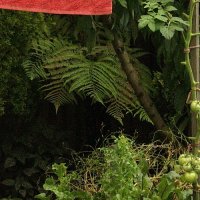
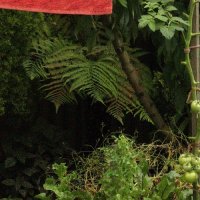
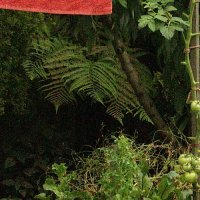
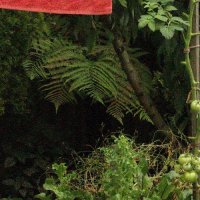
The 4 shots i'm posting below are at iso 3200 and 6400, purposefully to make noise as bad as possible to show up better. (Look at the filenames to see which is which).
The High-MP camp, looking for something to beat the (alleged, i'll believe it when i see it) 36MP D800. Beat as is beat it in MP.
The High-ISO camp, looking for a see-in-the-dark camera, to beat the current lord-of-darkness D3S.
Now, If you take a low-MP camera, and upscale the image to high-mp, you don't get nearly as much detail for printing billboards (sometimes I think everyone prints billboards at 300dpi on a daily basis given what I read here, yet noone gets paid enough for these billboards to hire a Phase One IQ 180).
But, if you take a high-MP camera, you can shrink it down to the same printable-size as the low-MP camera, but is the noise better or worse?
Here's my basic test I just did. With a 7D and Samyang 35/1.4, taking a shot of my garden at various ISOs, in both RAW and sRAW.
Conveniently, sRAW on a 7D is exactly half the width and half the height of a RAW file, so 1/4 the size at 4.5MP. That means that every pixel is made up of one block of RGGB photosites (which makes 4 pixels in RAW mode). Now I don't know exactly how canon makes the sRAW file, but my guess is that shooting in sRAW will equate to what you'd get if they made a native 4.5MP sensor using the same sensor tech available at the time (it is for this reason you can't compare, say, the 1Ds2 to shrunk-1Ds3, because the processes and designs are 3-4 years newer).
Is it better to shoot in full-size RAW, then shrink when printing, or to shoot in the sRAW size that you need?
All shots are DPP processed, Standard style, WB cloudy, Sharpness 3, NR 0:0, ALO, PIC, etc all off, and converted to 100% jpg.
The 4.5MP sRAW shots were cropped at 500x500 and saved as 100% jpg.
The 18MP RAW shots were cropped at 1000x1000 (for same framing), then shrunk to 500x500 (which is what would happen if you print it on the same size paper as the sRAW shot), using GIMP, then saved as 100% jpg.
The 4 shots i'm posting below are at iso 3200 and 6400, purposefully to make noise as bad as possible to show up better. (Look at the filenames to see which is which).