Overcoming the lack of Exposure control in Manual Mode 5D Mark III..ideas?

Status
Not open for further replies.

revup67

Memories in the Making
Dec 20, 2010
642
10
9,241
Southern California
www.flickr.com
Outside of shelling out 6800 USD for a 1DX, I am curious if any of you have found a good work around for the lack of Exposure control in Manual Mode on the 5D Mark III. I've been reading up on Magic Lantern but don't see (at this point) a way to override and offer control of this feature.

This frustration comes when shooting Birds which are back lit. Av mode is great when DOF control is needed which is almost always especially if a bird is at close range and positioned diagonal or any position other than horizontal. Tv Mode is excellent of course if a bird is in flight or in motion so that you can determine the shutter speed yet both fall short of what each others' mode doesn't have yet they both offer Exposure compensation. Manual Mode is therefore the best choice to get your DOF and Shutter selection however there's no control of Exposure Compensation for back lit subjects. Evaluative Mode seems the best for metering especially when choosing AF Expansion Mode for in flight tracking. Oddly, I've found that Exposure can be utilized in M mode if using bracketing but why take 3 shots to get one and add all those shutter counts to the camera? I only shoot in RAW and can correct some of this in Light Room but then the image suffers from graininess when EV is at 0 in M mode.

Perhaps some of you may have your own techniques which I'd be very interested in learning. Looking forward to any suggestions or thoughts on this and my searches here in the forum don't show much on previous threads regarding this issue.

Thanks in advance
 
If the bird is between you and the Sun the side pointing towards you is never going to be differently exposed. Just expose for the side of the bird that's pointing at you (you or your camera can't see the side pointing to the Sun anyway) and shoot, in M mode of course. If the bird takes a turn and it looks like you'll be getting the sunny side soon, change exposure while it's veering left or right and then shoot the sunny side. You should instinctively know the accurate exposure for ANYTHING in direct sunlight so you can set it in advance, here's how:
go to M mode. Set the accurate exposure for the bird in direct sunlight. Go to the Menu, Settings, Camera user settings -> Register. Register on your preferred dial option (C1, C2, C3). Go to M mode. Set exposure for shady side. Is the shady side facing you? Shoot away. Is the sunny side facing you? Flip to the correct custom dial mode (C1 if that's where you set the sunny exposure) shoot away. You can go back and forth between M and C1 as much as you want.
This just goes to prove that Av and Tv modes are crutches that leave their users helpless when they can't be efficiently used.
 
Upvote 0
revup67 said:
Outside of shelling out 6800 USD for a 1DX, I am curious if any of you have found a good work around for the lack of Exposure control in Manual Mode on the 5D Mark III. I've been reading up on Magic Lantern but don't see (at this point) a way to override and offer control of this feature.

This frustration comes when shooting Birds which are back lit. Av mode is great when DOF control is needed which is almost always especially if a bird is at close range and positioned diagonal or any position other than horizontal. Tv Mode is excellent of course if a bird is in flight or in motion so that you can determine the shutter speed yet both fall short of what each others' mode doesn't have yet they both offer Exposure compensation. Manual Mode is therefore the best choice to get your DOF and Shutter selection however there's no control of Exposure Compensation for back lit subjects. Evaluative Mode seems the best for metering especially when choosing AF Expansion Mode for in flight tracking. Oddly, I've found that Exposure can be utilized in M mode if using bracketing but why take 3 shots to get one and add all those shutter counts to the camera? I only shoot in RAW and can correct some of this in Light Room but then the image suffers from graininess when EV is at 0 in M mode.

Perhaps some of you may have your own techniques which I'd be very interested in learning. Looking forward to any suggestions or thoughts on this and my searches here in the forum don't show much on previous threads regarding this issue.

Thanks in advance

Surely exposure compensation in manual mode is to offset the exposure using either shutter speed or aperture from the indicated 'correct' meter reading, in exactly the same say you perform 'exposure compensation' in either Av or Tv mode, except in those modes your EC is limited to either offsetting aperture or shutter speed depending on which mode you are using.

Or am I missing something ?
 
Upvote 0
Sporgon said:
Surely exposure compensation in manual mode is to offset the exposure using either shutter speed or aperture from the indicated 'correct' meter reading, in exactly the same say you perform 'exposure compensation' in either Av or Tv mode, except in those modes your EC is limited to either offsetting aperture or shutter speed depending on which mode you are using.

Or am I missing something ?

You're missing the third side of the exposure triangle – ISO. Auto ISO in M mode is a useful feature, only available on more recent bodies. It's my setup of choice for shooting birds in flight. Pick the aperture and shutter speed you need, and the camera gives you a metered exposure by altering the ISO. The v2 firmware for the 1DX added the ability to apply exposure compensation in that situation.
 
Upvote 0
flowers said:
This just goes to prove that Av and Tv modes are crutches that leave their users helpless when they can't be efficiently used.

Are autofocus and burst shooting crutches? How about that delete key on your computer keyboard? Don't be lame! Grab yourself a typewriter, there's always white out for mistakes, assuming anyone even makes those… ;)

Av and Tv are conveniences, not crutches. They are like the moving walkways in an airport, you can walk on the regular floor, but the moving walkway will get you where you need to go faster. In many situations, I care about depth of field, but not shutter speed provided it is faster than a certain value. I should I change to settings (or three, if you believe auto ISO is also a crutch), when there's only a need to change one? The important thing is to know how each mode works, what their limitations are, and when to use each one for maximum benefit and convenience.
 
Upvote 0
neuroanatomist said:
Sporgon said:
Surely exposure compensation in manual mode is to offset the exposure using either shutter speed or aperture from the indicated 'correct' meter reading, in exactly the same say you perform 'exposure compensation' in either Av or Tv mode, except in those modes your EC is limited to either offsetting aperture or shutter speed depending on which mode you are using.

Or am I missing something ?

You're missing the third side of the exposure triangle – ISO. Auto ISO in M mode is a useful feature, only available on more recent bodies. It's my setup of choice for shooting birds in flight. Pick the aperture and shutter speed you need, and the camera gives you a metered exposure by altering the ISO. The v2 firmware for the 1DX added the ability to apply exposure compensation in that situation.

Ah, I see. Guess I'm stuck in the '70's ;) Let's have a little Supertramp.
 
Upvote 0
Sporgon said:
neuroanatomist said:
Sporgon said:
Surely exposure compensation in manual mode is to offset the exposure using either shutter speed or aperture from the indicated 'correct' meter reading, in exactly the same say you perform 'exposure compensation' in either Av or Tv mode, except in those modes your EC is limited to either offsetting aperture or shutter speed depending on which mode you are using.

Or am I missing something ?

You're missing the third side of the exposure triangle – ISO. Auto ISO in M mode is a useful feature, only available on more recent bodies. It's my setup of choice for shooting birds in flight. Pick the aperture and shutter speed you need, and the camera gives you a metered exposure by altering the ISO. The v2 firmware for the 1DX added the ability to apply exposure compensation in that situation.

Ah, I see. Guess I'm stuck in the '70's ;) Let's have a little Supertramp.

So am I. Breakfast In America then?

Whilst there is no doubt the highly configurable capabilities of the newest cameras can be of benefit, particularly in situations where the shot changes dramatically quickly, birds from trees to open sky, footballers from shadow to sun etc, there is no doubt in my mind that over complicate the relatively simple three intertwined exposure factors.

In M mode you have, with all cameras with a back wheel/dial, the ability to change two of the three factors immediately and the third with the press of an iso button. You can buy 1 series cameras secondhand for a few hundred dollars that give you more configuration than most other series bodies, if that kind of functionality is paramount to you then get the body that fills those needs.
 
Upvote 0
privatebydesign said:
Sporgon said:
neuroanatomist said:
Sporgon said:
Surely exposure compensation in manual mode is to offset the exposure using either shutter speed or aperture from the indicated 'correct' meter reading, in exactly the same say you perform 'exposure compensation' in either Av or Tv mode, except in those modes your EC is limited to either offsetting aperture or shutter speed depending on which mode you are using.

Or am I missing something ?

You're missing the third side of the exposure triangle – ISO. Auto ISO in M mode is a useful feature, only available on more recent bodies. It's my setup of choice for shooting birds in flight. Pick the aperture and shutter speed you need, and the camera gives you a metered exposure by altering the ISO. The v2 firmware for the 1DX added the ability to apply exposure compensation in that situation.

Ah, I see. Guess I'm stuck in the '70's ;) Let's have a little Supertramp.

So am I. Breakfast In America then?

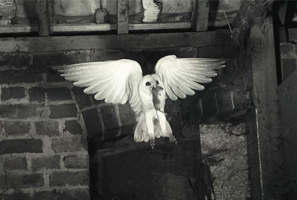
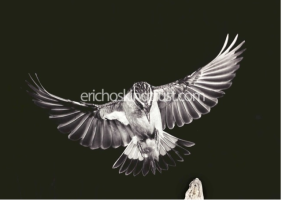
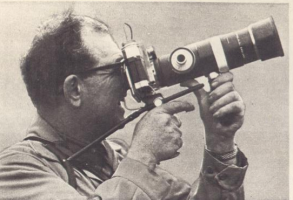
Good choice. The 'Logical Song' from that album might be appropriate ;) I don't know how anyone took a decent picture before the 1Dx came along. Eric Hosking must be turning in his grave, but hopefully the Op won't have to suffer attack by an angry owl to get his shots ;D

A few images for those that don't know who Eric Hosking was. Images will be subject to copyright.
 

Attachments

  • Picture 15.png
    Picture 15.png
    165.4 KB · Views: 848
  • Picture 14.png
    Picture 14.png
    173.4 KB · Views: 806
  • Picture 16.png
    Picture 16.png
    326.6 KB · Views: 783
Upvote 0
I shoot in Manual quite a bit with my (non-1DX) bodies and I use two strategies:

1. If shutter speed is critical (i.e. sports or wildlife), I meter on my subject or subject area (if I'm waiting for it), set the shutter to one stop higher than I need (e.g. 1/2000s if I need 1/1000s), set the aperture to wide open or whatever is appropriate, and then set the ISO to a neutral exposure. I then use the shutter speed to adjust exposure since it's essentially set in the middle of 1/1000s (-1) and 1/4000s (+1), in this example. I prefer this method because it's so easy to change shutter speed.

The only thing I can't overcome with this is when adding extenders it throws the exposure off -1-2 stops...yet another 1DX firmware improvement...

2. If aperture flexibility is important (very rare for me, but if I expect a subject to get close or something) I do the same as above, but set the aperture in the middle when I set up the initial exposure and then use the aperture and ISO settings to adjust exposure. It's much more tedious than #1, but works.

I use #1 98% of the time when shooting manual and tailor it to the setting - I'll set the initial speed lower or higher as needed. For landscapes, architecture and most other stuff, I just used Av and normal exposure compensation :)
 
Upvote 0
Yea, I just use magic lantern - I use a bunch of other features anyway - and ignore all these 'EC doesn't make sense in M' comments. You can't 'uninstall' from a 5DIII though and it only runs under old firmware (no f8 AF) and some people don't like the extra 2s delay on startup. So I'm not sure I can recommend it to a 5DIII user as a first-time install.

For the 7D user, you could give it a try and completely uninstall if you don't like it.
 
Upvote 0
There is a side code base where someone re-coded AutoISO to allow EC in M mode. They also got rid of the couple bytes of code where Canon marketing had them limit the max minimum shutter speed allowed for AutoISO Av mode (an absurd crippling thanks to Canon marketing I guess, no reasonable explanation for the limit).

Other than that, nothing to do other than write a letter to Canon and tell them to stop finding every last way to cripple products on 10 cent features. The 1DX and 7D2 finally do AutoISO reasonably right. Absurd Canon took 10 years to dribble out such a minor little feature and still only allows it to be properly done on 1 series and 7D2.

It's such a trivial thing to implement, a 10 cent feature.

This is the sort of nonsense that slowly alienated their userbase and gets people going over the top nuts about countdowns to marketing initiatives.
 
Upvote 0
One option is to lock it into M mode and lock the ISO and apeture and quickly spin the shutter speed manually as it moves from one area to another. It may be difficult in the lighting chances too much or too variably. That can sometimes work for a slightly unevenly lit field for sports though where the goal face and center and sideline each different a bit, you can spin the shutter speed around as action moves from one section to another.
 
Upvote 0
LetTheRightLensIn said:
One option is to lock it into M mode and lock the ISO and apeture and quickly spin the shutter speed manually as it moves from one area to another. It may be difficult in the lighting chances too much or too variably. That can sometimes work for a slightly unevenly lit field for sports though where the goal face and center and sideline each different a bit, you can spin the shutter speed around as action moves from one section to another.
I do it three ways. One is as described above, the other is to adjust aperture instead of shutter speed. I normally prefer that, because I rather have a changed DOF, than risking too low shutter speed. The third, which I normally prefer, is to adjust ISO. I have programmed the center button on the back wheel to ISO and adjust with the back wheel. I am of course stretching my coordination capabilities to the max, but with some practice it works.
 
Upvote 0
fwoodman said:
Mising the EC in M mode really suck and I can't afford the 1Dx. Even Nikon has this feature. Bummer!
I hope Canon will release a firmware update for my 5D mk3. I wish, I would have gone with Nikon.


Another happy camper posting daft posts! Look in your view finder there you will find an exposure meter. Twiddle with your knobs to your hearts content and it will tell you what compensation you have set.


I also wish you had bought a Nikon. It wouldn't make any real difference to your images. But at least you would be on their forum complaining about something that Nikon has different to Canon.
 
Upvote 0
If you are using Manual mode you are choosing not to use auto shutter or auto aperture. Two of the best advances in cameras. And like you I often choose not to use them.


In changing light conditions, when I am in M mode, I don't find exposure compensation much use. You are having to anticipate what the conditions will be. For instance birds in flight. Will your bird be against a light sky or flying in front of a dark tree? If you set exposure compensation for one it won't work for the other. (this is much the same on all makes of camera ;D )


You are disabling 2/3 rds of the auto settings of the exposure triangle. Its asking a lot of any camera to get it right in difficult conditions using only 1/3rd of its capacity. Heck you've gone to manual because it cant get it right using either 2/3rds or full auto!


There is another way. (and as far as I know this works fine on all makes of camera ;D ) Choose full Manual. I mean fix your ISO as well. This works better than you might think. What I do is take readings of a patch of grass that is about mid brightness for the day and set up one of my custom functions in manual aperture, shutter speed AND ISO. I can then go to these setting fast if I need to and unless its a really bright day those settings will get you a shot with detail. IF YOU HAVE TIME and its a really bright day you may like to adjust either the shutter speed or aperture as you take the shot depending on the lighting on the subject. You can do this with the control wheels that should be under your finger or thumb. As Eldar said you can sometimes reprogram to adjust ISO if you like that better.


And this tip comes to you from me a CANON 1Dx user and I was told it by a NIKON D4 user. Thankfully he was not obsessed with being negative about either make of camera.


)
 
Upvote 0
Status
Not open for further replies.