Snowy pictures

Our chicken house after a winter storm.

IMG1039-L.jpg
 
Upvote 0
bvukich said:
Ok, re-uploaded it in 4K resolution. I'm just a freak like that.

http://youtu.be/r2QIMFg2Q4Q

Very interesting bvukich. I have seen a few timelaps lately on the forum and I really like this. How does one go about creating a timelaps? Do you use the video mode or do you take a photo every "x" minutes and stitch them in a video after? For the later, what tool is used for this?

Sorry this is really interesting but not sure how to proceed...thanks for the help.
 
Upvote 0
JR said:
bvukich said:
Ok, re-uploaded it in 4K resolution. I'm just a freak like that.

http://youtu.be/r2QIMFg2Q4Q

Very interesting bvukich. I have seen a few timelaps lately on the forum and I really like this. How does one go about creating a timelaps? Do you use the video mode or do you take a photo every "x" minutes and stitch them in a video after? For the later, what tool is used for this?

Sorry this is really interesting but not sure how to proceed...thanks for the help.

For this particular time lapse, it was a still photo every minute, for six hours. Then I used two linux (also available for macs) commands. "convert" to pad, scale, and crop the images to 1920x1080 (and then re-done at 4096x2304). Then "mencoder" to convert that series of images to an mjpeg video. I initially encoded them in mpeg4, but it looked like garbage, and for a 12 second video, file size doesn't really matter. Plus I knew it was going to get transcoded when uploading to Youtube anyhow, so may as well give the highest quality input.

I can start a new thread with precise commands, and explanations if you would like. (in fact, I think I will)

 
Upvote 0
bvukich said:
JR said:
bvukich said:
Ok, re-uploaded it in 4K resolution. I'm just a freak like that.

http://youtu.be/r2QIMFg2Q4Q

Very interesting bvukich. I have seen a few timelaps lately on the forum and I really like this. How does one go about creating a timelaps? Do you use the video mode or do you take a photo every "x" minutes and stitch them in a video after? For the later, what tool is used for this?

Sorry this is really interesting but not sure how to proceed...thanks for the help.

For this particular time lapse, it was a still photo every minute, for six hours. Then I used two linux (also available for macs) commands. "convert" to pad, scale, and crop the images to 1920x1080 (and then re-done at 4096x2304). Then "mencoder" to convert that series of images to an mjpeg video. I initially encoded them in mpeg4, but it looked like garbage, and for a 12 second video, file size doesn't really matter. Plus I knew it was going to get transcoded when uploading to Youtube anyhow, so may as well give the highest quality input.

I can start a new thread with precise commands, and explanations if you would like. (in fact, I think I will)

Interesting. I've never tried time lapse photography or thought about how to turn one into a video. I can easily do the timelapse part using my Canon remote, but editing it into a video clip may be interesting.


Thanks for sharing.

+1
 
Upvote 0
bvukich said:
JR said:
bvukich said:
Ok, re-uploaded it in 4K resolution. I'm just a freak like that.

http://youtu.be/r2QIMFg2Q4Q

Very interesting bvukich. I have seen a few timelaps lately on the forum and I really like this. How does one go about creating a timelaps? Do you use the video mode or do you take a photo every "x" minutes and stitch them in a video after? For the later, what tool is used for this?

Sorry this is really interesting but not sure how to proceed...thanks for the help.

For this particular time lapse, it was a still photo every minute, for six hours. Then I used two linux (also available for macs) commands. "convert" to pad, scale, and crop the images to 1920x1080 (and then re-done at 4096x2304). Then "mencoder" to convert that series of images to an mjpeg video. I initially encoded them in mpeg4, but it looked like garbage, and for a 12 second video, file size doesn't really matter. Plus I knew it was going to get transcoded when uploading to Youtube anyhow, so may as well give the highest quality input.

I can start a new thread with precise commands, and explanations if you would like. (in fact, I think I will)

I did a quick write up: http://www.canonrumors.com/forum/index.php/topic,2838.0.html
 
Upvote 0
Thanks, I like it.

And thanks for going the extra mile with the "how to." Excellent "value added."


bvukich said:
I happened to have my camera at work today, and it started to snow. So I propped it on the ledge of my office window (no tripod), and made a timelapse:
http://youtu.be/CUeuer92C94

No particular artistic value, but it does go with the theme of this thread.
 
Upvote 0
What's snow? This winter has been so disappointing. Winter is usually my favourite time to shoot. It's the only time Toronto is actually decent to look at is when it's under a fresh layer of snow. In November I seriously considered buying a new winter coat looking forward to all the standing around in the sold I would do taking pictures. I'm glad I didn't bother. Glad I didn't bother with snow tires either. Here are a few pics from last year when the mystical white stuff made an appearance:


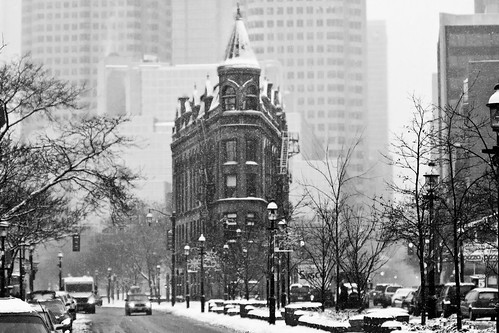
The Gooderham Flatiron Building in Toronto, Ontario by Christopher Brian's Photography, on Flickr


Sunset from Ashbridges Bay, The Beach, Toronto by Christopher Brian's Photography, on Flickr


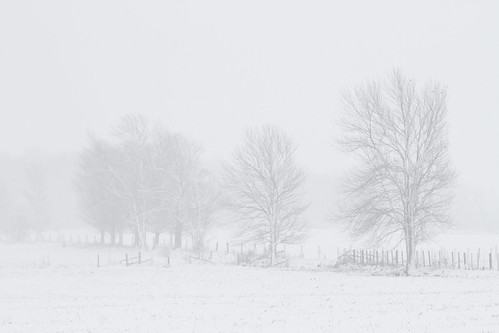
November Snow in the Blue Mountains of Ontario by Christopher Brian's Photography, on Flickr


Grindstone Creek Falls Christmas 2010 Black and White by Christopher Brian's Photography, on Flickr


Webster's Falls Creek in Dundas, Ontario by Christopher Brian's Photography, on Flickr


Winter Pine by Christopher Brian's Photography, on Flickr


Kimi Running in the Snow by Christopher Brian's Photography, on Flickr
 
Upvote 0