5d Mark iii noise at 1600

Status
Not open for further replies.
Hi Mate, I don't have a 5D3 anymore but I didn't try one combination.

FYI the Latest DPP raped my 5d3 cr2s - best combination i found was DNG to LR4

One thing i noticed looking at the sample shots on the canon website and wondering WTF my iso 400 raws don't look as good as their iso 3200 jpegs - is that they used the in-body convertor.

Please see samples below:

1dx http://web.canon.jp/imaging/eosd/samples/eos1dx/downloads/010.jpg

5d3 http://web.canon.jp/imaging/eosd/samples/eos5dmk3/downloads/15.jpg


The 5d3 iso 3200 image they used shot by the same tog in the same location 800mm FL on the 5d3 has no banding… blows the 1dx out of the water.

Where is that noise profile on the production model 5d3?!!

On that 5d3 sample page the 5d3 indoor iso 3200 wedding shot is banding free also... something fishy going on...

As noteed at the bottom – in camera raw conversion – maybe the body knows something dpp/acr/DNG doesn’t.

I can't confirm if the in-body convertor is the key, I wont be able to test till the weekend when i get my hands on another 5d3 but something to consider and try out
 
Upvote 0
MazV-L said:
yulia said:
swampler said:
yulia said:
When i open DPP...when i have jpg file the Noise reduction tab is enabled, i can move the slides etc...When i open RAW file...everything in Noise Reduction Tab is just grey and i can't use it...Is it always like that? (still hoping something is wrong with me, my computer, dpp... but not the camera he he)
The apply button in DPP is grey until you make a change to the sliders, then it will turn active.

the sliders DON'T move at all :(
they do move with jpegs, but not RAW :(
Do you have the general settings in DPP (under Preferences) on High Speed rather than High Quality, because Noise Reduction is switched off when you have it set to High Speed.

THANK YOU! that did it!
 
Upvote 0
Z said:
yulia said:
THANK YOU! that did it!

So all is fine with your camera? Good news.

no, all is good with my software ;D

camera, unfortunately, is going back to the store...i already got another one and it looks much better, i think...for $3500 i don't want to look for solutions and fixes for more then a week...my 50 1.4 came in yesterday as well, so i am one happy girl :) :)
 
Upvote 0
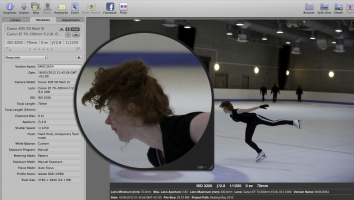
Newbie here, having problems with my 5D3 images, was shooting my first time indoor arena, daughters ice skating practice. Operator error, or do i have a faulty camera, all my images are a bit graineier than i would want to be honest, and all seem a little soft, this is one of the better ones, Ive had the camera since beginning of april, but this is the first time I've had to use it in low light, i seem to remember my 5D2 looking better and sharper with same lens at ISO5000 with Jpeg when shooting some Martial arts, should i demand a fix/repalcement?
 

Attachments

  • pk1.png
    pk1.png
    878 KB · Views: 1,712
Upvote 0
Help!!!

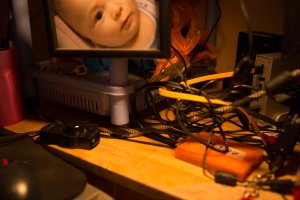
What do you make of these - 5D MKIII @ 1600iso.

Does anyone have definitive settings for the lowest noise with the MKIII?
 

Attachments

  • _G4A0361.jpg
    _G4A0361.jpg
    881.3 KB · Views: 1,290
  • _G4A0361-2.jpg
    _G4A0361-2.jpg
    960.6 KB · Views: 1,310
  • _G4A0361-3.jpg
    _G4A0361-3.jpg
    1 MB · Views: 1,270
  • _G4A0361-4.jpg
    _G4A0361-4.jpg
    1 MB · Views: 1,301
Upvote 0
I get your point but I was expecting more from the 5D MKIII.

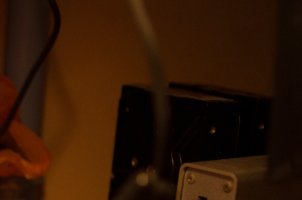
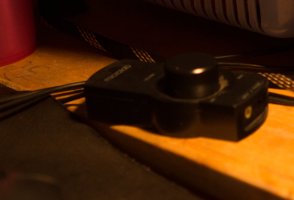
Here's some more - why the blockiness in the shadow areas?
 

Attachments

  • _G4A0338-2.jpg
    _G4A0338-2.jpg
    789.8 KB · Views: 1,257
  • _G4A0338.jpg
    _G4A0338.jpg
    1 MB · Views: 1,254
Upvote 0
underexposed images are always going to show higher noise levels in shadow regions and this will be amplified when pushed

the noise is actually very clean and comes up very nice using something like topaz denoise where you can apply different degrees of NR to shadows highlights midtones and colour channels
 
Upvote 0
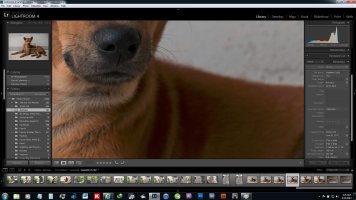
You can see the LR metadata.

The first shot - the dog - is that shadow noise acceptable?

The second shot is from a 5D Classic.

I will have some 8x10's printed tomorrow.
 

Attachments

  • 1.jpg
    1.jpg
    444.4 KB · Views: 1,063
  • 2.jpg
    2.jpg
    427.8 KB · Views: 1,048
Upvote 0
I can't take this anymore. You are underexposing badly. In digital photography, if you underexpose, you can't really fix it without adding noise. You can't just add light with LR retroactively; if you didn't collect it, it's not there. Now let me help you out. I'd like you to see some success. You want to slightly overexpose in digital if you are going to be off in your metering. +1/3 is best, but +2/3 and +1 are salvageable, as long as you don't have blown highlights. For instance, in landscape photography I meter off the sky, set the shutter speed accordingly, then expose +2/3 typically. If I overexpose slightly, that's not a problem in LR, underexposing is.

Your porch photo is difficult because it's a high contrast situation, much like shooting in the woods on a hot sunny day. In that case, meter off the brightest face, then exposure bracket, 5D Mark III will do a bunch of bracketing, I'd do -1/3, 0, +1/3, +2/3, +1. Pick the best photo. When you get better than shoot only on shot with no bracketing.
 
Upvote 0
bdunbar79 said:
I can't take this anymore. You are underexposing badly. In digital photography, if you underexpose, you can't really fix it without adding noise. You can't just add light with LR retroactively; if you didn't collect it, it's not there. Now let me help you out. I'd like you to see some success. You want to slightly overexpose in digital if you are going to be off in your metering. +1/3 is best, but +2/3 and +1 are salvageable, as long as you don't have blown highlights. For instance, in landscape photography I meter off the sky, set the shutter speed accordingly, then expose +2/3 typically. If I overexpose slightly, that's not a problem in LR, underexposing is.

Your porch photo is difficult because it's a high contrast situation, much like shooting in the woods on a hot sunny day. In that case, meter off the brightest face, then exposure bracket, 5D Mark III will do a bunch of bracketing, I'd do -1/3, 0, +1/3, +2/3, +1. Pick the best photo. When you get better than shoot only on shot with no bracketing.

I would go even further will the porch picture - large amounts of flash would sort the whole thing out, putting light on the important things (the people) and reducing the ambient highlights

... and reduce the iso to 100/200
 
Upvote 0
briansquibb said:
bdunbar79 said:
I can't take this anymore. You are underexposing badly. In digital photography, if you underexpose, you can't really fix it without adding noise. You can't just add light with LR retroactively; if you didn't collect it, it's not there. Now let me help you out. I'd like you to see some success. You want to slightly overexpose in digital if you are going to be off in your metering. +1/3 is best, but +2/3 and +1 are salvageable, as long as you don't have blown highlights. For instance, in landscape photography I meter off the sky, set the shutter speed accordingly, then expose +2/3 typically. If I overexpose slightly, that's not a problem in LR, underexposing is.

Your porch photo is difficult because it's a high contrast situation, much like shooting in the woods on a hot sunny day. In that case, meter off the brightest face, then exposure bracket, 5D Mark III will do a bunch of bracketing, I'd do -1/3, 0, +1/3, +2/3, +1. Pick the best photo. When you get better than shoot only on shot with no bracketing.

I would go even further will the porch picture - large amounts of flash would sort the whole thing out, putting light on the important things (the people) and reducing the ambient highlights

... and reduce the iso to 100/200

Yes. Good point.
 
Upvote 0
I did my own test at ISO 12,800 with no NR and 100 NR setting in Adobe Camera Raw.

Photo 1 is no NR, photo 2 with NR. 5D Mark III, with 100-400L lens, 100mm, 1/200s, ISO 12,800, f/8.
 

Attachments

  • Shot 1 ISO 12800 no NR.JPG
    Shot 1 ISO 12800 no NR.JPG
    413.1 KB · Views: 1,071
  • Shot 2 ISO 12800 100 NR.JPG
    Shot 2 ISO 12800 100 NR.JPG
    153.9 KB · Views: 1,119
Upvote 0
My first post on this forum.

I purchased my 5D Mark III in late May and after testing it for a few weeks using mostly L lenses, I thought I had a defective camera body because I was seeing noise at not only 1600 iso but even at lower ISO levels (starting faintly at 800 iso and gradually increasing). My camera retailer (Looking Glass Photo in Berkeley) decided to test the camera before they sent it back to Canon and when they didn't find any problems when making direct comparisons with a 5D Mark II (and saw less noise on the Mark III images at all iso levels, especially visible at higher iso levels), we began to talk about workflow and software. I have been using Lightroom 4.1 to process my files, which appears to be the culprit. Processing with Canon's proprietary Digital Photo Professional made a world of difference. The "haze" of noise (mostly luminance, but also some chroma) was completely gone and the colors were more saturated (perhaps more than I'd prefer, but in many ways, better than what I was seeing in Lightroom). I wasn't certain about whether Lightroom uses Adobe Camera Raw or a different RAW processing algorithm, but the contrast between the screen view of RAW images is significant. I went back to look at those problematic files and re-processed them in Digital Photo Professional and was struck every time by the lack of noise using Canon's RAW processing engine.

If anyone can suggest how to obtain the same level of noise-free processing in Lightroom, please share your settings. (I hadn't made any changes to Lightroom between using my 5D Mark II and when I started using the Mark III body other than upgrading to 4.1, first 4.1 RC then 4.1 Final.)

Incidentally, I recently tried processing in DxO Optics Pro 7 Elite and the RAW images also look better than in Lightroom 4.1. I haven't been able to make comparisons between DxO and Digital Photo Professional, but I hope I'll be able to go back to using Lightroom because of the Develop module.

Thanks in advance for any feedback.
 
Upvote 0
Some of you people are HILARIOUS. Taking underexposed photos at high ISO and judging them at near 100% level for noise. Oh boy. SOUNDS FUN.

If you expose an image properly, some areas may indeed still have shadows, obviously. I shoot RAW, I load into LR4 with default settings in LR4, I don't do any extra noise reduction, it looks fantastic. Having shot with a 5D2 since the first few months that camera came out, I can say that some of you are insane. Get out there and do some serious shooting with this. You're just wasting your time doing these ridiculous "tests".
 
Upvote 0
Status
Not open for further replies.