5d3 not soft anymore?

Status
Not open for further replies.
I'm really starting to believe LR blows chunks. Here we have soft images clearly due to LR and in the other thread we have abysmal shadow recovery for 5D3 at the FM site yet I recover similar shadows in 5D2 shots using Capture One 6 and see none of the artifacts and get very pleasing results.
 
Upvote 0
JR said:
Well i was able to reprocess all my raw file from the mkiii using the latest dpp instead of LR 4.1 and this was indeed the source of the softness issue i was experiencing. The image all became razor sharp using dpp, some of them even more so then my mkii! The only down side for me for now is i still prefer the workflow from lightroom compared to dpp so i really hope adobe will update their raw converter.

Even the shots i thought were sharp from the mkiii before were improved using the latest dpp... Thanks viggo...

You're very welcome! And it wasn't all my idea, but it's great to get it out there so other people becoome aware of such things!

Let's hope Adobe really does their stuff, and fast.
 
Upvote 0
This is pretty enlightening!

Question--has anyone done a similar DPP to LR comparison to 7D images? I know that there have been a myriad of discussions on softness with the 7D and I'm curious if those come down to the software as well.
 
Upvote 0
skitron said:
I'm really starting to believe LR blows chunks. Here we have soft images clearly due to LR and in the other thread we have abysmal shadow recovery for 5D3 at the FM site yet I recover similar shadows in 5D2 shots using Capture One 6 and see none of the artifacts and get very pleasing results.

Hmm, that's interesting about the shadows.. Are you able to do a shadow recovery with a 5d2 file with both Capture One and Lr?

Maybe this is the reason Adobe cut the price in half? They want to sell CS6....
 
Upvote 0
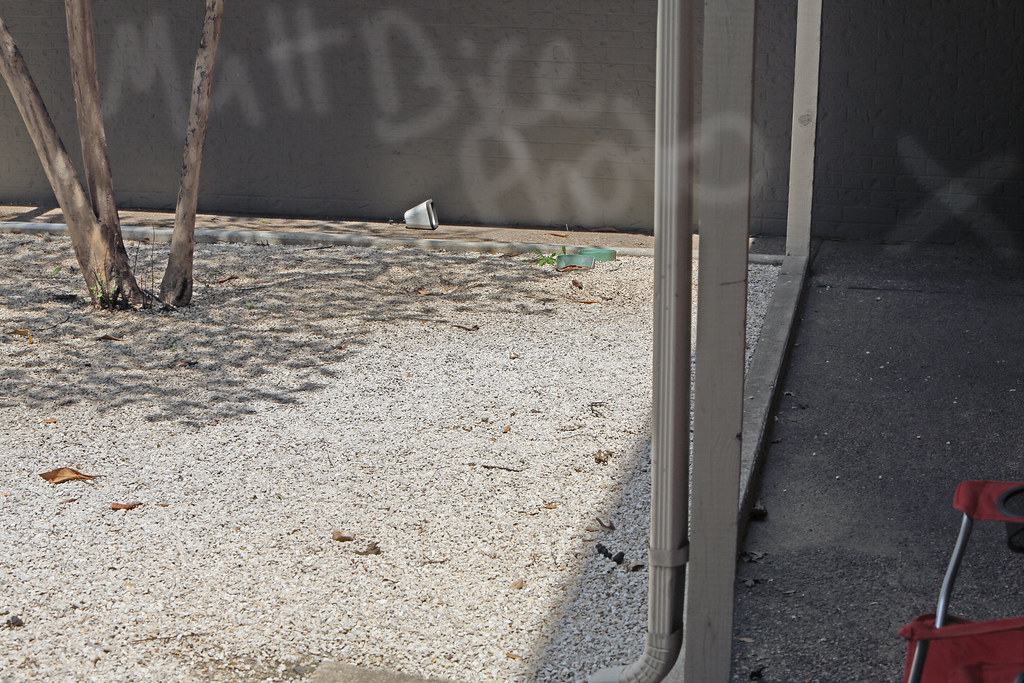
I just took a picture outside of my home, using spot metering photographing the bright rocks out in the sun compared with the harsh shadow of a covered walk way. I opened it in DPP (just updated) and saved it as a TIFF. I then took it into photoshop and did a "highlight/shadow" adjustment. With Shadows boosted to 100% like this I am getting an almost perfectly clean shadow. I will try to post pictures later. I even went in later and dodges the hell out of the darkest area(the only part that had banding noticeable 100%) and I could extend it even more.

I think you might be suprised if you try this.
 
Upvote 0
Let me blow your mind a little.

7133044449_80d50ce4a9_b.jpg


AND......

7133055985_d1eb9a9800_b.jpg


obviously these could not have been taken by a 5D3............. ::) ::) ::)

http://www.flickr.com/photos/mattbicephotography/ here is my photostream so you can go look at the pictures at full size. I think LR4.1 RC certainly works better with Nikon.
 
Upvote 0
thepancakeman said:
This is pretty enlightening!

Question--has anyone done a similar DPP to LR comparison to 7D images? I know that there have been a myriad of discussions on softness with the 7D and I'm curious if those come down to the software as well.
I know from experience that there were issues with LR2 and the 7D. While subsequent software updates within LR3 improved it, I'm not convinced that it has been fixed entirely. The other issue was with the contrast areas between lights and darks, such as the black and white feathers on an oystercatcher. Tha said, I haven't done any formal comparisons, as there are other advantages with LR. I tend to look at the overall picture (if you'll excuse the pun), rather than a single factor.
 
Upvote 0
Unfortunately everything to me seems to be SOFT lol, maybe its just me.

Im really eager to see results from people who use LR4 RC2 which states on top that it uses Adobe Camera Raw 7.1 (98% sure) which is a different revision to LR4 RC1 which may make a difference.

I did bring up my RAWs in DPP but I still think its soft so maybe its just me, better wait till more people can test.

Would be also great to Compare to the 1DX which was announced like last year LOL maybe it will come out before 2013
 
Upvote 0
wshinji said:
Unfortunately everything to me seems to be SOFT lol, maybe its just me.

Im really eager to see results from people who use LR4 RC2 which states on top that it uses Adobe Camera Raw 7.1 (98% sure) which is a different revision to LR4 RC1 which may make a difference.

I did bring up my RAWs in DPP but I still think its soft so maybe its just me, better wait till more people can test.

Would be also great to Compare to the 1DX which was announced like last year LOL maybe it will come out before 2013

Did you update your DPP software to the new version that corrects the softness? it definitely make a huge difference!
 
Upvote 0
Is there a best way to convert the RAW file with the latest DDP to a different non destructive format and then use LR4 to complete the workflow? keeping the sharpness...

maybe there is way or similar...?
 
Upvote 0
MattBicePhotography said:
Let me blow your mind a little.

7133044449_80d50ce4a9_b.jpg


AND......

7133055985_d1eb9a9800_b.jpg


obviously these could not have been taken by a 5D3............. ::) ::) ::)

http://www.flickr.com/photos/mattbicephotography/ here is my photostream so you can go look at the pictures at full size. I think LR4.1 RC certainly works better with Nikon.

For the Lightroom/ACR conversion, did you use Photoshop's highlight/shadow adjustment too or just Lightroom/ACR's exposure slider?
 
Upvote 0
wshinji said:
Is there a best way to convert the RAW file with the latest DDP to a different non destructive format and then use LR4 to complete the workflow? keeping the sharpness...

maybe there is way or similar...?

you have to use the latest 3.11.26 version of DPP.

You can use DPP to initially convert the RAW images to 16bit TIFF files then use LR to finish up. Ive tried this and it manages to "keep the sharpness".
 
Upvote 0
here is a sample of raw MKIII picture converted with DPP.

First image is the whole picture next would be a crop of the of the first image.

Sharpnessin DPP was at 2 and exposure was bumped up .50
 

Attachments

  • 5DM30083a.JPG
    5DM30083a.JPG
    552.2 KB · Views: 1,602
  • 5DM30083.JPG
    5DM30083.JPG
    458.4 KB · Views: 1,618
Upvote 0
awinphoto said:
Adobe has always had to play catch up with almost every new canon/nikon camera ever released... Canon doesn't like to play nice and give developers like adobe insights on how to prep, so adobe has to wait until they can get their grubby hands on something to go off of. Canon 5d mark 2, we had to nearly wait a full month before adobe had any support what-so-ever for the camera after first launch... no beta, no release candidate, nothing. To my knowledge, this is the first big release where they at least had something out there to play around with.

I'd actually read/heard somewhere that Canon makes their raw converter's de-mosaicing engine available to developers like Adobe. They just choose to not use it. Likely their own in-house version intergrates better with the rest of their ACR-based applications.

For those who poo-poo DPP you're missing out. No, it's not the zippiest thing but it's really easy to use and provides excellent output that you can further PP in other graphics apps. It's batch-output is really simple to use too. DPP is best thought of as a developing lab for the raw file film. I used to use DxO to max out the detail from some of my shots but recently ran into some problems with the way they did CA correction - it desaturated genuinely colorful fine foliage detail to gray!
I went back and tried the same shot on an updated version of DPP and holy cow! Way more sharpness and none of the CA-correction issues that DxO (6 & 7) had with the same file. DxO now sits in the seldom-used corner of my computer. DPP and LR handle the majority of the processing with PS and DxO only brought out under special circumstances. DPP for the intial conversion and rating, LR for tweaks like gradients and hilite/shadow and NR as needed as it exceeds DPP in those areas. Fortunately DPP and Adobe can at least work on the same file (TIFF) types together. DxO is too limited so can't pass files back and forth as readily. (no DNG!!?)
 
Upvote 0
Status
Not open for further replies.