Framing for 2.35:1 aspect ratio using a 5D3: Best methods?

Status
Not open for further replies.

cayenne

Canon Rumors Premium
Mar 28, 2012
2,907
800
24,496
Hi Folks,

I've been starting to dabble with playing with different aspect ratios of my final out put for video. I'm wondering, when you're using a 5D3, what are your best methods to use to make sure you frame the composition in a manner that makes sure you have all your content in frame?

It sure would be cool, if there was a button on the camera that would put the black bars where the 'crop' would be given various aspect ratios that might be used.

What do ya'll do when wanting to make sure your composition is framed properly when you want to use something other than 16:9 ?

Thanks in advance,

cayenne
 
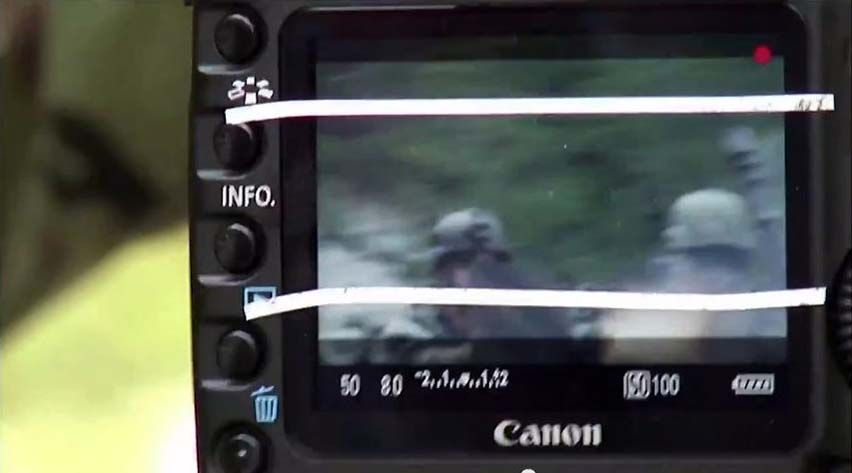
Not to oversimplify the situation, and definitely not the most scientific. You could put masking tape (or your adhesive strip of choice) over the rear display and keep everything in between the top and bottom sections.
 
Upvote 0
Mt Spokane Photography said:
Magic Lantern supports custom crop marks and framing, so you can have pretty much anything you want. However, its in a very preliminary beta stage right now for the 5D MK III.

http://www.magiclantern.fm/whats-new/104-releases/143-second-alpha-for-5d-mark-iii

You know...after posting this (isn't that always the way), it occured to me, that this could definitely be a ML type thing.

I think this weekend, I'll read up on ML, download it and give it a try.

C
 
Upvote 0
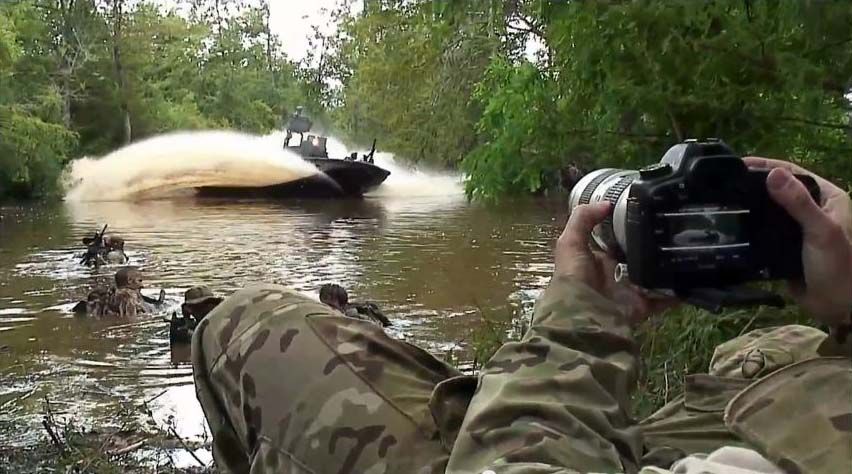
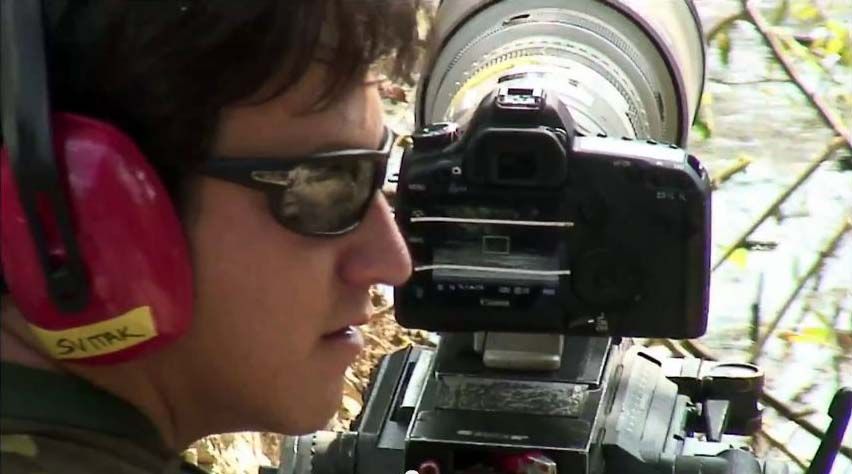
Here's some shots of them filming Act of Valor using 5D MkII's at 2.35:1 the simple way,

ActofValor5D2c.jpg


ActofValor5D2a.jpg


ActofValor5D2b.jpg


link to video here,
http://blog.planet5d.com/2012/01/act-of-valor-filming-with-a-canon-eos-5d-mark-ii-around-live-ammo/
 
Upvote 0
Upvote 0
I'll be darned!! I wonder what kind of 'tape' they were using..something that wouldn't leave a mark when you took it off.

Is there a measurement you'd use on the screen on the back to know where to put the tape?

C

Looks like correction tape to me. Great when you don't want to wait for white-out to dry. Based on my experience, masking tape would be easier to remove without leaving residue, but you could probably clean off the correction tape with a combination of a fingernail and a damp cloth http://www.amazon.com/s/ref=nb_sb_noss_1?url=search-alias%3Daps&field-keywords=+correction+tape&rh=i%3Aaps%2Ck%3A+correction+tape
 
Upvote 0
cayenne said:
Is there a measurement you'd use on the screen on the back to know where to put the tape?

If you wanted it fairly accurate,
I'd suggest something like framing your cameras screen with a TV playing something 2.35:1,
or convert a clip of something to MOV and try playing it on your cameras screen.

I'd cut thin strips of white electrical tape, it should peel off easily and not too sticky.

Hope that helps.
 
Upvote 0
Haven't tried it myself but somebody told me that they loaded an image with a 2.35:1 aspect ratio on a card, popped it in the camera, played it back and taped the LCD based on that

Should give you lines that fit your screen instead of having to do a lot of complicated measuring
 
Upvote 0
Status
Not open for further replies.