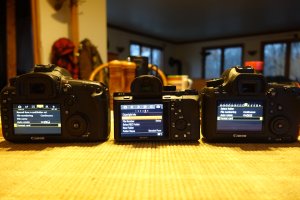
OMG! Dpreview reviewed the 5DS/5DSR - Do you have to sell it?

AlanF said:
I am sure I could learn my way around the menus, but I want programs to be intuitive

Hey, if George R. R. Martin can write the Game of Thrones novels in WordStar running under MS DOS, we should all be able to learn to use Sony's menu system, right? ;)

Then again, it takes him several years to bang out a book, so maybe there are more efficient ways?
 
Upvote 0
neuroanatomist said:
AlanF said:
I am sure I could learn my way around the menus, but I want programs to be intuitive

Hey, if George R. R. Martin can write the Game of Thrones novels in WordStar running under MS DOS, we should all be able to learn to use Sony's menu system, right? ;)

Then again, it takes him several years to bang out a book, so maybe there are more efficient ways?
When person is trying to make a joke about the subject which he does not know well or does not know at all and he and think that people would laugh about his joke most probably that people would laugh about his awkward attempt to display his total ignorance.

In 99% of situations there is no need to use a7r2 menu at all. At has more than 20 customizable positions and if person spend couple of hours to learn the camera right after it was bought and set up all to his shooting style then all required functions are accessible just in one ore two buttons clicks.
I posted earlier (end of August) what i did for myself and sinse then i neveve need to use menu to switch shooting modes.
The ony one function which can not be programmed on the button is switch between FF mode and APS-C modes.

As owner of 1dx it took me couple of hours to fugure out what I need to do for myself and since then I rarely need to access menu system.
Now I use a7r2 most of the time (mostly with canon lenses) and 1dx not so frequently.
And image quality from a7r2 is much better than from any of the Canon cameras at any ISO range (from 100 to 12800).
What I like about a7r2 that it works better with many canon lenses than Canon cameras and no need for lens AFMA.
One example of this is ef 85 f/1.2 II. Focuses fast and accurate even in very low light.Much better than on any canon body.
EF 100-400 II with 1.4x adapter also gives excellent results on a7r2
EYE AF is something that no Canon cameras could not do at all.
For anyone who used that it is difficult to justify lack of such capability in Canon cameras.

On the other hand 5ds(r) is also very good camera, I initially wanted to buy it as addition to1dx, but a7r2 changed my mind. For me set of 1dx and a7r2 is much more capable combination(camera for sportand actions and general use camera) and it giving me much more flexibility and better quality than i could have using 1dx and 5ds. For other people this could be different depending on their personal requirements.
So far 5ds(r) is the best canon FF camera giving goog image quality even at iso 12800.
After DXO Prime noise reduction 5ds iso 12800 files are very clean. For DXO Prime more pixel density results in better final image. But for a7r2 results is better at high iso, canon now is behind sony in the area where canon was always better.
Of course there is no perfect cameras in the world and hopefully we will see many interesting things in the near future.
Sorry for any typing errors, was typing that on small smartphone screen, a bit difficult to do so.
 
Upvote 0
Neutral said:
EYE AF is something that no Canon cameras could not do at all.

The A7r2 doesn't support the Eye-AF feature with any adapter, E-mount only ;)

I also tried the 85 f/1.2L II via the Metabones mk4 - epic fail in low light (wide open, a slightly moving subject). Got about 3 pics in focus out of 50 shots total. No problem at all on on the 5dsr though...
 
Upvote 0
Jopa said:
Neutral said:
EYE AF is something that no Canon cameras could not do at all.

The A7r2 doesn't support the Eye-AF feature with any adapter, E-mount only ;)

I also tried the 85 f/1.2L II via the Metabones mk4 - epic fail in low light (wide open, a slightly moving subject). Got about 3 pics in focus out of 50 shots total. No problem at all on on the 5dsr though...

1. Definitly - EYE AF is supported on a7r2 only using native E-mount lenses, not supposed to be supported on 3d party lenses.

2. Not sure what was wrong with your experince using 85 f/1.2 II on a7r2, my is completly different - almost all shots are sharp even in very low light - LR reports brightness below minus 6.

Couple of things could be the reason for your negative experience.
2.1. EF 85 f1.2 has very shallow DOF wide open so even slight movement of the subject after focus was locked in AF-S mode (no AF tracking) would result that subject will be out of focus.
2.2. Metabone adaptors do not claim support for continious AF support, it could be ok for some lenses and not very good for some others. But no official guarantee from Metabone for supporting that - this is clearly claimed for each FW release. Also it is better to use latest FW releases 0.46 or 0.47 which provide significantly better a7r2 PDAF support for most of the latest Canon lenses.
So if you need to use AF tracking mode for canon lenses in low light then definetly you need to use 1dx or 5ds and not a7r2. And this is one of the cases when I still using 1dx and not a7r2.
For such cases a7r2 need to be used with native mount lenses - e.g. Zeiss 35 f1.4 which is perfect choice for a7r2 for low light conditions. With this set i was able to do perfect shots in very low light with quality which was not possible even with 1dx. IBIS is invaluable in such low light situations.
2.3. EF 85 f/1.2 II still has relatively slow AF and not intended for continious AF mode to track moving subjects. For slow motion could be OK but not for fast tracking.

In general for best results it is required to know which setup is better suited for each particular task/environment.
 
Upvote 0
AlanF said:
I do have a 5D3 (and a 7DII). The menus on Sonys are frequently complained about. This is what dpreviews say about Sony:

"Sony's full menu system, accessed by pressing the 'Menu' button on the back of the camera, is frankly a disorganized mess. For example, 22 AF options are split across 11 different submenu pages under 2 different main menu headers. The lack of organization is inexplicable, but what makes it even worse is the lack of a customizable 'My Menu', which would at least have allowed user to collate all frequently used menu options under customizable tabs. It's silly that I have to go to the second line of the fifth page of the sixth tab simply to format my memory card, something you might (and should) often do."

I am sure I could learn my way around the menus, but I want programs to be intuitive

I have the Sony 100 III. I find the menus very easy to navigate. "Intuitive" would imply easy to follow etc. I am sure someone who has been using Sony cameras before would find it easy to go through a new Sony camera. The same photographer would struggle with a new Canon or Nikon menu layout. A Samsung phone user will struggle for a bit with Iphone and Iphone user will struggle with Samsung. But once familiar, one knows where to go to do what.
 
Upvote 0
neuroanatomist said:
AlanF said:
I am sure I could learn my way around the menus, but I want programs to be intuitive

Hey, if George R. R. Martin can write the Game of Thrones novels in WordStar running under MS DOS, we should all be able to learn to use Sony's menu system, right? ;)

Then again, it takes him several years to bang out a book, so maybe there are more efficient ways?

If someone cannot, unlike hundreds who can, learn a menu system then it speaks about them and not the menus. Menu 'efficiency' lies with familiarity. I have studied the menu system on my Sony and find it extremely straightforward.
 
Upvote 0
What I am trying to get at is that there are many other things to discuss about in camera systems than the menu system. Once learnt all photographers can reach where they want in the menu just as easy.
 
Upvote 0
sanj said:
neuroanatomist said:
AlanF said:
I am sure I could learn my way around the menus, but I want programs to be intuitive

Hey, if George R. R. Martin can write the Game of Thrones novels in WordStar running under MS DOS, we should all be able to learn to use Sony's menu system, right? ;)

Then again, it takes him several years to bang out a book, so maybe there are more efficient ways?

If someone cannot, unlike hundreds who can, learn a menu system then it speaks about them and not the menus. Menu 'efficiency' lies with familiarity. I have studied the menu system on my Sony and find it extremely straightforward.

Why do you make it personal as if is a character flaw or show that someone is incapable of learning if they write they want an intuitive rather than a clunky menu system?
 
Upvote 0
Hi XPS!

Do not sell it, but do not buy one in the next few month. I stayed in Japan for a few weeks and my Canon-fangirls rumored, Canon is working hard to release the 5 D Mark IV and an update on the 5 DS series. Sadly, the 5 D Mark IV releases (except the 1 D series) will not get all of the innovations. New sensor (but not the newest and best one) is definitively coming. Rumored with slightly improved DR. Built in WIFI, better AF area coverage. So wait until spring.

Liebe Grüße aus dem sonnigen Kufstein in Tirol 8)
Daniela
 
Upvote 0
dilbert said:
AlanF said:
sanj said:
neuroanatomist said:
AlanF said:
I am sure I could learn my way around the menus, but I want programs to be intuitive

Hey, if George R. R. Martin can write the Game of Thrones novels in WordStar running under MS DOS, we should all be able to learn to use Sony's menu system, right? ;)

Then again, it takes him several years to bang out a book, so maybe there are more efficient ways?

If someone cannot, unlike hundreds who can, learn a menu system then it speaks about them and not the menus. Menu 'efficiency' lies with familiarity. I have studied the menu system on my Sony and find it extremely straightforward.

Why do you make it personal as if is a character flaw or show that someone is incapable of learning if they write they want an intuitive rather than a clunky menu system?

I'm pretty sure that the engineers at Sony thought it was intuitive and straight forward when they designed it.

"Images are good, which is nice. It’s a pleasure to use too. Well, apart from the interface, which is still stupidly Sony. It’s not the clunkiest of menus but some aspects are a bit Asperger’s." Digitalrev
 
Upvote 0
dilbert said:
AlanF said:
sanj said:
neuroanatomist said:
AlanF said:
I am sure I could learn my way around the menus, but I want programs to be intuitive

Hey, if George R. R. Martin can write the Game of Thrones novels in WordStar running under MS DOS, we should all be able to learn to use Sony's menu system, right? ;)

Then again, it takes him several years to bang out a book, so maybe there are more efficient ways?

If someone cannot, unlike hundreds who can, learn a menu system then it speaks about them and not the menus. Menu 'efficiency' lies with familiarity. I have studied the menu system on my Sony and find it extremely straightforward.

Why do you make it personal as if is a character flaw or show that someone is incapable of learning if they write they want an intuitive rather than a clunky menu system?

I'm pretty sure that the engineers at Sony thought it was intuitive and straight forward when they designed it.

All this is very simple.
Intuitive in most cases is to what person is familiar, and get used to.
For such case not intuitive just means that person is not get used to and need to change his habits of doing things in some particular way. For some people this is not easy.
For myself i do not see much difference in menu systems for both canon and sony.
Conceptually it is all the same - just items structure to hold functional items.
What is only requied is to read it from A to Z before first use to know what is where and get required functions set to programmable positions. Exactly the same for both canon and sony.

The other thing to feel system intuitive is to understand the whole concept and only after that to look for deeper details.
This is universal rule that applies to everything. I always tells this fist when do technical training for systems support engineers and always start from system concept then further to the deeper details.
Once concept is clear the rest is simple.
This is the same for sony menu system.
It has 3 levels oh hierarchy :
Bottom level is the main non progammable system menu which is holder for all functional items.
Middle level is fully programmable functional menu system accessible via FN button.
Top level are programmble function buttons and positions.
So before first use just read main menu system from A to Z, and copy required functions to top level or middle level per personal preferances and voila - all done, it would be 100% intuitive for person who did this customization for himself.
And all this does not require more than 2-3 hours before first camera use even for average person. The only one thing required before that is that person knows what he wants for himself.

In general I find Canon 1DX is much less flexible in this respect but this is irrelevant as most of 1dx functional modes are already predefined on exiting buttons and dials so not many additions are needed.
Of course there some things are missing for a7r2.
One of them no possibility to save custom setup to NAMED file (not just C1 or C2 or C3 settings) on SD card and have possibility to have several sets of useful setting for different situations and also to have ability to restore settings in one click after camera factory reset or to copy these setting to another camera.
The other one is no possibility to copy APS-C /FF function to any programmable position.
There some other shotcomings.
As for DP review I find it quite balanced and useful for both Canon andSony users.

 
Upvote 0
sanj said:
neuroanatomist said:
AlanF said:
I am sure I could learn my way around the menus, but I want programs to be intuitive

Hey, if George R. R. Martin can write the Game of Thrones novels in WordStar running under MS DOS, we should all be able to learn to use Sony's menu system, right? ;)

Then again, it takes him several years to bang out a book, so maybe there are more efficient ways?

If someone cannot, unlike hundreds who can, learn a menu system then it speaks about them and not the menus. Menu 'efficiency' lies with familiarity. I have studied the menu system on my Sony and find it extremely straightforward.

Neutral said:
Intuitive in most cases is to what person is familiar, and get used to.

I don't think either of you grasp the concept of 'intuitive' (Evidently it's not an autology!). I'm sure Mr. Martin has learned and is quite familiar with pressing Ctrl-K-S-Y to save a document, but that's not exactly intuitive.
 
Upvote 0
Neutral, it is indeed true that there is an inter-relationship between intuition and familiarity. At one extreme, however, it is possible to grasp a novel concept or procedure with out any prior knowledge, and at the other a strong familiarity allows an application of prior knowledge to a related system. Your are throwing out the whole concept of intuition by claiming that people have to give up their habits and spend hours learning new systems.

It reminds me of when Apple first introduced windows to their OS while Microsoft was still using a varied set of keystrokes for all operations. The geeks decried Apple and laughed at the non-geeks, but Microsoft had to go over to Windows. The geeks are still faster, no doubt, but the non-geeks are able to use software without enrolling on courses.

Quote: "What is only required is to read it from A to Z before first use to know what is where and get required functions set to programmable positions. Exactly the same for both canon and sony"

Sony doesn't have, or makes it difficult to find, in its manual how to format an SD card, which is a double whammy because its OS, unlike Canon's, often requires that an SD card has to be formatted before use. OK, you can spend several hours on one of your courses first. But, most of us want a turnkey system.
 
Upvote 0
Neutral said:
dilbert said:
I'm pretty sure that the engineers at Sony thought it was intuitive and straight forward when they designed it.

All this is very simple.
Intuitive in most cases is to what person is familiar, and get used to.

This is the best definition of "intuitive" that I have found:
The only intuitive user interface is The Nipple. Everything else is learned.
(some mothers have kindly pointed out to me that Nipples are not always totally intuitive to the Intended Users either ;D )
 
Upvote 0
kaihp said:
Neutral said:
dilbert said:
I'm pretty sure that the engineers at Sony thought it was intuitive and straight forward when they designed it.

All this is very simple.
Intuitive in most cases is to what person is familiar, and get used to.

This is the best definition of "intuitive" that I have found:
The only intuitive user interface is The Nipple. Everything else is learned.
(some mothers have kindly pointed out to me that Nipples are not always totally intuitive to the Intended Users either ;D )

hahahahaha.
 
Upvote 0
neuroanatomist said:
sanj said:
neuroanatomist said:
AlanF said:
I am sure I could learn my way around the menus, but I want programs to be intuitive

Hey, if George R. R. Martin can write the Game of Thrones novels in WordStar running under MS DOS, we should all be able to learn to use Sony's menu system, right? ;)

Then again, it takes him several years to bang out a book, so maybe there are more efficient ways?

If someone cannot, unlike hundreds who can, learn a menu system then it speaks about them and not the menus. Menu 'efficiency' lies with familiarity. I have studied the menu system on my Sony and find it extremely straightforward.

Neutral said:
Intuitive in most cases is to what person is familiar, and get used to.

I don't think either of you grasp the concept of 'intuitive' (Evidently it's not an autology!). I'm sure Mr. Martin has learned and is quite familiar with pressing Ctrl-K-S-Y to save a document, but that's not exactly intuitive.

Entirely possible Neuro I do not have a real grasp of intuitive in this regard, I am first to admit. I think this requires further exploration and specific examples between the two menu systems to conclude Canon is superior to others.
 
Upvote 0
AlanF said:
sanj said:
neuroanatomist said:
AlanF said:
I am sure I could learn my way around the menus, but I want programs to be intuitive

Hey, if George R. R. Martin can write the Game of Thrones novels in WordStar running under MS DOS, we should all be able to learn to use Sony's menu system, right? ;)

Then again, it takes him several years to bang out a book, so maybe there are more efficient ways?

If someone cannot, unlike hundreds who can, learn a menu system then it speaks about them and not the menus. Menu 'efficiency' lies with familiarity. I have studied the menu system on my Sony and find it extremely straightforward.

Why do you make it personal as if is a character flaw or show that someone is incapable of learning if they write they want an intuitive rather than a clunky menu system?

Not being offensive, defensive or making it a character flaw. Just saying it as I understand it.
 
Upvote 0
AlanF said:
dilbert said:
AlanF said:
sanj said:
neuroanatomist said:
AlanF said:
I am sure I could learn my way around the menus, but I want programs to be intuitive

Hey, if George R. R. Martin can write the Game of Thrones novels in WordStar running under MS DOS, we should all be able to learn to use Sony's menu system, right? ;)

Then again, it takes him several years to bang out a book, so maybe there are more efficient ways?

If someone cannot, unlike hundreds who can, learn a menu system then it speaks about them and not the menus. Menu 'efficiency' lies with familiarity. I have studied the menu system on my Sony and find it extremely straightforward.

Why do you make it personal as if is a character flaw or show that someone is incapable of learning if they write they want an intuitive rather than a clunky menu system?

I'm pretty sure that the engineers at Sony thought it was intuitive and straight forward when they designed it.

"Images are good, which is nice. It’s a pleasure to use too. Well, apart from the interface, which is still stupidly Sony. It’s not the clunkiest of menus but some aspects are a bit Asperger’s." Digitalrev

I do not believe everything Digitalrev (or many others have to say). I make my own conclusions based on examination/use.
 
Upvote 0
Neutral said:
dilbert said:
AlanF said:
sanj said:
neuroanatomist said:
AlanF said:
I am sure I could learn my way around the menus, but I want programs to be intuitive

Hey, if George R. R. Martin can write the Game of Thrones novels in WordStar running under MS DOS, we should all be able to learn to use Sony's menu system, right? ;)

Then again, it takes him several years to bang out a book, so maybe there are more efficient ways?

If someone cannot, unlike hundreds who can, learn a menu system then it speaks about them and not the menus. Menu 'efficiency' lies with familiarity. I have studied the menu system on my Sony and find it extremely straightforward.

Why do you make it personal as if is a character flaw or show that someone is incapable of learning if they write they want an intuitive rather than a clunky menu system?

I'm pretty sure that the engineers at Sony thought it was intuitive and straight forward when they designed it.

All this is very simple.
Intuitive in most cases is to what person is familiar, and get used to.
For such case not intuitive just means that person is not get used to and need to change his habits of doing things in some particular way. For some people this is not easy.
For myself i do not see much difference in menu systems for both canon and sony.
Conceptually it is all the same - just items structure to hold functional items.
What is only requied is to read it from A to Z before first use to know what is where and get required functions set to programmable positions. Exactly the same for both canon and sony.

The other thing to feel system intuitive is to understand the whole concept and only after that to look for deeper details.
This is universal rule that applies to everything. I always tells this fist when do technical training for systems support engineers and always start from system concept then further to the deeper details.
Once concept is clear the rest is simple.
This is the same for sony menu system.
It has 3 levels oh hierarchy :
Bottom level is the main non progammable system menu which is holder for all functional items.
Middle level is fully programmable functional menu system accessible via FN button.
Top level are programmble function buttons and positions.
So before first use just read main menu system from A to Z, and copy required functions to top level or middle level per personal preferances and voila - all done, it would be 100% intuitive for person who did this customization for himself.
And all this does not require more than 2-3 hours before first camera use even for average person. The only one thing required before that is that person knows what he wants for himself.

In general I find Canon 1DX is much less flexible in this respect but this is irrelevant as most of 1dx functional modes are already predefined on exiting buttons and dials so not many additions are needed.
Of course there some things are missing for a7r2.
One of them no possibility to save custom setup to NAMED file (not just C1 or C2 or C3 settings) on SD card and have possibility to have several sets of useful setting for different situations and also to have ability to restore settings in one click after camera factory reset or to copy these setting to another camera.
The other one is no possibility to copy APS-C /FF function to any programmable position.
There some other shotcomings.
As for DP review I find it quite balanced and useful for both Canon andSony users.

Very well said. Mostly. I do not like anyone saying anything against 1dx. hahahaha.
 
Upvote 0