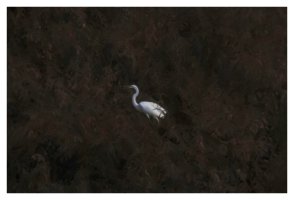
Show your Bird Portraits

Jack Douglas said:
Another question folks. ;D No significan PP for me so far as I'm only using DPP from Canon. However, I shoot RAW and have learned (I think) to enhance the original shot a little. I'd love to hear how others approach tweaking their shots.

I use lens tuning for the 300 2.8 and sometimes find I can reduce the noise reduction to sharpen a little. Any comment on how to approach sharpening as I like sharp but don't like it if it looks contrived. There are, I guess, three or four different settings that are essentially related to sharpening. Raw sharpening, RGB sharpening, noise reduction, and lens tuning, no??

My subjects are generally birds so I figured I might get away with injecting this slightly off topic question here ;)

Jack
I would recommend Adobe Lightroom. It is a quality product at a reasonable price. You need to understand a few basics about how the workflow works, which you will learn from available online videos or from training you can get all over the planet.

But once you have the basics taken care of, it is very easy to use and it is a very efficient tool to do all kinds of adjustments to an individual image or group of images, up until manipulation. But that does not seem to be high on your agenda.
In a series, you work on one image and when you are happy with that, you copy what you have done and paste it to all the other images with the same shooting data. You work through a days shooting very fast. And I also appreciate the fact that it keeps your original RAW images unchanged, so you can always go back to your starting point.
 
Upvote 0
Thanks Eldar. I guess it's inevitable but at this moment given the mental overload of all this new stuff, I was hoping for some feedback on DPP. I don't doubt sometime soon I'll be moving in the direction you propose.

I do have Corel Paintshop Pro X6 64 bit, which was relatively inexpensive (thought it might be worth a gamble) and seems to be fairly powerful but I haven't gotten serious with it since it seemed like the basic things I want to do were there in DPP. This Corel version seems to open Canon RAW files correctly, for starters. Anyone use Paintshop or is it a proven dog?

Jack
 
Upvote 0
Jack Douglas said:
Thanks Eldar. I guess it's inevitable but at this moment given the mental overload of all this new stuff, I was hoping for some feedback on DPP. I don't doubt sometime soon I'll be moving in the direction you propose.

I do have Corel Paintshop Pro X6 64 bit, which was relatively inexpensive (thought it might be worth a gamble) and seems to be fairly powerful but I haven't gotten serious with it since it seemed like the basic things I want to do were there in DPP. This Corel version seems to open Canon RAW files correctly, for starters. Anyone use Paintshop or is it a proven dog?

Jack

You will probably find that DPP is much hated and loathed by Canon photographers. It is a really crappy program, unless you use it SOLELY to do basic conversion to TIFF, with the rest of your processing done elsewhere (which, as it stands, is what Art Morris does...he is one if the very rare pros I know who actually uses DPP.) DPP, being written by Canon, does some things better than other tools like Lightroom.

For one, it tends to handle noise better. The standard deviation of noise in a RAW image converted to TIFF with DPP tends to be lower than with the same exact RAW image converted to TIFF with LR/ACR. At least, that was the case back in the LR3.0 days (Arash Hazeghi created a noise reduction guide for Canon shooters).

On the flip side, LR seems to do a better job demosaicing. I believe both programs use a variant of AHDD, or Adaptive Homogeneity-Directed Demosaicing, but for whatever reason, LR/ACR produce FAR superior edges and fine structure (i.e. hair, barbs and tines on bird feathers, etc.) They are just smoother and cleaner, where as DPP produces some visible aliasing. LR is also a vastly superior tool that offers full workflow, library management and production capabilities on top of its wonderful development module. If you want a solid tool that will give you everything you need to manage a growing library with tens of thousands of photos, and easy to use tools for quickly processing and tuning your photos, there currently isn't a better tool than Lightroom. Apple Aperture comes in a close second, and has some unique non-linear workflow capabilities, however it is limited to the Mac platform (which is truly sad...some good, solid competition for LR on multiple platforms would be nice.)

The other benefit of using Lightroom is it's intrinsic compatibility with Photoshop. One problem you may eventually run into if you us different tools to process your RAW files is differences in the way those tools interpret and process the raw data. As I mentioned before, DPP handles RAW images differently than LR, and that extends beyond demosaicing...it handles color curves differently, it's algorithms for how it applies changes in settings are different, etc. LR and PS use the same underlying RAW processing engine, ACR or Adobe Camera RAW. This allows you to maintain consistency in your edits across the two applications. You can load up a RAW in either app, make edits, and those edits will be stored in XMP and used identically by both. Edits made also translate automatically and seamlessly between the two apps.

Once you start using Lightroom more heavily, you'll quickly find that you NEED Photoshop for certain things. Sometimes, you get a phenomenal shot with just one unbelievably frustrating flaw...say a branch that moved into the frame because of the wind right as you took the shot. Photoshop's Content Aware cleaning tools can be used to edit these kinds of mistakes out of a photo without any viewers being the wiser. Photoshop's capabilities extend much farther than that as well, as it is a far more complete, feature rich photo editor. If/when you ever decide to start printing, Photoshop is also a superior tool (although LR is catching up, now that it has soft proofing features.)

So, best tools? Lightroom, without question, to start. Photoshop, once you gain enough skill to understand why you need it. ;) (And with all your enthusiasm, I have no doubt you'll get there sooner or later. ;D)
 
Upvote 0
jrista, Not sure I should thank you this time as now my head is really spinning. :) That may relate to the fact that I've been reading all these bird set up articles and so forth instead of going to bed (it's 1:40 AM).

Anyway, thanks again. Off to bed!

Oh BTW, can you maybe post a shot or two to illustrate sharpening - none, correct, too much, if and when you have time of course. ;)

Jack
 
Upvote 0
Jack Douglas said:
jrista, Not sure I should thank you this time as now my head is really spinning. :) That may relate to the fact that I've been reading all these bird set up articles and so forth instead of going to bed (it's 1:40 AM).

Anyway, thanks again. Off to bed!

Oh BTW, can you maybe post a shot or two to illustrate sharpening - none, correct, too much, if and when you have time of course. ;)

Jack

Sure. I'll see if I can scrounge something up. I do have to say, ever since picking up the 600/4 L II, I don't really sharpen anymore. For example, the last shorebird shot, the one of the Spotted Sandpiper's head. That is a lightly cropped image that is pretty much out of camera. I think I recovered highlights a bit, and slightly tweaked the tone curve. The sharpness is all the lens and sensor.

So, first things first...the BEST way to sharpen is get sharper gear. ;) I was lucky, I had some extra money earlier in the year this year (and, I found a purely PHENOMENAL deal at a Canadian store), and I couldn't pass up the opportunity to buy the lens I was ultimately going to get anyway. (However, as times are a bit harder on me now, as I'm trying to go into business for myself, the extra money would have been useful...ah, hindsight, you mangy bitch.) I don't remember what lens you have, I think it is the 300/2.8 and a teleconverter or two? If that is the case, then you are off to a really good start...that is a phenomenal lens, Mark I or II, and paired with a 6D, you should have the gear to maximize your in-camera sharpness potential already.

When it comes to post-process sharpening, I'll see what I can dig up. It really depends on the subject and the circumstances. The answer might be best answered by a blog article, so I'll probably write one up and drop it in my Knowledge Center on my Blog, instead of writing it all in here.
 
Upvote 0
With this in mind jrista/Eldar, I hope you don’t mind me also hijacking to ask a question of my own?
I will also move from my beloved Microsoft Picture Manager (never shoot RAW so not used DPP yet) to some form of PS software soon, I don’t have a particular style so I would like to be able to do things like make parts of a B&W image in to colour, or to stack images on top of a single image to add multiples of something to a single image, change a sky to a nicer one from another photograph etc, so would Elements 12 be a better option than LR for me? I fully appreciate what LR does with batches from reading CR threads, however I always seem to only want to edit parts of single images; so that (in my head) renders the batch processing redundant to me. Sorry, I know I’ve rabbit’d on a bit here and my question became more of a comment, however do you believe that E12 is better for image manipulation and LR is for speedy corrections?? Is my interpretation right??

Thanks in advance
 
Upvote 0
TheJock said:
With this in mind jrista/Eldar, I hope you don’t mind me also hijacking to ask a question of my own?
I will also move from my beloved Microsoft Picture Manager (never shoot RAW so not used DPP yet) to some form of PS software soon, I don’t have a particular style so I would like to be able to do things like make parts of a B&W image in to colour, or to stack images on top of a single image to add multiples of something to a single image, change a sky to a nicer one from another photograph etc, so would Elements 12 be a better option than LR for me? I fully appreciate what LR does with batches from reading CR threads, however I always seem to only want to edit parts of single images; so that (in my head) renders the batch processing redundant to me. Sorry, I know I’ve rabbit’d on a bit here and my question became more of a comment, however do you believe that E12 is better for image manipulation and LR is for speedy corrections?? Is my interpretation right??

Thanks in advance

If you want full image editing capabilities, skip Elements and go strait for Photoshop. As much as people hate Adobe CC, they are actually starting to realize that they can get more customers by offering reasonably priced packages. At the moment, you can get Photoshop CC (and Lightroom 5) for the measly price of $9.99 a month...which is actually a phenomenally good deal (buying PS CS6 would cost you $700, which amortized out at $10/mo, means you could pay $10/mo for PS CC+LR5 for nearly 6 years before you paid as much as you would for a single CS6 license.)

The PSCC+LR5 deal, which also includes a couple extra tools, online hosting, and cloud storage as well, is only available for a limited time, so I highly recommend you take advantage of it. It will be a far better option than getting Elements. Also, digging deeply into the Adobe CC license nitty gritty, it seems that when you stop paying for CC, you still have access to all your files, and can still open (and I believe edit) them for a guaranteed 30 days, and I believe up to 180 days (due to how the license check stuff works.) In the long term, if you don't want to be held hostage to a monthly fee, you can always buy Photoshop CS6 and install that side by side with CC, and just make sure you save all your stuff as TIFF files rather than PSD (thus guaranteeing you'll be able to open them with the older version.) This is basically what I do, and it works quite well.
 
Upvote 0
jrista said:
At the moment, you can get Photoshop CC (and Lightroom 5) for the measly price of $9.99 a month...which is actually a phenomenally good deal (buying PS CS6 would cost you $700, which amortized out at $10/mo, means you could pay $10/mo for PS CC+LR5 for nearly 6 years before you paid as much as you would for a single CS6 license.)

Thanks mate, I'll give it a go.
 
Upvote 0
Rienzphotoz said:
jrista said:
So, best tools? Lightroom, without question, to start. Photoshop, once you gain enough skill to understand why you need it. ;)
+1
And a +1 again. I have PS, but since buying LR earlier in the year, I've used PS maybe twice. LR does everything I need in subtle changes to an image, plus, the cataloging/tagging and searching ability is by far, one of the best features.
 
Upvote 0
Yeah a step up in imaging tools really does make a difference and there are a lot of great tools on the market. Once you get a bit more into editing I found it helps with photography because you learn more about the data capturing and what you can accomplish in post.

Snagged this egret shot today, pretty pleased as this iso 3200 and this is more than sharp enough for anything i use these pictures for.

Great-Egret by Synkka~, on Flickr
 
Upvote 0
Synkka said:
Yeah a step up in imaging tools really does make a difference and there are a lot of great tools on the market. Once you get a bit more into editing I found it helps with photography because you learn more about the data capturing and what you can accomplish in post.

Snagged this egret shot today, pretty pleased as this iso 3200 and this is more than sharp enough for anything i use these pictures for.

Great-Egret by Synkka~, on Flickr
Nice pic. I find the 5D3 works well at ISO 1600-3200 when I use uncropped images. Even at ISO 1600 I can crop, but turn the NR up to +20 or so in LR, and the noise smooths out nicely. The thing I'm learning in LR is the subtle changes that you can make, just to tweak the image. The "highlight" slider is one that I've recently discovered, and how it brings out the detail that I thought was blown out :)
 
Upvote 0
Yeah you are right the noise is a lot easier to remove, and the highlight slider comes in handy with white birds.

One of the big things I have found getting more into post I like to have a workflow that keeps my photo editing time minimal. I tend to get most of my pics roughly corrected and only if i have a particularly difficult picture or something special do i spend more time on it. I would always rather be out taking photos than sitting at a desk editing them.
 
Upvote 0
That's right...turn to the side and look back at the camera...perfect...
I once asked this ole country boy how they cook wild turkey, he responded..."Ya cut off the head, dip in boiling water to get rid of the feathers, cook it at 350 for about 4 hours or so, grind it up and feed it to the dogs...then go buy a Butterball"

 
Upvote 0
chauncey said:
That's right...turn to the side and look back at the camera...perfect...
I once asked this ole country boy how they cook wild turkey, he responded..."Ya cut off the head, dip in boiling water to get rid of the feathers, cook it at 350 for about 4 hours or so, grind it up and feed it to the dogs...then go buy a Butterball"


Beautiful photo....I love Butterball turkeys.
 
Upvote 0
Okay, I'm done attacking my own reflection in your car's paint, and sure I'll pose for you:
i-zh5t2c9-XL.jpg
 
Upvote 0