Bennymiata said:
Thanks for your responses guys.
What I need it for is so that when I am doing a job for a customer out in the field, I can download the camera shots directly into my tablet, preferably with a wire as wireless is too slow for high res images, then I can select the photos I want to transfer and then copy them onto a USB key or onto their phone, as well as having a copy for myself.
What I really wanted to know is if I put the appropriate cable into my camera and my tablet, will they talk to each other or not, without using other 3rd party software.
Just for this thread, I've been trying various combinations of 6D to ASUS tablet and 6D to Samsung Galaxy S4.
All wired attempts required a USB Host (OTG) adapter cable, mine is a genuine Samsung found in store at Best Buy.
Camera to device only worked using a 3rd party app, doesn't meet your desired spec.
Card reader worked flawlessly, transparently using the built into Samsung '
My Files' app.
Connect the OTG cable, Samsung device shows a '
USB connector connected' notification, that notification then goes away.
Connect card reader, insert card from camera, notification shows '
USB mass storage device connected', the Samsung '
My Files' app opens immediately and by itself showing the contents of the root of the card.
Browse to the files you want to transfer, '
My Files' will show a '
Gallery' thumbnail and the file name, a long press brings up a context menu relative to that file, or checking the box brings up a context menu at the top right of the app.
Check box select multiple files of your choice, use the app's context menu to move or copy, I suggest you choose copy.
Tap '
My Files' at the top left of the app twice to get to the level where you choose '
Device Storage', '
SD Memory Card' or '
UsbDriveA', drill down to wherever you want to go, paste where you like.
Files are now copied from the camera's card to the device.
Don't just yank the card at this point.
Instead, pull down the status bar, see the '
USB Mass storage connected' notification'? '
Select to remove USB mass storage safely'.
Open the Samsung '
Gallery' app, start by creating a new album from within the app, sort and select the photos you want to transfer to your client, copy them to the newly created album from within the '
Gallery' app.
Back to the OTG cable, connect an appropriate card reader or a thumb drive, reverse the browse/copy/paste procedure described above.
---
It took longer to write and probably to read than it takes to do.
--
TLDR:
Connect OTG adapter.
Connect card reader or thumb drive.
Browse/copy/paste files from connected device to device internal or SD Card storage.
Remove connected device safely.
In Gallery, sort and copy to a new album.
Connect another card or thumb drive.
Browse/copy/paste newly created album files from device internal or SD Card storage to connected device.
Safely disconnect.
Hand to client.
Profit.
___________
edit---
If your field work includes tripod work with considered exposure and careful composition, you will be blown away with delight if you do so tethered to your tab through DSLR Controller. DSLR Controller is worth a whole lot more than the USD $8 cost.
While you'll be blown away with delight, your client will be extremely impressed with your mad skillz, wonder why you charge so little.
Seriously.
Tethering, especially to the general public, looks (and is) rather high tech and exotic, very very professional.
---
Next job, quote higher.
Mo' profit.
---edit
__________
edit the 2nd--------
Ok, now I'm on to an anti Canon rant, one of many I have available, I find Canon is just lame beyond description in many ways, still I buy and shoot Canon because among my far fewer Nikon rant topics, Nikon has a couple of absolute deal killers that make Nikon's superiority over Canon in many ways absolutely irrelevant. Nikon wins all the battles but quits just in time for Canon to win the war and my $$.
---
Anyway, plug a Nikon, Olympus, probably Sony into a USB socket on a PC, there's your device as an external drive, no drivers or software needed.
I just plugged one of my old Nikons directly into my Sammy G4 via USB OTG, same thing, root of the Nikon's SD Card just popped up on my home screen in My Files ready for browse/copy/paste.
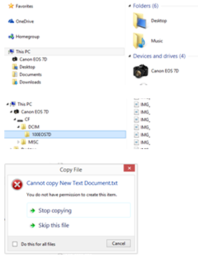
In contrast, plug a Canon into a PC, the OS screams back I ain't gots no drivers for dis ting, whatcha 'spec me to do now boss, huh?
So you run the software disc that came with the camera, now you can use Zoom Browser or whatever to copy from your directly connected Canon. No way possible to write anything back to the camera installed card, none.
Considering this 'feature' of Canons, there's no reasonable reason to expect a phone to access a Canon directly without 3rd party software.
Many Canon shooters prefer using a card reader for these very reasons. The card shows as a removable drive no matter what device the reader is connected to, simply use Windows Explorer, Finder, My Files, Nautilus, whatever file browser your OS uses by default, drag/drop/copy/paste all work normally.
So, if you care not for tethering but only want to transfer files around, Canons, when directly connected, suck to the point of fail at the task, use a card reader.
Nikons etc. are so transparent as removable drives, any type file can be transferred directly from PC to cabled camera whether the camera can do anything with the files or not. Nikon with a USB cable can serve exactly like a thumb drive and/or a card reader.
Canons just cannot do this.
Sorry Nikon, you excel at this topic. But you are the only camera maker with flocked, dust generating and collecting mirror boxes, that's one deal killer.
--- edit the 2nd
.