Your whites are off. You are getting a 'yellowed' fill in the whites on the picture of the daisy's, likely from heavy reflection of the very yellow surroundings. This should be quite simple to fix in post production, even easier if you shoot in RAW. Personally, I would not worry about color at all until post, color is infinitely modable after the fact without a loss of quality, so unless you are working on time sensitive projects, like photo-journalism, or need to crank out hundreds of wedding photo's quickly and painlessly, I simply wouldn't worry about it. Otherwise, you are going to need to be working with a custom color balance in camera, which is easy enough, and then use things like bounce light reflectors in the field (most practical with an assistant or two) which will help negate some of the colored bounced light from the surroundings. But like I said, if you aren't in a rush and if you like the shots you have here already, the colors are infinitely adjustable without losing quality, and that is where I would put my effort, so don't stress it.
also worth a note; when posting .jpg's to Canonrumors there can be alterations to the file that end up changing color vs. the actual .jpg you first uploaded.
Hello, thank you for your help (again). I'm doing this purely as a hobby. I guess the reason I've been stressing about it (other than the fact that I'm trying to learn and getting quite overwhelmed), is that I bought this lens at the beginning of June and spent most of the time using my 100-400 that I bought at the same time. I had heard about bad copies of the 24-70 then started to get worried thinking the deadline will pass on me being able to return it if I had to.
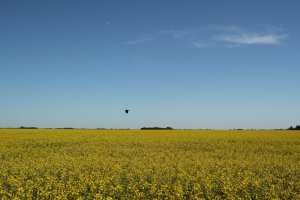
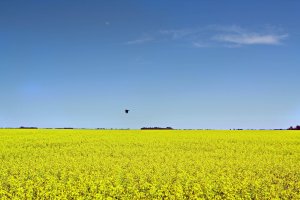
I went out to the field again tonight to try a few shots. I am currently not shooting in RAW. I would like to (at least for my landscapes and structures) but I haven't yet because I am using Photoshop 7 and I can't work with RAW in it. I plan on downloading PE10 this weekend. Anyway, here are 2 pics I took tonight. The first one is unaltered, the second one I adjusted saturation, hugh, brightness, and color variation to get it closer to how the field actually looks. I'm still learning post processing as I go.
um yeah if you arent shooting raw you will be better off letting the camera do it for you
if shooting jpg in places where white balance is going to be an issue get one of these http://www.ebay.com.au/itm/77mm-White-Balance-WB-Cap-Camer-Lens-Filter-New-L4G-/130362750305?pt=AU_Cameras_Photographic_Accessories&hash=item1e5a39b561
you just take a shot through it and set that as a custom white balance before you shoot then all your jpg files will be corrected, it works exactly the same way a grey card except much much easier to shoot and you can just keep it in your pocket
trying to colour correct jpgs in post just usually makes a mess
Also for getting colours right think about getting a screen calibrator - colormunki or Spyder are two of the most well known as sometimes what you see on your screen isn't what your camera captured.