Differences in color of lcd screens

Hello All,

I have a 5D3 and a 6D...the 6D's back screen seems a lot warmer.

Of course the final images are just fine from both.

I know you shouldn't be counting on it for exact representation of the image, but it would be nice if they were a closer in color temp.

Has anyone ever heard of having your screens calibrated to eliminate the difference?

Thanks...Arnie
 
The camera LCD cannot be calibrated, per se. If you want, and if you shoot only RAW, you can try creating a custom Picture Style that yields the color balance you prefer on a particular camera (either with the camera menus or using the Canon Picture Style Editor on your computer then transferring it via EOS Utility). Even when shooting RAW, the camera makes a small JPG preview image, that's what you see on the LCD.

Note that the JPG preview is also used to generate the playback histograms and 'blinkies' (highlight clip warning), so a consequence of the custom picture style might be a less accurate histogram.
 
Upvote 0
NYCPHOTO said:
Hello All,

I have a 5D3 and a 6D...the 6D's back screen seems a lot warmer.

Of course the final images are just fine from both.

I know you shouldn't be counting on it for exact representation of the image, but it would be nice if they were a closer in color temp.

Has anyone ever heard of having your screens calibrated to eliminate the difference?

Thanks...Arnie

I think both tips from neuro and NYCPHOTO are a good starting point. Just thinking about 6D's Wifi function: Perhaps a "calibrated" smart phone or minitablet might be a solution for color critical shots - "calibrated" means that the screen of the smartphone is tweaked to get the same color like the screen of the 5D. Don't know if the system of smartphones has that function but it is usually a unix clone and there should be a possibility to change the screen profile.
 
Upvote 0
Jim Saunders said:
A calibratable off-camera monitor is a feature they could add a generation or two from now though...

The big problem here is the adaption of your perception. A monitor that gives you an accurate impression here might be quite of if you just step a bit to the side, because over there the ambient conditions are different. And even with a sensor detecting them the camera has no idea how much your brain is compensating for them at the moment.
That's why the prime requirement for color sensitive work is a suitable workplace, calibration comes only second.
 
Upvote 0
neuroanatomist said:
The camera LCD cannot be calibrated, per se.

The screens on the D810 and D4s can be calibrated, but I've never seen that feature on any other camera as yet but it may be on Sony's, I don't know as I don't have one?

I suspect now it's on the Nikons, it will make it's way to Canons next releases.
 
Upvote 0
jakeymate said:
neuroanatomist said:
The camera LCD cannot be calibrated, per se.

The screens on the D810 and D4s can be calibrated, but I've never seen that feature on any other camera as yet but it may be on Sony's, I don't know as I don't have one?

I suspect now it's on the Nikons, it will make it's way to Canons next releases.

Maybe the Auto Brightness LCD will make its way back to Nikon when they figure out how to make it work properly
 
Upvote 0
Sporgon said:
Maybe the Auto Brightness LCD will make its way back to Nikon when they figure out how to make it work properly

I didn't realize Nikon lacked that feature, it certainly comes in handy on both my 1D X and my iPhone.

I've never had a problem with the color accuracy of my Canon bodies. Not that the LCD needs perfect accuracy for review, which is impossible to achieve anyway due to changing viewing conditions, as Lawliet points out.

Still, if my camera displayed images with an ugly green tint, I'd be pretty annoyed. I guess that yet another defect Nikon fixed by releasing a new camera.
 
Upvote 0
neuroanatomist said:
I didn't realize Nikon lacked that feature, it certainly comes in handy on both my 1D X and my iPhone.

I've never had a problem with the color accuracy of my Canon bodies. Not that the LCD needs perfect accuracy for review, which is impossible to achieve anyway due to changing viewing conditions, as Lawliet points out.

Still, if my camera displayed images with an ugly green tint, I'd be pretty annoyed. I guess that yet another defect Nikon fixed by releasing a new camera.

Nikons don't lack that feature, so I've no clue what that was about.

As for the green tint, I noticed it when I first got the D800 after the Mk3.

Being a colour expert, I knew that Canon LCD's have always been warm, which many find more pleasing, but let's not pretend it's accurate.

The D800 was really designed to be a killer studio camera, and studio guys know colour, as do their clients.

All other cam LCD's are simply made more pleasing, and warmer equals more pleasing in many people's eyes, but don't believe for a second that makes them colour accurate.

My Gh4 is lovely to look at, because it's warm and makes images pop. It's a disappointment getting them on a calibrated display and seeing them neutral though.

The D800 was less pleasing to the general public, and to you apparently, but actually more accurate, evidenced when you shoot pure grey on it, something I do a lot in my work.

That said, with my D810, I can have it warm, cold, or anything I want so they ended up pleasing everyone from studio togs to weekend warriors.

Out of the box, the D810 was warmer than the D800, and I ended up making it like the D800 in the end.

I did that, as when I looked at image on the LCD, they looked greener on my calibrated 30" monitor, which give or take, was like the D800's rendition.

If you're going to comment, get your facts right guys :D

When exactly are Canon fixing their faulty sensors Neuro?

How many years is that now?

 
Upvote 0
neuroanatomist said:
Sporgon said:
Maybe the Auto Brightness LCD will make its way back to Nikon when they figure out how to make it work properly

I didn't realize Nikon lacked that feature, it certainly comes in handy on both my 1D X and my iPhone.

I've never had a problem with the color accuracy of my Canon bodies. Not that the LCD needs perfect accuracy for review, which is impossible to achieve anyway due to changing viewing conditions, as Lawliet points out.

Still, if my camera displayed images with an ugly green tint, I'd be pretty annoyed. I guess that yet another defect Nikon fixed by releasing a new camera.

Actually that may be my bad information; the D810 may have an auto brightness screen
 
Upvote 0
Sporgon said:
Actually that may be my bad information; the D810 may have an auto brightness screen

As did the D800.

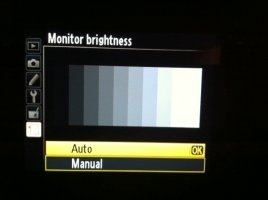
I never use auto brightness, it's way too bright on every cam I've ever used, Canons, Panasonic's, Nikons etc, so I use manual and dial them down between -1 and -4 depending on conditions.
 

Attachments

  • photo2.JPG
    photo2.JPG
    74.8 KB · Views: 499
Upvote 0
Sporgon said:
Actually that may be my bad information;

Thanks, yes...I did find it surprising, should have checked myself.

Well, the OP has his answer, fortunately prior to one of the DRones showing up to DRag yet another thread down into the DReary dolDRums. Maybe I inadvertently stepped in a steaming cow pie...the stench of DxO's Bovine Scat has been following me around lately... ::)
 
Upvote 0
jakeymate said:
At least Sporgon concluded his facts were a little off, with no sarcasm and no insults.

Well not quite; I just noticed this:

http://www.dpreview.com/forums/post/53860282

Actually when someone showed me a D810 they said it didn't have the auto brightness LCD so I'm more than a little embarrassed over my faux pas.
 
Upvote 0
NYCPHOTO said:
Hello All,

I have a 5D3 and a 6D...the 6D's back screen seems a lot warmer.

Of course the final images are just fine from both.

I know you shouldn't be counting on it for exact representation of the image, but it would be nice if they were a closer in color temp.

Has anyone ever heard of having your screens calibrated to eliminate the difference?

Thanks...Arnie

I've never considered calibrating my screen, I use the camera in so many different lighting situations that a single calibration under one type of lighting will look poor somewhere else.

While some DSLR's let you adjust color, most are good enough in the standard mode. My Nikon D800 in daylight had a slight green tint that was noticible, but it was the least of the issues.
 
Upvote 0
Mt Spokane Photography said:
NYCPHOTO said:
Hello All,

I have a 5D3 and a 6D...the 6D's back screen seems a lot warmer.

Of course the final images are just fine from both.

I know you shouldn't be counting on it for exact representation of the image, but it would be nice if they were a closer in color temp.

Has anyone ever heard of having your screens calibrated to eliminate the difference?

Thanks...Arnie

I've never considered calibrating my screen, I use the camera in so many different lighting situations that a single calibration under one type of lighting will look poor somewhere else.

While some DSLR's let you adjust color, most are good enough in the standard mode. My Nikon D800 in daylight had a slight green tint that was noticible, but it was the least of the issues.

The same here - I like consistent conditions of a camera so I do not set the brightness, use daylight WB all the time and am not interested to adjust the screen colors (shooting RAW).

I experienced the Canon displays as reliable tools to control exposure while photographing. WB control is IMO not really possible e.g. in the greenish light of a dense forest.

Someone stated that Canon displays are generally on the warmer side - I have never observed that. Comparing the Live View or Replay of images with the real scene gives impressive (at least in comparison with most computer screens) colour fidelity.
 
Upvote 0
raptor3x said:
...I just checked my 5D3 LCD against my calibrated monitor and it's dead on, or at least as close as my eyes can discern.

Mine 1D X, too. I guess some people want to see problems where none exist. I will say the Standard Picture Style is a bit saturated and contrasty, but selecting a Picture Style more appropriate for RAW shooting (Neutral or Faithful) takes care of that.
 
Upvote 0
neuroanatomist said:
raptor3x said:
...I just checked my 5D3 LCD against my calibrated monitor and it's dead on, or at least as close as my eyes can discern.

Mine 1D X, too. I guess some people want to see problems where none exist. I will say the Standard Picture Style is a bit saturated and contrasty, but selecting a Picture Style more appropriate for RAW shooting (Neutral or Faithful) takes care of that.

To be fair, I believe that the LCD monitors are calibrated at the factory, so there could be a issue that others do not have. Its been a issue with tablets as well, the quality of factory calibration is a variable.

DisplayMate sells calibration tools, but they are generally correct with their observations.

http://www.displaymate.com/Tablet_7inch_ShootOut_1.htm
 
Upvote 0
Mt Spokane Photography said:
To be fair, I believe that the LCD monitors are calibrated at the factory, so there could be a issue that others do not have. Its been a issue with tablets as well, the quality of factory calibration is a variable.

Good point. Come to think of it, there was a large batch of iPhones with a 'yellow' display. I had one, Apple replaced it for free.
 
Upvote 0