
You are using an out of date browser. It may not display this or other websites correctly.
You should upgrade or use an alternative browser.
You should upgrade or use an alternative browser.
Free 1DX2 AF guide from Canon
- Thread starter GuyF
- Start date


Thanks a bunch, GuyF!GuyF said:
I thought I had all the manuals for it, but this one wasn't one of them.
Upvote
0

Hi Guy.
Thanks for sharing, I have downloaded it to read and see if any of it can be put to use with my 7DII, I know apples and oranges, but there are some slight similarities between the two systems aren't there? : ;D
;D
Cheers, Graham.
Thanks for sharing, I have downloaded it to read and see if any of it can be put to use with my 7DII, I know apples and oranges, but there are some slight similarities between the two systems aren't there? :
;DCheers, Graham.
Upvote
0
unfocused
Photos/Photo Book Reviews: www.thecuriouseye.com
This is great. I've been using the older 1DX guide, but having this one will help me understand the features that are new. When using autofocus, I often feel like the old tagline for a board game: "A minute to learn. A lifetime to master."
It should be very applicable. More like Granny Smith to Golden Delicious, rather than Apples to Oranges. Lots more similarities than differences. The main difference seems to be in the algorithms cooked into the camera, rather than the settings.
Valvebounce said:Hi Guy.
Thanks for sharing, I have downloaded it to read and see if any of it can be put to use with my 7DII, I know apples and oranges, but there are some slight similarities between the two systems aren't there? :
Cheers, Graham.
It should be very applicable. More like Granny Smith to Golden Delicious, rather than Apples to Oranges. Lots more similarities than differences. The main difference seems to be in the algorithms cooked into the camera, rather than the settings.
Upvote
0

Jopa said:Thank you!
Also need to find a way to send it to DPR. I believe those poor guys still can't figure out how the 1dx2 AF works.
That's a good one, but I'm having trouble too so I can't be too cocky!
My discovery today: http://www.canonrumors.com/forum/index.php?topic=31049.new#new
"Not sure if anyone is still following this thread but here goes. Today I discovered that I can have the camera set for both shutter button and two back buttons (AF ON, *) auto focus. With large zone, for example, selected, I get that with the shutter button and spot with expansion, either servo or one-shot, using the back buttons, which over-ride the shutter focus mode. I'm thinking BIF could benefit from this versatility??"
Jack
Upvote
0

Valvebounce said:Hi Guy.
Thanks for sharing, I have downloaded it to read and see if any of it can be put to use with my 7DII, I know apples and oranges, but there are some slight similarities between the two systems aren't there? :
Cheers, Graham.
Why not use the one for the 7D2.
http://learn.usa.canon.com/resources/articles/2014/eos7dmk2_afGuidebook.shtml
Upvote
0
I had printed that even though I didn't have the 7D2 camera but I think this is somewhat updated for the 1DX2; I'll have to compare; has to be, it includes movie settings too.JMZawodny said:Valvebounce said:Hi Guy.
Thanks for sharing, I have downloaded it to read and see if any of it can be put to use with my 7DII, I know apples and oranges, but there are some slight similarities between the two systems aren't there? :
Cheers, Graham.
Why not use the one for the 7D2.
http://learn.usa.canon.com/resources/articles/2014/eos7dmk2_afGuidebook.shtml
Jack
Upvote
0
Hi JMZawodny.
Thanks for reminding me, I have that plus the Glenn Bartley book, I should look at my iBooks more often then I might be aware of what is there. I think I will still read this one just in case there is anything of interest.
Cheers, Graham.
Thanks for reminding me, I have that plus the Glenn Bartley book, I should look at my iBooks more often then I might be aware of what is there. I think I will still read this one just in case there is anything of interest.
Cheers, Graham.
JMZawodny said:Valvebounce said:Hi Guy.
Thanks for sharing, I have downloaded it to read and see if any of it can be put to use with my 7DII, I know apples and oranges, but there are some slight similarities between the two systems aren't there? :
Cheers, Graham.
Why not use the one for the 7D2.
http://learn.usa.canon.com/resources/articles/2014/eos7dmk2_afGuidebook.shtml
Upvote
0

Hi Viggo,
From memory I think this has to do with the continuous AF provided by dual pixel AF, if you have IS switched on at the lens then you must want it on, didn't some recently released lenses get a new mode for the IS to deal with this where the IS only cuts in as you release the shutter (take the photo).
It might be that the only way out is to turn off IS or turn off continuous focus.
Edit.
Ok I wrote that based on the behaviour (as I recall after not using live view for a while) of my 7DII, I just looked at the manual and it clearly states that the 1DxII doesn't have continuous AF in live view only video mode???? Really the flagship camera didn't get continuous AF in live view????
Cheers, Graham.
From memory I think this has to do with the continuous AF provided by dual pixel AF, if you have IS switched on at the lens then you must want it on, didn't some recently released lenses get a new mode for the IS to deal with this where the IS only cuts in as you release the shutter (take the photo).
It might be that the only way out is to turn off IS or turn off continuous focus.
Edit.
Ok I wrote that based on the behaviour (as I recall after not using live view for a while) of my 7DII, I just looked at the manual and it clearly states that the 1DxII doesn't have continuous AF in live view only video mode???? Really the flagship camera didn't get continuous AF in live view????
Cheers, Graham.
Viggo said:Didn't want to start a new thread for this question;
How do I prevent IS from starting when opening Live View? It's in both video and stills, and it doesn't help to assign IS to its own button...
Upvote
0
Valvebounce said:Hi Viggo,
From memory I think this has to do with the continuous AF provided by dual pixel AF, if you have IS switched on at the lens then you must want it on, didn't some recently released lenses get a new mode for the IS to deal with this where the IS only cuts in as you release the shutter (take the photo).
It might be that the only way out is to turn off IS or turn off continuous focus.
Edit.
Ok I wrote that based on the behaviour (as I recall after not using live view for a while) of my 7DII, I just looked at the manual and it clearly states that the 1DxII doesn't have continuous AF in live view only video mode???? Really the flagship camera didn't get continuous AF in live view????
Cheers, Graham.
Viggo said:Didn't want to start a new thread for this question;
How do I prevent IS from starting when opening Live View? It's in both video and stills, and it doesn't help to assign IS to its own button...
Thanks! Yeah, and another weird thing is I can touch the screen to move the af point, but I can't focus that way it seems, I still have to focus with the normal AF-ON button. I would rather have it focus where I touch the screen directly.
Upvote
0
Jack Douglas said:Does seem rather ridiculous.
Jack
Agreed... and what more, if I'm in LV and then I review the images in playback mode, the IS doesn't stop then either.
Upvote
0
Viggo said:Thanks! Yeah, and another weird thing is I can touch the screen to move the af point, but I can't focus that way it seems, I still have to focus with the normal AF-ON button. I would rather have it focus where I touch the screen directly.
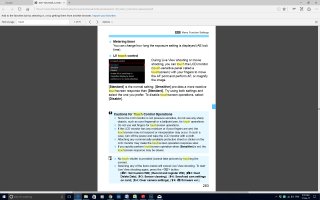
Page 283 of the manual says you can touch focus in LiveView but not trigger the shutter
Attachments
Upvote
0
Mikehit said:Viggo said:Thanks! Yeah, and another weird thing is I can touch the screen to move the af point, but I can't focus that way it seems, I still have to focus with the normal AF-ON button. I would rather have it focus where I touch the screen directly.
Page 283 of the manual says you can touch focus in LiveView but not trigger the shutter
Thanks for the tip, but it doesn't work, it will not focus until I hit the AF-on button....
Upvote
0
Viggo said:Mikehit said:Viggo said:Thanks! Yeah, and another weird thing is I can touch the screen to move the af point, but I can't focus that way it seems, I still have to focus with the normal AF-ON button. I would rather have it focus where I touch the screen directly.
Page 283 of the manual says you can touch focus in LiveView but not trigger the shutter
Thanks for the tip, but it doesn't work, it will not focus until I hit the AF-on button....
Hi Viggo,
I just had a look at my 1DxII and it seems the "problem" is BBF: When I have metering AND AF on my shutter button live view focussing works using touch. When I have only metering put on the shutter button I can choose an AF field using touch but it will only start focussing when I hit the AF ON button...
Hope that helps and enjoy your new camera
-Sebastian
Upvote
0
LordofTackle said:Viggo said:Mikehit said:Viggo said:Thanks! Yeah, and another weird thing is I can touch the screen to move the af point, but I can't focus that way it seems, I still have to focus with the normal AF-ON button. I would rather have it focus where I touch the screen directly.
Page 283 of the manual says you can touch focus in LiveView but not trigger the shutter
Thanks for the tip, but it doesn't work, it will not focus until I hit the AF-on button....
Hi Viggo,
I just had a look at my 1DxII and it seems the "problem" is BBF: When I have metering AND AF on my shutter button live view focussing works using touch. When I have only metering put on the shutter button I can choose an AF field using touch but it will only start focussing when I hit the AF ON button...
Hope that helps and enjoy your new camera
-Sebastian
Yes! I JUST realized that myself also. What a ridiculous way of doing it, what's the problem of having touch af enabled no matter which button I normally use for AF??
Upvote
0
Similar threads


- Replies
- 0
- Views
- 2K

- Replies
- 48
- Views
- 29K