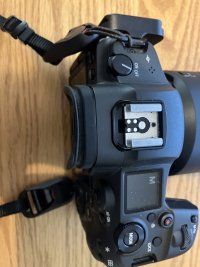
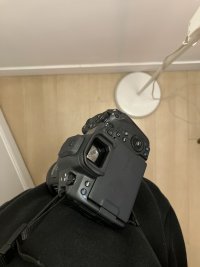
How do you strap your camera?

I use mostly a Blackrapid strap with a QD connector, that attaches directly to the RRS base plate or lens plate. Occasionally, I use a Spider Holster with their Arca Clamp connected to the camera plate.

Special use case is my 600/4, which I carry with a Blackrapid Sport L strap (left-handed so the lens/camera hangs on my left side), with the Blackrapid lug connected (with Loctite Blue) to a Kirk 1” clamp that attaches to the lens foot.
 
Upvote 0
Depends a lot on the camera.
  • BlackRapid strap for a 1DXm2 with L series lenses.
  • Peak Design Slide Lite for the R6mx/R7/R8/6D bodies and lenses.
  • Peak Design Cuff/Leash/Capture for the M series.
But most of my carrying is done in a backpack. I take the camera out when I'm ready to shoot. I don't lug the camera around on a strap when I'm not shooting.
 
Upvote 0
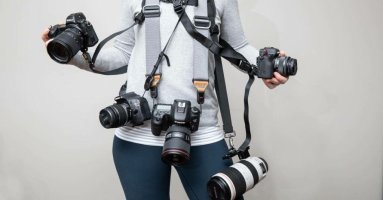
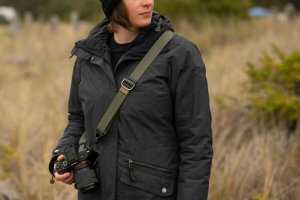
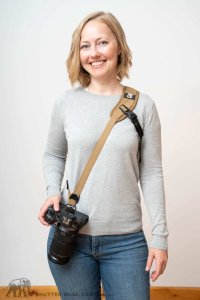
I tried to go for more of a sling setup (which I really less prefer since it makes the camera more far away from my eye) and it still doesn't work for me, it hits me at an angle if i want to keep it in front. Even these promotional materials are all with people holding the camera to prevent that. As far as I can see with current anchor points there is no way to avoid activating the viewfinder and hitting yourself while walking.
A purely bottom anchor also doesn't work unless you use a long lens, the camera will just flips on itself and hit you with the front of the lens.
 

Attachments

  • best-camera-strap-1024x536.jpg
    best-camera-strap-1024x536.jpg
    46.1 KB · Views: 7
  • Gold-Bluffs-3225.jpg
    Gold-Bluffs-3225.jpg
    114.1 KB · Views: 7
  • Senza titolo.jpg
    Senza titolo.jpg
    74.5 KB · Views: 7
Upvote 0
I'm using either my OP/Tech or Think Tank camera strap in the cross body configuration. I have added the Peak Design Anchor Links to each strap thus making changing straps, using a tripod, or wrist strap. I like the cross body with anchor on the body and the other attached to bottom of the RRS L bracket. This allows the body and lens to hang pointing down and seams to feel lighter IMO.
 
Upvote 0
How do you get the lens and body pointing down with the existing mounting points of the camera?
By using a PeakDesign Capture clip mounted on a backpack strap, and the clip adapter screwed in the camera's tripod thread. I do it even with heavier lenses (R5 II + RF 100-500) when hiking. A very quick access to the camera is a huge advantage of this system. Disadvantage: Doesn't work (well?) with gripped bodies.
PS: On the left strap, camera 1 + WA zoom, on the right strap, camera 2 + telezoom.
Less often used lenses are carried inside the backpack.
 
  • Like
Reactions: 1 user
Upvote 0
How do you get the lens and body pointing down with the existing mounting points of the camera?
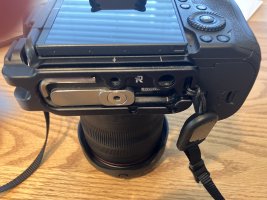
These photos show the way I attach strap attachment points. You can find good camera base plates with strap attachment points which allows you to use a tripod (you don't need a L Bracket).
 

Attachments

  • IMG_3193.JPG
    IMG_3193.JPG
    2 MB · Views: 7
  • IMG_3191.JPG
    IMG_3191.JPG
    1.8 MB · Views: 7
Upvote 0
These photos show the way I attach strap attachment points. You can find good camera base plates with strap attachment points which allows you to use a tripod (you don't need a L Bracket).
Very similar to mine, how do you avoid the camera hitting you at an angle when resting against your body/walking? This is how it is for me.
 

Attachments

  • strap.JPG
    strap.JPG
    2.7 MB · Views: 9
Upvote 0