
You are using an out of date browser. It may not display this or other websites correctly.
You should upgrade or use an alternative browser.
You should upgrade or use an alternative browser.
Milky Way
- Thread starter tpatana
- Start date


Aussie shooter
https://brettguyphotography.picfair.com/
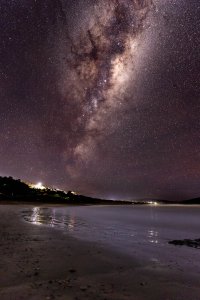
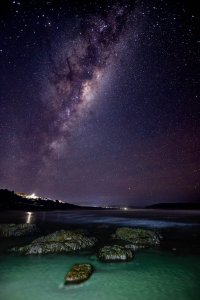
There were some indicators of possible Auroral activity last night. Alas, it did not eventuate so I had to settle for some impromptu milky way photography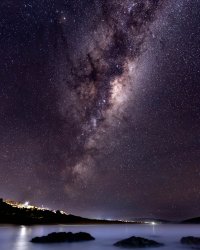
Upvote
0

You should be ashamed of yourself settling for garbage like this.There were some indicators of possible Auroral activity last night. Alas, it did not eventuate so I had to settle for some impromptu milky way photographyView attachment 198775View attachment 198776View attachment 198777
(Absolutely, positively, SARCASM. It is, in fact, wonderful stuff!)

Upvote
0
Aussie shooter
https://brettguyphotography.picfair.com/
I know right. Bloody horrid option wasn't it?You should be ashamed of yourself settling for garbage like this.
(Absolutely, positively, SARCASM. It is, in fact, wonderful stuff!)
Upvote
0
- Oct 29, 2016
- 694
- 1,270
- 6,034
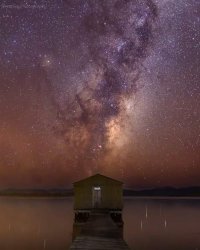
Quite cool! Can you share exposure details?Haven't shot the milky way for ages but pretty satisfied with this one.
View attachment 203870
Upvote
0
Aussie shooter
https://brettguyphotography.picfair.com/
Off the top of my head it was f2.8, ISO3200, 15sec exposure. Fairly standard astro numbers although I did increase the exposure by about 1/² stop in postQuite cool! Can you share exposure details?
Upvote
0
- Oct 29, 2016
- 694
- 1,270
- 6,034
Thanks. I’ve shot ISO 2500, 15-20 seconds at f4, but had a lot of fiddling in post. I look forward to another attempt at your settings.Off the top of my head it was f2.8, ISO3200, 15sec exposure. Fairly standard astro numbers although I did increase the exposure by about 1/² stop in post
Upvote
0

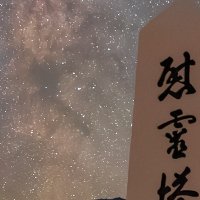
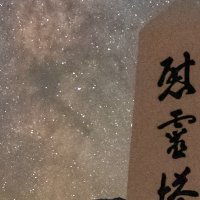
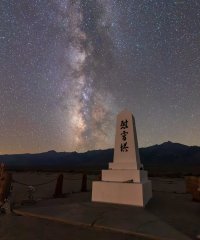
Has anyone tried the new Denoise AI tool in Lightroom? Here's an example of how well it can work for Milky Way shots. These are 100% crops from the bottom or a vertical shot taken at 30s f2.8 ISO 4000 with a Canon EOS R and Sigma 14-24mm 2.8 Art lens. I've had good results with it, definitely MUCH better than anything I could achieve in Lr previously just using the Detail panel to reduce noise even with extremely aggressive settings for NR. Only drawback is that on my 7 year old Windows 10 laptop it takes about 10 minutes (yes, MINUTES) to process a single image. Ouch.
Attachments
Upvote
0
Aussie shooter
https://brettguyphotography.picfair.com/
Yes. Pretty impressive overall but I have noticed some artifacts within the milky way core itself. Nothing too worrisome but like all the AI noise reduction it isn't quite perfectHas anyone tried the new Denoise AI tool in Lightroom? Here's an example of how well it can work for Milky Way shots. These are 100% crops from the bottom or a vertical shot taken at 30s f2.8 ISO 4000 with a Canon EOS R and Sigma 14-24mm 2.8 Art lens. I've had good results with it, definitely MUCH better than anything I could achieve in Lr previously just using the Detail panel to reduce noise even with extremely aggressive settings for NR. Only drawback is that on my 7 year old Windows 10 laptop it takes about 10 minutes (yes, MINUTES) to process a single image. Ouch.
Upvote
0
Aussie shooter
https://brettguyphotography.picfair.com/
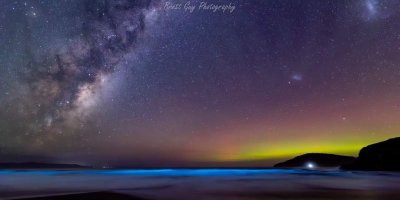
A couple of recent milky way images combined with bio in the waves same location. Different nights.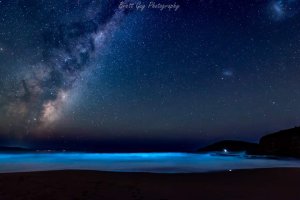
Upvote
0
A couple of recent milky way images combined with bio in the waves same location. Different nights.
Stunning pictures. Great shots!
Upvote
0

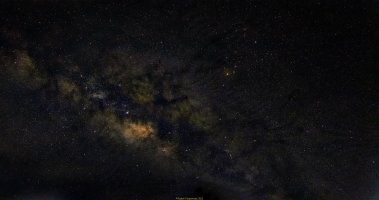
So this is an edited version of the Milky Way shot I took just after midnight on the 14th of May 2023 during a stargazing camp. I merged 64 shots in Sequator and then edited in Lightroom and Photoshop. I also used Graxpert to get rid of the light pollution gradient. I am unhappy about the green cast in the photo and would appreciate if the editing gurus can tell me how I can get rid of it. I tried all kinds of things but was not successful in getting rid of it. Thanks in advance for tips on this.
Attachments
Upvote
0

Hello everyone. Here are some pictures I took in August.
I used the Canon 6D with the Samyang 14mm 2.8 and 24mm 1.4 lenses, along with the Canon 50mm 1.8 STM for the last shot. On the technical side of things, these are tracked, stacked and time blended images. By time blended, I mean that I usually take the foreground picture during the blue hour, in order to get a bit more detail due the shorter exposure time (useful with trees when it‘s windy) and/ or lower ISO needed. Regarding the tracker, I use an Omegon MiniTrack LX3, which is a purely mechanical mount, so no electricity is needed to drive it.
I began doing astrophotography about 4 years ago, using my 750D and the EF-S 15-85mm lens, just to see what I can get. Photographing the night sky quickly became addictive, so I invested a bit more in a full frame camera and a few lenses. On my search for the perfect astro lens, I realized that a tracking mount would probably be not only cheaper, but also more effective. Seeing pictures like those from @basketballfreak6 helped my decision, so I went for it and got the MiniTrack. I am quite satisfied with it (for what it is, at least) and since my focus is mainly on landscape astrophotography, it serves me well.
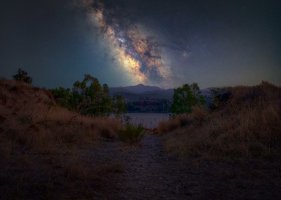
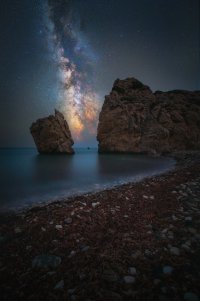
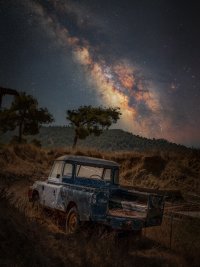
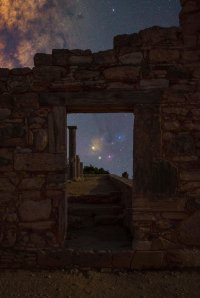
I used the Canon 6D with the Samyang 14mm 2.8 and 24mm 1.4 lenses, along with the Canon 50mm 1.8 STM for the last shot. On the technical side of things, these are tracked, stacked and time blended images. By time blended, I mean that I usually take the foreground picture during the blue hour, in order to get a bit more detail due the shorter exposure time (useful with trees when it‘s windy) and/ or lower ISO needed. Regarding the tracker, I use an Omegon MiniTrack LX3, which is a purely mechanical mount, so no electricity is needed to drive it.
I began doing astrophotography about 4 years ago, using my 750D and the EF-S 15-85mm lens, just to see what I can get. Photographing the night sky quickly became addictive, so I invested a bit more in a full frame camera and a few lenses. On my search for the perfect astro lens, I realized that a tracking mount would probably be not only cheaper, but also more effective. Seeing pictures like those from @basketballfreak6 helped my decision, so I went for it and got the MiniTrack. I am quite satisfied with it (for what it is, at least) and since my focus is mainly on landscape astrophotography, it serves me well.
Upvote
0

