
You are using an out of date browser. It may not display this or other websites correctly.
You should upgrade or use an alternative browser.
You should upgrade or use an alternative browser.
Show your Bird Portraits
- Thread starter 1982chris911
- Start date

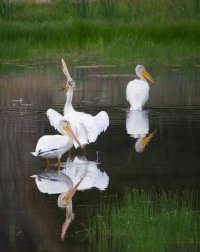
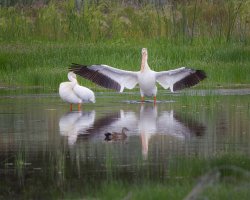
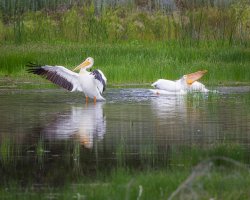


"Downys Sharing"
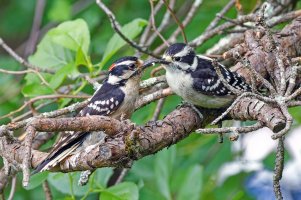
EOS R1, RF 100-500mm f/4.5-7.1L IS USM + RF 1.4x @ 700mm, 1/1000 s, f/14, ISO 25600
EOS R1, RF 100-500mm f/4.5-7.1L IS USM + RF 1.4x @ 700mm, 1/1000 s, f/14, ISO 25600

Upvote
0


I like the detail in the feathers and the lack of noise for a picture taken at ISO 25000. Do you have to do a lot of post processing to get it this good or is the R1 just that good???"Downys Sharing"
View attachment 230132
EOS R1, RF 100-500mm f/4.5-7.1L IS USM + RF 1.4x @ 700mm, 1/1000 s, f/14, ISO 25600
Upvote
0
Thanks! DxO PhotoLab, using the default options for DeepPrime XD3 so the 'work' is just one click for NR.I like the detail in the feathers and the lack of noise for a picture taken at ISO 25000. Do you have to do a lot of post processing to get it this good or is the R1 just that good???
Upvote
0
How does that compare to Lightroom's Denoise?
Thanks! DxO PhotoLab, using the default options for DeepPrime XD3 so the 'work' is just one click for NR.
Upvote
0
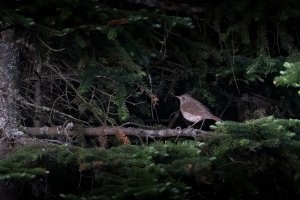
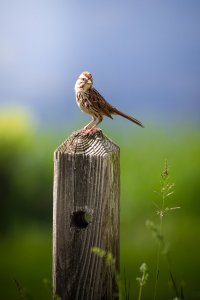
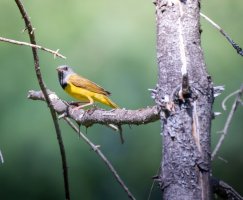
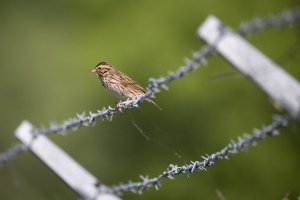

In my experience, they are pretty similar. Photolab has a few more handles to tweak for optimization, but if you are working in LR, you need to transfer a fat TIFF or DNG back for the result. Since LR now will do NR without generating an extra file, it does save space. I have found that LR NR followed by processing in Topaz with additional NR and sharpening typically produces the most favorable result. The exception is Photolab seems to do a bit better job with small sensor cameras, but Topaz is still beneficial as a secondary process, particularly for sharpening. With wide lenses that don't fill the image circle and need corner stretching, Photolab often will give you a larger image, particularly if you break away from the default aspect ratio. Note that processing in Topaz when you are primarily in LR also results in a large secondary file (I use TIFF) . All three tools are dismally slow without a good GPU (preferably Nvidia). Curious to see if Neuro has had similar experience.How does that compare to Lightroom's Denoise?
Upvote
0

Denoise in Photoshop takes a minute per image on my MacBook Air with M4 and 24 GB, which is dismally slow. PL9 is much faster, and speeds up on cropping RAW whereas PS Denoise speed does not increase - it clearly denoises the whole image and not just the cropped area. In my tests, PL9, and even old PL6, is slightly sharper. I wish PS was better as I need the Adobe suite for my work and it would save me buying DxO.In my experience, they are pretty similar. Photolab has a few more handles to tweak for optimization, but if you are working in LR, you need to transfer a fat TIFF or DNG back for the result. Since LR now will do NR without generating an extra file, it does save space. I have found that LR NR followed by processing in Topaz with additional NR and sharpening typically produces the most favorable result. The exception is Photolab seems to do a bit better job with small sensor cameras, but Topaz is still beneficial as a secondary process, particularly for sharpening. With wide lenses that don't fill the image circle and need corner stretching, Photolab often will give you a larger image, particularly if you break away from the default aspect ratio. Note that processing in Topaz when you are primarily in LR also results in a large secondary file (I use TIFF) . All three tools are dismally slow without a good GPU (preferably Nvidia). Curious to see if Neuro has had similar experience.
Upvote
0
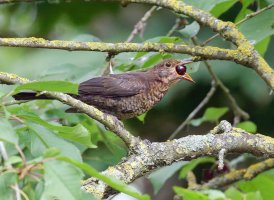
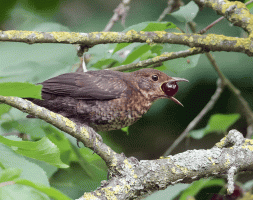
Spotted a bird fly into a tree and instinctively swung up the R5ii + RF 100-500, which was set up for BIF at 1/3200, f/9 and auto iso. It was dark and went to iso 20k. The setting was fortunate as I couldn't see that it was a juvenile Blackbird flying in to eat a berry, and I was able to catch the action. Cropped as usual without reduction.
Upvote
0
Similar threads
- Replies
- 118
- Views
- 99K
