5D4 Sensor Defect Discovered

zim said:
tron said:
zim said:
Tron - what's clear is that you are using a completely different bunch of settings to neuro. Your setting everything you can to get artifacts with that exposure push he is doing everything he can to not get them at that exposure push. In the context of this test I'm not sure which is valid!
Do you want an almost completely white picture or something that is viewable. You can download DxO Optics Pro trial edition to test yourself. I posted the prefix file so I am open to suggestions. But first and foremost the final picture should be viewable not something almost totally white. And since I do have a 5D4 too I really want this to work!

Sorry tron not sure what you mean by completely white picture, neuro isn't doing that. Perhaps he would be good enough to post his preset. My interest in all this just that I'm thinking of getting one so I'm trying to get a resolution in my mind about what's going on here. I'm not criticising anyone's concerns.
I am talking about the results in the previous page where the sky is light blue and the building almost white (heavily overexposed). I was able to do so and the banding disappears. But I do not think the outcome is usable aesthetically. I used less exp compensation (-2.27 instead of -4) and pulled back highlights to -100 instead of 0 to prevent overexposure of the building. I also tested both types of noise reduction. And Neuro's comments are more than welcome of course.
 
Upvote 0
zim said:
Sorry tron not sure what you mean by completely white picture, neuro isn't doing that. Perhaps he would be good enough to post his preset.

My settings were the DxO Standard (aka default), with only the exposure and shadows settings modified as highlighted previously with the green arrows.

It appears that tron is trying to process the RAW file into a usable shot, preserving highlights and maintaining clean shadows showing the deep blue-hour sky. That was not my intent. It would never be my intent for the scene under discussion, since I would have known when looking at the scene, before even extending my tripod and putting the camera on it, that it would be a fool's errand to do so from a single image. Given the scene, I'd have taken at least two, most likely three shots to blend the exposures.
 
Upvote 0
neuroanatomist said:
zim said:
Sorry tron not sure what you mean by completely white picture, neuro isn't doing that. Perhaps he would be good enough to post his preset.

My settings were the DxO Standard (aka default), with only the exposure and shadows settings modified as highlighted previously with the green arrows.

It appears that tron is trying to process the RAW file into a usable shot, preserving highlights and maintaining clean shadows showing the deep blue-hour sky. That was not my intent. It would never be my intent for the scene under discussion, since I would have known when looking at the scene, before even extending my tripod and putting the camera on it, that it would be a fool's errand to do so from a single image. Given the scene, I'd have taken at least two, most likely three shots to blend the exposures.
Yes I was trying to salvage it (with an acceptable increase in noise of course). TimoV mentioned that his 6D can do better in the sense that it may have more noise but it's smooth with no banding. Of course HDR should produce a better result and this seems doable even for me who I am not experienced in that. But if there wasn't for the banding the camera would manage admirably with a single shot!

I believe this dark sky is the equivalent of the limits I encountered when shooting at -3EV.

Right now I am getting more and more curious about how 1DxII would handle the shot...
 
Upvote 0
neuroanatomist said:
tron said:
I believe this dark sky is the equivalent of the limits I encountered when shooting at -3EV.

I think your word choice – conscious or not – is significant.
Yes it was conscious. Still, I would like to see a comparison (same scene, hour, exposure, etc) with the 6D (I guess there is no reason to ask for a comparison with 5D3...) because I have no reason to doubt TimoV's sayings.
 
Upvote 0
tron said:
neuroanatomist said:
tron said:
I believe this dark sky is the equivalent of the limits I encountered when shooting at -3EV.

I think your word choice – conscious or not – is significant.
Yes it was conscious. Still, I would like to see a comparison (same scene, hour, exposure, etc) with the 6D (I guess there is no reason to ask for a comparison with 5D3...) because I have no reason to doubt TimoV's sayings.

The 6D could certainly be better than the 5DIV in some areas. Why not? Photography is about tradeoffs. Why does Nikon's latest flagship pro body, the D5, have around a stop less base ISO DR than other Nikon FF bodies including its predecessor?

Maybe (purr specualtion, likely wrong) the banding is a tradeoff for dual pixel architecture.
 
Upvote 0
neuroanatomist, I test before this as explosure blending/HDR in Lightroom… result is bad, there is a reflections that change size and intensity in every exposure as well moving objects… so in every case you cannot just say “Given the scene, I'd have taken at least two, most likely three shots to blend the exposures”

Try to get a HDR for example, night shot near to water with lights that reflect from slow waves… and you find out bad result.
 
Upvote 0
TimoV,

can I suggest something here:

in order to start comparing apples to apples, may I ask you to compare some aspects of DXO Optics Pro noise rendering vs. Adobe LR?

with the image in question, it is imperative to _remove_ all default DXO image enchancements initially,. that is best done by pushing big fat RESET button at the top right corner of the DEVELOP module of DXO Optics Pro. that will remove all the default dxo image adjustments for starters.
now, we can go ahead and move exposure compensation slider by , say, +1 stop, observe resulting image for any banding . if there is no banding noticed, then lets go ahead and move exposure slider by +1 stop more.
continue until you will noticed banding. take note of the exposure compensation level at which banding became visible. do not worry about any other image adjustments for the moment.

now lets do the same in LR. push exposure until banding became _equally_ noticeable. at that stage, please take note of the exposure compensation level you are at.

I am arguing that all other things equal, DXO is capable of pushing the image in question by _at least_ +1EV more than LR before you see _equal_ levels of banding in the image. I am not saying there is no banding, I am saying it is less aparent due to the way DXO renders the noisy areas of the image.
 
Upvote 0
I have done that kind of compare before (DxO-LR) and feel it's pretty same level visible... but I have to do it one more time for making sure, later in the evening I can try it. Now im in another PC and monitor that cannot show streaks so easily.
 
Upvote 0
thank you, TimoV !

here is the image:

https://www.dpreview.com/sample-galleries/9485291827/canon-eos-5d-mark-iv-sample-gallery/9400200081

RAW file is available for download on the page. lets work on the same image for simplicity.

What I am sure of is that banding in LR at +2EV level will be very noticable on any monitor, not so apparent with DXO. i checked on 3 monitors so far.
P.S. DXO Prime rendering makes banding more apparent to my eyes. so let's use normal rendering instead.


TimoV said:
I have done that kind of compare before (DxO-LR) and feel it's pretty same level visible... but I have to do it one more time for making sure, later in the evening I can try it. Now im in another PC and monitor that cannot show streaks so easily.
 
Upvote 0
My own feeling so far is that my 5d4 has a higher limit than my 5d3.
But the 5d3 gradually degrades and the 4 holds til it falls over a cliff. The 3 is random noise, the 4 is streaks.

So far im finding that limit to be high enough not to be a problem. I havent done night city shots yet.

I may have a replacement 5d4 today due to another issue (dust inside the focusing screen out of the box, if the store cant clean it, theyll replace it. Its an annoying dark spot in the viewfinder near the right hand focus points). If so it will be interesting to see if its any different.
 
Upvote 0
PixelTrawler said:
My own feeling so far is that my 5d4 has a higher limit than my 5d3.
But the 5d3 gradually degrades and the 4 holds til it falls over a cliff. The 3 is random noise, the 4 is streaks.

So far im finding that limit to be high enough not to be a problem. I havent done night city shots yet.

I may have a replacement 5d4 today due to another issue (dust inside the focusing screen out of the box, if the store cant clean it, theyll replace it. Its an annoying dark spot in the viewfinder near the right hand focus points). If so it will be interesting to see if its any different.
Some questions and/or thoughts:

If I were to guess I would say it will be the same. But please can you make the tests and tell us?
The reason is that I am on a second 5D4 which had exactly the same behaviour. First one started with 03 and second with 04.
Now depending on the outcome it may help in decision making:

1. Different (higher) first 2 numbers and no problem (or "problem" if you will): That's it I would return mine!
I would love to but I am not oprimistic...

2. Different (higher) first numbers and same with the first camera: No reason to return it. That's 5D4 period! Happy shooting!

3. Same (or less) first numbers and same problem: No information to use for decision making.

4. Same (or less) first numbers and no problem: Ooops! Huston we have a (random?) problem!
I highly doubt this will be the case though...
 
Upvote 0
Just back from the shop and they couldnt get at the dust so they swapped the body.

It was only when I got home just now I realised its one of the first batches off the line - the serial begins with 02, and the manufacturing date is Late August and the firmware is 1.01

So this should make for an interesting test.

My original began with 03 but i didnt take note of the manufacturing date. Its firmware was 1.02.

I'll do a test before updating the firmware to 1.02

(Also something I noticed now by chance - it can read the firmware of the lens - is it now possible to update the firmware on canon lens via the camera? My 16-35 f/4 has firmware 1.06 and it looks like its possible)
 
Upvote 0
PixelTrawler said:
Just back from the shop and they couldnt get at the dust so they swapped the body.

It was only when I got home just now I realised its one of the first batches off the line - the serial begins with 02, and the manufacturing date is Late August and the firmware is 1.01

So this should make for an interesting test.

My original began with 03 but i didnt take note of the manufacturing date. Its firmware was 1.02.

I'll do a test before updating the firmware to 1.02

(Also something I noticed now by chance - it can read the firmware of the lens - is it now possible to update the firmware on canon lens via the camera? My 16-35 f/4 has firmware 1.06 and it looks like its possible)

Edit - pre test guess - it'll be the same - its a feature!
 
Upvote 0
PixelTrawler said:
Just back from the shop and they couldnt get at the dust so they swapped the body.

It was only when I got home just now I realised its one of the first batches off the line - the serial begins with 02, and the manufacturing date is Late August and the firmware is 1.01

So this should make for an interesting test.

My original began with 03 but i didnt take note of the manufacturing date. Its firmware was 1.02.

I'll do a test before updating the firmware to 1.02

(Also something I noticed now by chance - it can read the firmware of the lens - is it now possible to update the firmware on canon lens via the camera? My 16-35 f/4 has firmware 1.06 and it looks like its possible)
Lens firmware is reported in previous cameras too but at least some super telephotos had to be taken to service anyway.

It is good idea to make tests before upgrading as well as the fact that it starts with 02. Please make sure you also use an sd card too :)
 
Upvote 0
1.02 loading on to it right now.
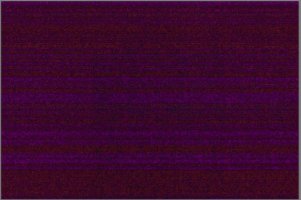
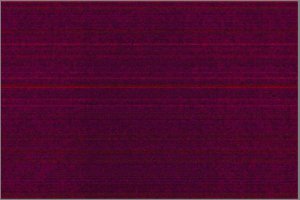
This replacement body is a little worse - its has quite a bright streak right through the middle that starts to show at about 5% less shadow push - wait a second - typing as testing!

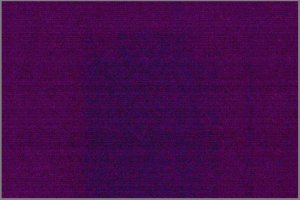
Using Tallys tried and tested trick to just reveal the pattern... (yes the lens cap is on, get over it, its just a pattern revealing test). Its simply ISO 100, body cap on, viewfinder covered, 20 seconds. And its a good test because I've seen identical patterns when I push actual photographs. Then in LR just set whites to 81%. Its useful to know the limits of your own sensor.

On 1.01
There is a great big streak up the middle with lots of other streaking. The general colour is reddish. It shows at about 51% push

On 1.02
The brightest streak is gone, and its pretty much like I saw on my first 5D4. The general colour cast is purple and the streaks are more even and less strong.
I actually think now its better than the first body. It doesnt really show anything til about 61% push, and the streaks are more even.

This is at the least interesting and shows that a) Canon know more then they are letting on and b) Maybe theres more to come. Its a huge difference with the firmware change. They be must be specifically targeting, the change is too big.

Top image is the original camera, and the bottom two are pre and post firmware updating.
Also I had Long exposure noise reduction set to Auto in all tests.

So now I'll basically have similar if even slighty better results from this body is my gut feel.
 

Attachments

  • 5d4_First_Body_1.02.JPG
    5d4_First_Body_1.02.JPG
    193.1 KB · Views: 137
  • 5d4_New_Body_1.01.JPG
    5d4_New_Body_1.01.JPG
    223.3 KB · Views: 120
  • 5d4_New_Body_1.02.JPG
    5d4_New_Body_1.02.JPG
    291.3 KB · Views: 125
Upvote 0
tron said:
ZachOly said:
Anyone have a 1DX2 raw file that's underexposed?
My thoughts exactly :)

Downloaded yesterday few from DPReviews test. Those are not enough dark, or then the test body does not show this kind of phonomenon. One person sent one file earlier to Michaels Youtube videos comments. That was the kind of extreme test with a screen in a dark room with shadows compeletely clipping and then +5 boost and shadows. That file showed even more stripes than 5D4 in a similar conditions. 5DSR did not, just normal ugly noice. Cannot generalize, but just to mention one example.
 
Upvote 0