G
ghosh9691
Guest
Crapking said:I was "working" from the office computer (Chrome), now I'll upload it from Safari (home)
On my screen, it looks fine, did we solve the dilemma or do I need to post-process in PS differently? My usual work flow is to shoot in max resolution RAW, (7D), download to my MacPro, working with 27" LED screen (not calibrated), select website keepers, then edit only those keepers in Adobe Camera Raw, then "save as" JPEG ProphotoRGB 8 bit, 240 ppi, (usually downsize to ~ 1910x1274) and then "DONE" the original file. Later I upload my keeper JPEGs to my hosting service (Phanfare) and I've just started 'sharing' some with a new FLICKr account to see how I like that service, and to facilitate copying to this forum.
I've experimented at times shooting sports in native JPEG, trying to save time post-processing, but for sports/lowlight, I find I need to post-process anyways.
Looks fine to me on a caliberated monitor using IE9...
Upvote
0
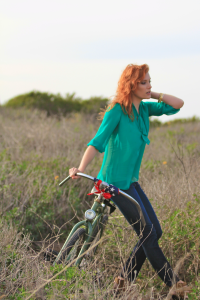
 )
)