LR4.1 RC to blame. Check this out!

Status
Not open for further replies.
spinworkxroy said:
I see alot of debate with LR not being able to handle 5D3 raws well..and ACR seems to be the same.
However, for some reason i can't install DPP on my macbook..just doesn't run and i don't have LR4..i only have Aperture…i wonder if Aperture also suffers the same "softness" as LR and ACR?

Did you try downloading the latest version of dpp for Mac from the Canon site? (version 26 I beleive)
 
Upvote 0
Bosman said:
I just found this article that relates to the topic.
http://www.dpreview.com/articles/1205103502/extreme-contrast-edits-in-lightroom-4-and-acr-7

It is quite dramatic what is possible!

You are right that in theory it is prety amazing when you can do with LR4. The problem with LR4 at this time is that while it does support 5D mkIII file, it can yield soft image. So far only version 26 of DPP seem to be working fine with mkiii raw file.

I dont want to change my workflow and I am using LR4, so I am really crossing my finger for Adobe to update their RAW engine for the mkiii and the 1dx in their next issue.
 
Upvote 0
gummyrabbit said:
This isn't a very good test because you have nothing to compare it against. You need to take a D800 and do the same shot and run it through the same process. Then you'd be able to tell if the 5D3 DR is better or worse than the D800 and whether LR has bug that limits shadow recovery from the 5D3.

Comparing a 5d3 with a d800 would tell you nothing more than we already know - either the d800 is great or the d800 is great when processed through lr and the 5d3 isn't.

To be able to tell anything, you'd need to run the 5d3 through dpp, which obviously it won't do.

I do wonder at the moment if it's not a case of noise reduction in the shadows. The shadows from the OP seem clean but fairly lacking in detail...
 
Upvote 0
gummyrabbit said:
This isn't a very good test because you have nothing to compare it against. You need to take a D800 and do the same shot and run it through the same process.

this is not about the D800.. it´s about lightrooms RAW conversion of 5D MK3 files.
 
Upvote 0
so MattBice.... can you do the conversion in LR too?
to compare the noise in your image when processed with LR or DPP.

i will try it myself when im at home.. but there are still 6 hours of work ahead of me. ::)
 
Upvote 0
What I think we need is:
  • Processed in DPP with no NR
  • Processed in DPP with NR
  • Processed in LR with no NR
  • Processed in LR with NR

... so we can see the worst and best for each product.
 
Upvote 0
This is LR (tried to go more neutral in color temp):

5D3_LR_D34C7769.jpg


initial version by the OP:

7133055985_d1eb9a9800_b.jpg
 
Upvote 0
I don't have time to post the pictures right now, but I did a quick test, as much of an extreme real-world one as I could think of that I'd ever want to do. I took a high-noon picture looking into a garden shed entirely in shadow. I exposed for the exterior, and underexposed by a couple stops. In DPP, after moving the exposure and shadow sliders all the way to the right, the interior of the shed was clean as a whistle. Even in Camera Raw, after boosting the exposure and shadows more than I'd ever want to do, it didn't take too much noise reduction to tame the noise.

If I have too much free time later, I might post some of it. But, as far as i'm concerned, all this nonsense about insufficient dynamic range is a tempest in a teapot. Get the exposure right and you'll be fine. Heck, get the exposure off by a stop or two and you'll be okay. There's more than enough clean information in there for any reasonable kind of post-processing. Any situation where you'd want more, you should have either done your job as a photographer to get better light on your subject or you should have shot HDR.

Cheers,

b&

 
Upvote 0
TrumpetPower! said:
I don't have time to post the pictures right now, but I did a quick test, as much of an extreme real-world one as I could think of that I'd ever want to do. I took a high-noon picture looking into a garden shed entirely in shadow. I exposed for the exterior, and underexposed by a couple stops. In DPP, after moving the exposure and shadow sliders all the way to the right, the interior of the shed was clean as a whistle. Even in Camera Raw, after boosting the exposure and shadows more than I'd ever want to do, it didn't take too much noise reduction to tame the noise.

If I have too much free time later, I might post some of it. But, as far as i'm concerned, all this nonsense about insufficient dynamic range is a tempest in a teapot. Get the exposure right and you'll be fine. Heck, get the exposure off by a stop or two and you'll be okay. There's more than enough clean information in there for any reasonable kind of post-processing. Any situation where you'd want more, you should have either done your job as a photographer to get better light on your subject or you should have shot HDR.

Cheers,

b&

Well Said.
 
Upvote 0
MattBicePhotography said:
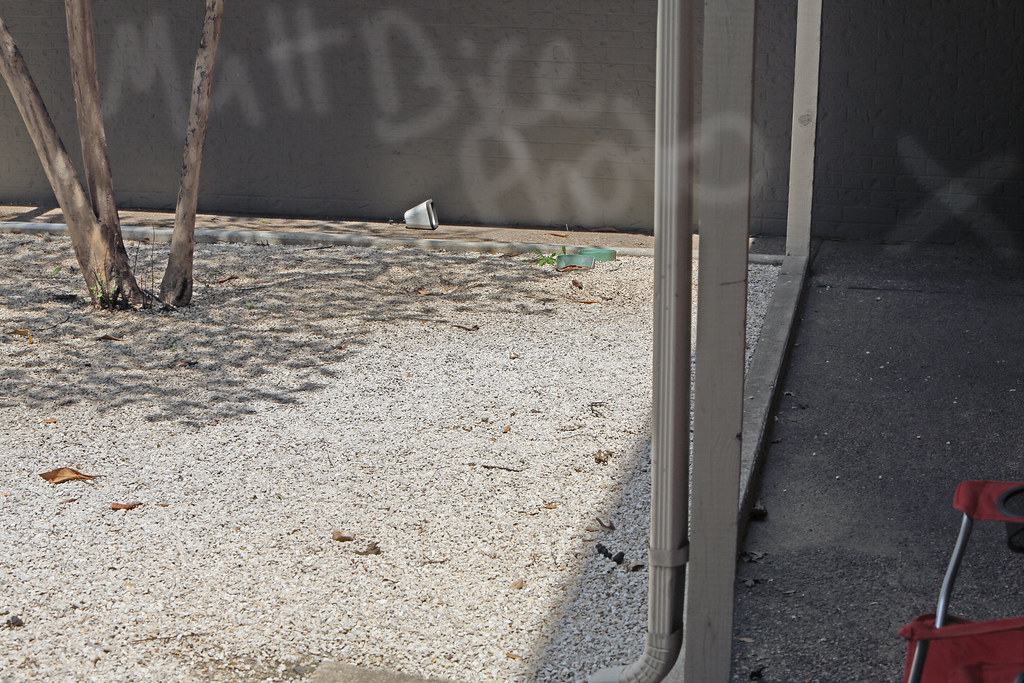
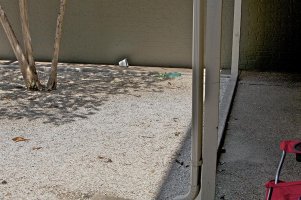
So I read in the EOS bodies for stills forum that DPP handles the RAW files far better than light room. So to test this, I took this photo outside of my apartment with a bright texas sun off of white rocks and a nice dark shadow in the covered hallway. I opened the photo with DPP and just saved it to Full tilt TIFF. I then opened the photo in CS5.5 and Duplicated the background layer. On this new layer I adjust the shadows and highlights to 100% on the shadow slider. I also brightened the "X" even further using the dodge tool set to shadows and 100 exposure.

Let me blow your mind a little.

7133044449_80d50ce4a9_b.jpg


AND......

7133055985_d1eb9a9800_b.jpg


obviously these could not have been taken by a 5D3............. ::) ::) ::)

http://www.flickr.com/photos/mattbicephotography/ here is my photostream so you can go look at the pictures at full size. I think LR4.1 RC certainly works better with Nikon.


I maybe missing something but the spray painted writing on the wall in the background seems to continue perfectly on the post and downspout in the foreground. How did this happen? Was that supposed to be your copyright added later?
 
Upvote 0
AFAIK Aperture 3 does the same nonsense to the RAWs as everyone here is complaining about. Sharpness is better than the initial DPP but push-shadows is not very impressive.

I am curious what you guys will recommend by the end of this day!
 
Upvote 0
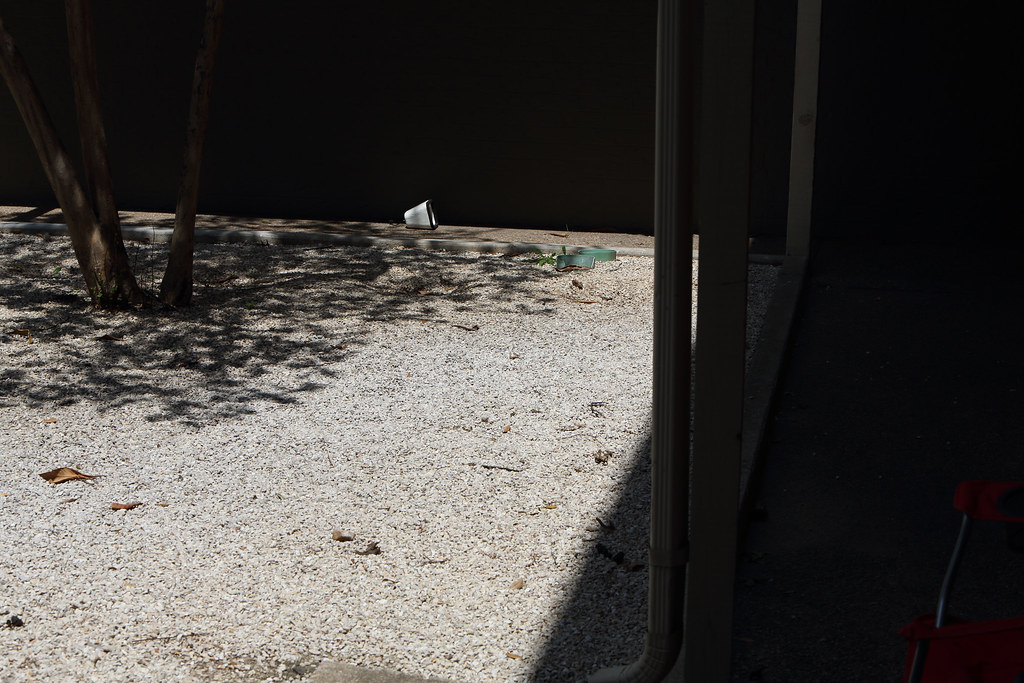
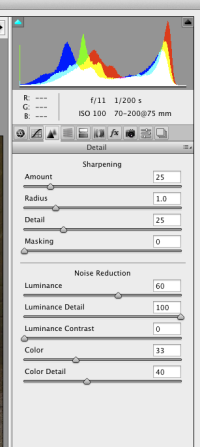
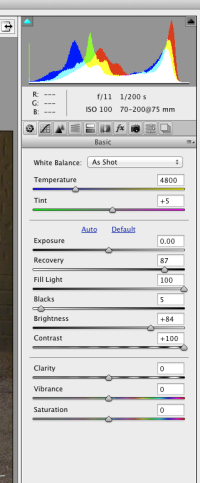
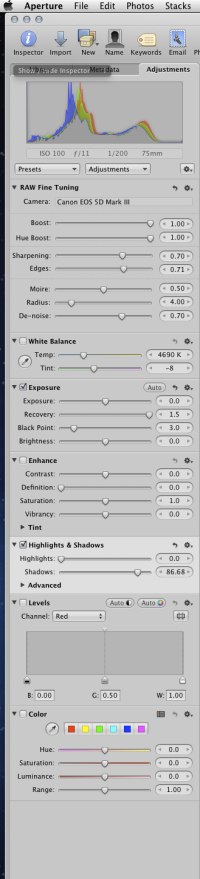
Here is my version adobe camera raw, and the settings used. I did nothing to the white balance but to tell you the truth my color calibrated monitor looks much better. I assume this would look better in Safari because they have a true color accurate setting in the browser unlike many others. Yes there was banding noise in the shadows but it was slight and went away quickly when i changed up the noise reduction with Luminance. Now the suggested edge the nikon D800 has is not so much as it seems. I wouldn't have taken too many photos with this scenario it would be all sun or all shade in the shot. so lifting shadows isn't too critical for what i do but that said my second shooter shot a couple majorly underexposed and it was too dark to bring things back but then she shoots Sony...
The top image is with CS5 Camera Raw 6.7, it looks un-natural and extra saturated whereas the same settings in LR 4 were used in the bottom image.
Aperture really made the shadows wack! It got a black pixelated and looked weird but the color auto adjusted ot a more natural color which i liked. at 4.690 k for temp and -8 for tint, whereas the LR and ACR 6.7 both were showing 4800 temp +5 tint.
Sorry, i saved them 800px wide with 120dpi. If you absolutely need large files just PM me i'l run it again and save them full size.
LR4 did good CS5, i don't know what happened...maybe because it was a 2010 adobe file instead of 2012 idk...
 

Attachments

  • D34C7769_800px_120dpi_BMP.jpg
    D34C7769_800px_120dpi_BMP.jpg
    99 KB · Views: 1,575
  • Screen Shot 2012-05-02 at 9.53.41 PM.png
    Screen Shot 2012-05-02 at 9.53.41 PM.png
    40.8 KB · Views: 1,519
  • Screen Shot 2012-05-02 at 9.53.31 PM.png
    Screen Shot 2012-05-02 at 9.53.31 PM.png
    65.9 KB · Views: 1,587
  • D34C7769_Lightroom 4.jpg
    D34C7769_Lightroom 4.jpg
    458.2 KB · Views: 1,565
Upvote 0
Status
Not open for further replies.