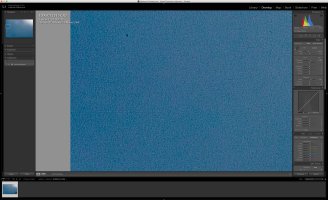
Puzzling 1DX Mark II Sensor Issue?

Might be way overthinking this. Looks like brush marks in oil from a sensor cleaning brush.

Still not clear from your posts if you or Vistek have attempted using a wipe?

While I understand some of the comments here that suggest not worrying about it, that you didn't notice until it was pointed out by another post on DPR, Canon has an absolute responsibility to provide a reasonably spotless sensor, and one that doesn't have defects.

DPR? I gave up on them years ago. So much hysterical ranting, anxiety, nonsense.

Regarding cleaning: I would never hand over a camera under warranty to anybody but Canon to clean, repair, modify, inspect, or test.

But I hope you follow through on your post. Maybe you've prompted others to check their new babies too, and we'll hear more, good or bad.
 
Upvote 0
YuengLinger said:
Might be way overthinking this. Looks like brush marks in oil from a sensor cleaning brush.

Still not clear from your posts if you or Vistek have attempted using a wipe?

While I understand some of the comments here that suggest not worrying about it, that you didn't notice until it was pointed out by another post on DPR, Canon has an absolute responsibility to provide a reasonably spotless sensor, and one that doesn't have defects.

DPR? I gave up on them years ago. So much hysterical ranting, anxiety, nonsense.

Regarding cleaning: I would never hand over a camera under warranty to anybody but Canon to clean, repair, modify, inspect, or test.

But I hope you follow through on your post. Maybe you've prompted others to check their new babies too, and we'll hear more, good or bad.

YeungLinger,

The sensor was never touched by a brush -- it was air (rocket blower) and wet cleaned though. I inspected the sensor immediately afterwards and it was spotless. The marks were there before the cleaning, and remained.

Normally I would agree with you about sending it to Canon first, but honestly, as a few on this board know from a few years ago, CPS and I aren't the best of friends, and I've got more reason to trust the technician at Vistek than Canon's. Unfortunately, it's come down to no other alternatives at this point.

My hope is that it's just oil that Eclipse solution won't remove, but something else will. I'm not holding my breath though, as it's strange for marks like this to just be on a sensor without anything first touching the sensor, as well as not having them smear further when cleaned later.
 
Upvote 0
Gert Arijs said:
Hi,
Something I didn't read while reading almost all of this thread:
It might be lines that are on the lens instead of the sensor. It's very unlikely, but some spots on the lens are visible at small apertures. Is the result the same with another lens or not?
I hope your issues will be solved soon...
Best regards from Belgium,
Gert

Gert,

I thought that initially too and tired my 24-70 f/2.8 II, 70-200 f/2.8 II, and 100 f/2.8L. The streaks are there on all. It's definitely something to do with the sensor.
 
Upvote 0
Whats puzzling to me is that they seem to disappear toward the right half of the image. My initial thought is that its an oil smear. Lines are not parallel and somewhat curved. However it could be a defect. I havent noticed this on mine but ill run some tests and report back. Sometimes oil smears are not visible even with a loupe. May be more visible if you look at it through a polarizer and rotate while observing.

Are these crops or full frame? Just want to know from a scale perspective what to look for.
 
Upvote 0
East Wind Photography said:
I just checked mine at F32 against a whitw wall and found no lines as you see. I did find more dust than i thought i had but thats another issue. :)

East Wind,

Thank you for test. Would it be possible to send me the raw file from your camera?

The screen shots I took are from a crop of the left side of the image where it's at its worse. The right side and middle of the frame have some of the marks too, but they aren't half as bad.

Thanks again for checking.
 
Upvote 0
R1-7D said:
...
It would be nice if other 1DX Mark II owners could do an expiermental shot at f/22 or f/32 to see if theirs' exhibit the same thing.

After reading this post, I decided to give my 1DXII a wet clean today (the second time since I have it) and see whether or not I have these line too. I took a test shot at f/32 and did the dehaze thing in Photoshopp CC (I guess it's the same as in LR). I can see any line, but I am happy to send you the raw file so you can use your method on it.

On a side note: I struggled with these pre-assembled swaps (+ Eclipe liquid) to get the sides and corners of the sensor clean so I switched over to pec*pads wrapped around the swap (and Eclips liquid ofcourse). Hardly any dust spots left now on the sensor.

Mario
 
Upvote 0
You can add me to the list of those not reporting this problem. After blowing out dust with the Giottos, I shot some blue sky pictures to see if I had gotten the dust off. So, I took one of those shots and enlarged it to 100% and 200% and used the DeHaze filter in Camera Raw. No lines like you are showing. (Still dust on the sensor though, but not nearly as bad as before.)

You say you aren't on good terms with CPS. I don't know what that means, but honestly, only Canon is going to be able to give a definitive answer to your question. Unless you've been blacklisted for something, just send it to them with samples of what you are seeing.

Why risk voiding the warranty with third-party or home-brew solutions?
 
Upvote 0
Mario said:
R1-7D said:
...
It would be nice if other 1DX Mark II owners could do an expiermental shot at f/22 or f/32 to see if theirs' exhibit the same thing.

After reading this post, I decided to give my 1DXII a wet clean today (the second time since I have it) and see whether or not I have these line too. I took a test shot at f/32 and did the dehaze thing in Photoshopp CC (I guess it's the same as in LR). I can see any line, but I am happy to send you the raw file so you can use your method on it.

On a side note: I struggled with these pre-assembled swaps (+ Eclipe liquid) to get the sides and corners of the sensor clean so I switched over to pec*pads wrapped around the swap (and Eclips liquid ofcourse). Hardly any dust spots left now on the sensor.

Mario

Mario,

Thank you for testing and for offering a RAW file. I'll send you a PM.
 
Upvote 0
unfocused said:
You can add me to the list of those not reporting this problem. After blowing out dust with the Giottos, I shot some blue sky pictures to see if I had gotten the dust off. So, I took one of those shots and enlarged it to 100% and 200% and used the DeHaze filter in Camera Raw. No lines like you are showing. (Still dust on the sensor though, but not nearly as bad as before.)

You say you aren't on good terms with CPS. I don't know what that means, but honestly, only Canon is going to be able to give a definitive answer to your question. Unless you've been blacklisted for something, just send it to them with samples of what you are seeing.

Why risk voiding the warranty with third-party or home-brew solutions?

Unfocused,

Thank you for trying. It seems my theory of a sensor problem is not looking good. Here's hoping it is in fact something streaked across the sensor.

I've not been blacklisted or anything like that, and I'm on good terms with CPS still. Unfortunately, I was less than impressed with their workmanship in the past regarding a previous professional camera, which is why I've not been enthusiastic about sending anything in for repairs. Like you say in this case, however, it might be my only option.
 
Upvote 0
Thank you Mario for a RAW file to look at.

Mario's file shows similar streaking, although not nearly the same intensity. I'm attaching a screen shot, with Mario's permission. The file is obviously manipulated to show that the streaks are there, and in Mario's case, wouldn't show up in his photos under regular/normal conditions.

My sensor has streaking in roughly the same area as Mario's too, beginning near the left-centre of the frame.

I'm leaning more now on the belief that these are oil streaks. I still wonder why Eclipse and swaps wouldn't smear them further or remove them, however.
 

Attachments

  • Mario's 1DX II.jpeg
    Mario's 1DX II.jpeg
    3.6 MB · Views: 321
Upvote 0
I love you guys sometimes.

So we have "an issue" that is barely visible at 100% view generally only if you apply Dehaze in large quantities and if that area is an area with even tonality and no detail?

Having said that I have RAW files from three 1DX MkII's and can't see anything untoward on them, but maybe I'm not trying hard enough.....................
 
Upvote 0
privatebydesign said:
I love you guys sometimes.

So we have "an issue" that is barely visible at 100% view generally only if you apply Dehaze in large quantities and if that area is an area with even tonality and no detail?

Having said that I have RAW files from three 1DX MkII's and can't see anything untoward on them, but maybe I'm not trying hard enough.....................

Well, you prolly jus have lowwwww standurds.

;)
 
Upvote 0
privatebydesign said:
I love you guys sometimes.

So we have "an issue" that is barely visible at 100% view generally only if you apply Dehaze in large quantities and if that area is an area with even tonality and no detail?

Having said that I have RAW files from three 1DX MkII's and can't see anything untoward on them, but maybe I'm not trying hard enough.....................

Privatebydesign,

Yes, yes... I'm sure this does look overly critical to most; that's fine. However, I can see these marks in 'normal' images I've taken at a macro level. I'm sorry, but I just spent another fortune on a piece of Canon equipment, and I want to make sure it's operating correctly and without defect.

I've done overzealous post-processing to solely show the forum what I'm talking about -- the streaks are there! No, I'm not concerned about the 90% invisible ones that don't show in my images; the same goes for oil and dust spots. But I do have several streaks that I can see without a single adjustment to the RAW file. In a high contrast scene with lots of detail they won't be noticeable, but images with bokeh or a plainer background they will be, a la my macro shots.


I get the attitude 'just get out there and shoot' and I try to subscribe to that myself; but when it's new equipment I do feel like I'm not wrong to be a picky.
 
Upvote 0
R1-7D said:
I'm sorry, but I just spent another fortune on a piece of Canon equipment, and I want to make sure it's operating correctly and without defect.

Allow me to think aloud and ask a few questions.

First of all, I'm not too keen on jrista's argument about crystal defects and RBI. Sure, the Silicon ingots (from which the wafer at cut & polished from) are produced under rotation (using either the Czochralski or the float-zone technique link), but the crystal defect density is extremely low and the lines that R1-7D are show seem to be on the mm scale, not the um or nm scale.

Secondly, when we do a clean of the 'sensor' (wetclean of just blowing air to remove dust), I assume that we really aren't cleaning the real sensor, but rather the outer surface of the 'sensor stack' in front of it.

I guess the stack is made up of multiple layers (IR filter, AA filter etc). This makes be wonder if R1-7D's camera has a smear between one of these layers, which no amounts of cleaning can remove.

R1-7D, I would deliver the 1DX2 including the real-world macro pictures and the dehazed demo pictures to the CPS center.
 
Upvote 0
As for the streaks existing before any "known" cleaning, I wonder if Canon has an industrious inspector brushing away dust somewhere along the assembly line? Either off the glass filter protecting the sensor or somewhere else in the "sandwich?" If there were even a smidgen of oil on that dust, it might produce what we are seeing at your (somewhat) extreme levels of examination.

And don't worry about PBD saying you are a worry wart: Note that he immediately checked his own sensors! ::)
 
Upvote 0
R1-7D said:
privatebydesign said:
I love you guys sometimes.

So we have "an issue" that is barely visible at 100% view generally only if you apply Dehaze in large quantities and if that area is an area with even tonality and no detail?

Having said that I have RAW files from three 1DX MkII's and can't see anything untoward on them, but maybe I'm not trying hard enough.....................

Privatebydesign,

Yes, yes... I'm sure this does look overly critical to most; that's fine. However, I can see these marks in 'normal' images I've taken at a macro level. I'm sorry, but I just spent another fortune on a piece of Canon equipment, and I want to make sure it's operating correctly and without defect.

I've done overzealous post-processing to solely show the forum what I'm talking about -- the streaks are there! No, I'm not concerned about the 90% invisible ones that don't show in my images; the same goes for oil and dust spots. But I do have several streaks that I can see without a single adjustment to the RAW file. In a high contrast scene with lots of detail they won't be noticeable, but images with bokeh or a plainer background they will be, a la my macro shots.


I get the attitude 'just get out there and shoot' and I try to subscribe to that myself; but when it's new equipment I do feel like I'm not wrong to be a picky.

OK maybe my point didn't come across well. It is your purchase, own it. If you are not happy with it send it back. Simple.

However asking people you have never met for an opinion that is utterly irrelevant to your happiness or Canon's willingness to replace is an exercise in futility. It doesn't matter if every other 1DX MkII has it or no others have it, if you are not happy send it back.

What I personally dislike in threads like this is when terms like "It's definitely something to do with the sensor." or "I'm wondering if this is a production issue with the AA filter or something." when you have absolutely zero technical knowledge or evidence to make such assertions, which inevitably lead in to fanciful suggestions like RBI. Which actually stands for Residual Bulk Image, our internet experts can't even get the name of the phenomena right! Now I know nothing about RBI (other than the correct name) but on every page I see explaining it they also refer to CCD sensors, not one mention I can see of CMOS sensors exhibiting the phenomena.
 
Upvote 0
neuroanatomist said:
privatebydesign said:
I love you guys sometimes.

So we have "an issue" that is barely visible at 100% view generally only if you apply Dehaze in large quantities and if that area is an area with even tonality and no detail?

Having said that I have RAW files from three 1DX MkII's and can't see anything untoward on them, but maybe I'm not trying hard enough.....................

Well, you prolly jus have lowwwww standurds.

;)

;)

You are right! It's funny that this forum is the only place I have ever been told I have low standards for image quality, the rest of them meant it too.......
 
Upvote 0
privatebydesign said:
R1-7D said:
privatebydesign said:
I love you guys sometimes.

So we have "an issue" that is barely visible at 100% view generally only if you apply Dehaze in large quantities and if that area is an area with even tonality and no detail?

Having said that I have RAW files from three 1DX MkII's and can't see anything untoward on them, but maybe I'm not trying hard enough.....................

Privatebydesign,

Yes, yes... I'm sure this does look overly critical to most; that's fine. However, I can see these marks in 'normal' images I've taken at a macro level. I'm sorry, but I just spent another fortune on a piece of Canon equipment, and I want to make sure it's operating correctly and without defect.

I've done overzealous post-processing to solely show the forum what I'm talking about -- the streaks are there! No, I'm not concerned about the 90% invisible ones that don't show in my images; the same goes for oil and dust spots. But I do have several streaks that I can see without a single adjustment to the RAW file. In a high contrast scene with lots of detail they won't be noticeable, but images with bokeh or a plainer background they will be, a la my macro shots.


I get the attitude 'just get out there and shoot' and I try to subscribe to that myself; but when it's new equipment I do feel like I'm not wrong to be a picky.

OK maybe my point didn't come across well. It is your purchase, own it. If you are not happy with it send it back. Simple.

However asking people you have never met for an opinion that is utterly irrelevant to your happiness or Canon's willingness to replace is an exercise in futility. It doesn't matter if every other 1DX MkII has it or no others have it, if you are not happy send it back.

What I personally dislike in threads like this is when terms like "It's definitely something to do with the sensor." or "I'm wondering if this is a production issue with the AA filter or something." when you have absolutely zero technical knowledge or evidence to make such assertions, which inevitably lead in to fanciful suggestions like RBI. Which actually stands for Residual Bulk Image, our internet experts can't even get the name of the phenomena right! Now I know nothing about RBI (other than the correct name) but on every page I see explaining it they also refer to CCD sensors, not one mention I can see of CMOS sensors exhibiting the phenomena.

Privatebydesign,

I see this sort of thing a lot in threads lately: "Why ask the internet...blah blah blah...Just send it in and have the experts look at it." It's like the go-to argument for users who don't want to help others out.


There's a reason I'm asking peoples' opinion on the matter, though, and it is because however ignorant you think all of us forum users to be, my own experience with Canon certified technicians is that they're on a level of ignorance all on their own. I want to hear what people on here have to say so that if I do go to Canon I can clearly articulate what the problem might be and then be able to direct the Canon technician to the problem rather than have them diddle-daddle around and completely miss what I want addressed.

I'll give you an example: a previous professional camera I owned had misaligned focus points; I sent the camera in wanting them to be adjusted and aligned. The 'professional' Canon technician sent the camera back to me saying "electrical adjustments made. Camera focusing accurately." Needless to say, the AF points still were not aligned. It wasn't until I asked other forum users what was going on that I was able to reply to Canon and say "No, you need to do XYZ ... to fix my problem".

Also, despite people not having "technical knowledge", sometimes through the process of elimination things can be ruled out by the "laymen". I'm open to peoples' input whether they're an electrical engineer or a ballerina dancer; at least people are trying to help, which is what online communities are partially for. I honestly appreciate anyone who has taken the time to respond to me and tried to offer some advice or suggestions.

All I can say is trust me, I've dealt with Canon on QC issues before, and getting them to even just acknowledge what is wrong is like taking a stroll through the seventh circle of hell. Despite this being an $8000 CAD camera, I'm debating just leaving it because of that. It just eats me that the problem is there on a piece of equipment of this caliber, and that the issue will be occasionally visible if I shoot at a narrow apertures. Since it's only an occasional occurrence where I'll notice the few lines appearing, I might just chalk it up to one of those *sigh "Oh well, such is life!" situations. But you're right: it's my decision, and I'll 'own it' in the end.

I'm sorry my thread with my issue has bothered you so much. Thank you for your time anyway.
 
Upvote 0