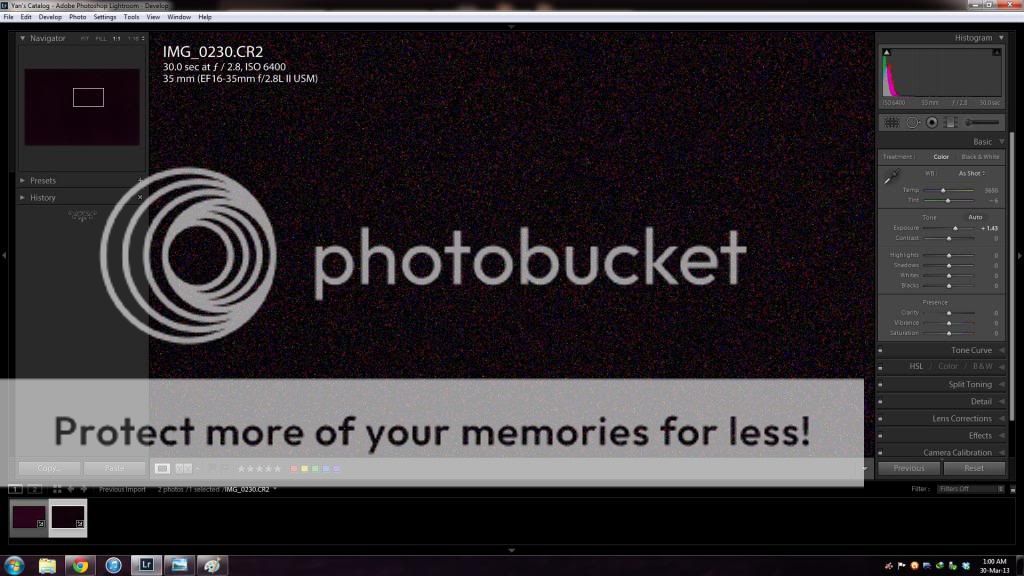
Why is my 6D Long exp. noise reduction giving MORE noise? (pics inside)

Status
Not open for further replies.
Sep 15, 2012
21
0
4,761
I was curious how much the Long exp. noise reduction helps to reduce noise. I did a simple test and it didn't come out as expected. Why?

Using LR4, I increase exposure by 1.45 to make it more obvious. The test has been repeated with very consistent result.

Turning long exp. noise reduction on, I notice:
-it does reduce big white pixel (that's hot pixels, isn't it?). good.
-but it introduces more 'fine' noise
-the histogram shifted to the right. Since I put lens cap on and cover the VF, it means more noise.

Turned on:
1.jpg

Turned off:
2.jpg


Full size jpeg:
Turned on: http://www.4shared.com/download/xq1J83El/On_jpeg.jpg?tsid=20130329-172506-af9db705
Turned off: http://www.4shared.com/download/13iNrPVG/Off_jpeg.jpg?tsid=20130329-172524-cba1a4de

RAW:
Turned on: https://www.dropbox.com/s/4wol2dzblooo9sm/On%20RAW.CR2
Turned off: https://www.dropbox.com/s/8h9xp0u8gsr93yz/Off%20RAW.CR2

Can someone please test your EOS body with this function and tell me what's your result? Why is this so? I was planning to turn it ON for my coming miky way photography without a tracking mount. Therefore I was testing at high ISO.

thanks for helping
 
I've stopped using Long Exposure Noise Reduction because I realized it wasn't actually time effective. when shooting, it closes the shutter for a time equal to the exposure time to try and figure out how much noise to subtract. as Aglet pointed out, it's really mainly just to remove the hot pixels.

I've discovered that when night shooting, I'll typically shoot numerous frames of around 5 to 10 minute exposures, of which I only select a couple to really work on in post. removing the hot pixels manually takes me only a few minutes per frame, whereas a 45-minute series of shots would cost me an extra 45 minutes in the field of waiting for the long exposure noise reduction to do its thing. totally not worth the time, just clean hot pixels in post and use a decent noise removal plug-in.
 
Upvote 0
Ladislav said:
Because you are using ISO 6400. Those two factors go somehow against each other. Use ISO 100 and it will work as expected. If you increased ISO to get better sensitivity use BULB to keep shutter opened longer than 30s.
Hi, i have tried your method before. The result is the same. Less hot pixel but more overall patchy noise.
 
Upvote 0
A standard technique for astrophotography is to take what are called 'dark frames'. Not specifically applicable to your single exposure Milky Way photos, but still might be worth a try. works like this: A series of (let's say) 3 minute exposures are made of a galaxy/nebula/cluster or what have you. From 'several' images to hundreds - these are called 'light frames'. A series of dark frames are then taken by covering the lens and viewfinder and opening the shutter for the same amount of time used for the astrophotos - maybe 5, 7, or 9 frames. (I use odd numbers because folks tell me I'm odd....) The dark frames are averaged and that average image is then subracted from EACH of the light frames. There is more to it, but that's a brief description. Two free programs that automate much of the averaging, alignment and stacking are (my preferred) 'Deep Sky Stacker' and 'IRIS'. There are others at various price points. There are lots of variables to consider, for one, the temperature of your camera will gradually rise during an imaging session and plateau at some point - might take 30 minutes, might take two hours. In-camera noise reduction is not usually very good for astro.
 
Upvote 0
emag said:
A standard technique for astrophotography is to take what are called 'dark frames'. Not specifically applicable to your single exposure Milky Way photos, but still might be worth a try. works like this: A series of (let's say) 3 minute exposures are made of a galaxy/nebula/cluster or what have you. From 'several' images to hundreds - these are called 'light frames'. A series of dark frames are then taken by covering the lens and viewfinder and opening the shutter for the same amount of time used for the astrophotos - maybe 5, 7, or 9 frames. (I use odd numbers because folks tell me I'm odd....) The dark frames are averaged and that average image is then subracted from EACH of the light frames. There is more to it, but that's a brief description. Two free programs that automate much of the averaging, alignment and stacking are (my preferred) 'Deep Sky Stacker' and 'IRIS'. There are others at various price points. There are lots of variables to consider, for one, the temperature of your camera will gradually rise during an imaging session and plateau at some point - might take 30 minutes, might take two hours. In-camera noise reduction is not usually very good for astro.

That's essentially what the long exposure noise reduction does.
 
Upvote 0
Each light frame you take contains the scene, some hot pixels (fixed noise) and some random noise.
Each dark frame the camera takes has no scene (darkness), the same hot pixels and different random noise.
When the dark frame is subtracted the hot pixels are removed but the random noise gets worse because it is different in the light and dark frame, but the same 'strength'.

Astro photographers take many dark frames and average them together... this forms a master dark frame that has the hot pixels (that were in every dark frame) and much less random noise (it's variation reduces as you average more examples together). Now if you subtract the master dark frame from each light frame you can remove the hot pixels without adding much more random noise.

Hope that helps,
 
Upvote 0
Status
Not open for further replies.