EOS-1D X Mark II Image Corruption with Sandisk CFast Cards

R1-7D said:
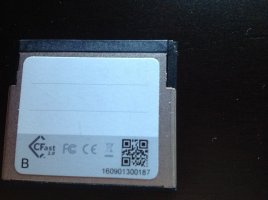
I am using the 64 GB Sandisk card from the promotion and have just over 2100 shots on my new camera with no corruption.

I checked the card's serial number and it's in line with one of listed serials... I find this interesting how it's affecting some users but not others.

Very strange, and in my opinion, unacceptable for there to be a product launch of this caliber with such an issue.

Wonder if it matters how fast you turn off your camera. Perhaps if you wait before turning it off, there will be time for the final image to be written.
 
Upvote 0
RGF said:
unfocused said:
TommyLee said:
for example iff this not a camera issue, should I contact sandisk or my camera shop for a substitute?...

Here is the SanDisk product advisory:

http://kb.sandisk.com/app/answers/detail/a_id/19576/~/important-notice-for-sandisk-cfast-card-compatibility-with-canon-eos-1d-x-mark

Important Notice for SanDisk CFast card compatibility with Canon EOS-1D X Mark II camera

It has been confirmed that some users experience a still image issue when using a SanDisk CFast card with the Canon EOS-1D X Mark II camera due to SanDisk card problem. In some cases, a portion (at the bottom) of the still image recorded on a SanDisk CFast card is incomplete. Canon and SanDisk have worked together to develop a new camera firmware release that resolves the card issue, which will be available shortly.

We would like to apologize for the inconvenience that this issue has caused. If you are affected by this issue, we kindly request that customers contact SanDisk customer support team at [email protected] or call our customer support call center at any of the numbers provided on this page https://www.sandisk.com/about/contact/customer-care. Please let the customer support team know that you purchased the SanDisk Extreme PRO CFast card and are using it with the Canon EOS-1D X Mark II product.

I just contact Sandisk and explained that I have 5 of the CFast 64GB cards and asked what they plan on doing.

I'll post details of their reply.

Rich

Got their can reply , contact us and let us know that the card is a Cfast and the camera is 1Dx M2
 
Upvote 0
RGF said:
R1-7D said:
I am using the 64 GB Sandisk card from the promotion and have just over 2100 shots on my new camera with no corruption.

I checked the card's serial number and it's in line with one of listed serials... I find this interesting how it's affecting some users but not others.

Very strange, and in my opinion, unacceptable for there to be a product launch of this caliber with such an issue.

Wonder if it matters how fast you turn off your camera. Perhaps if you wait before turning it off, there will be time for the final image to be written.

I almost suggested that in my comment. I tend to wait always a few minutes before turning the camera off, just in case something else interesting pops up that I want or need to shoot.

For those with the corruption issue, maybe try taking some pictures, and the. Wait a minute or two before turning the camera off. See if that helps...


I also read on another forum where a user was experiencing the same issue that Canon suggested to him he format the card in Windows using Sandisk's own formatting software. Then format again afterwards in camera. I followed the steps when I first got my 1DX II a week ago.
 
Upvote 0
RGF said:
R1-7D said:
I am using the 64 GB Sandisk card from the promotion and have just over 2100 shots on my new camera with no corruption.

I checked the card's serial number and it's in line with one of listed serials... I find this interesting how it's affecting some users but not others.

Very strange, and in my opinion, unacceptable for there to be a product launch of this caliber with such an issue.

Wonder if it matters how fast you turn off your camera. Perhaps if you wait before turning it off, there will be time for the final image to be written.

The power switch is not a hard switch, the camera will continue using power as it needs to to write the final images to the card. This is easily demonstrated by taking a picture and immediately turning the camera off, the red 'writing to card' light will continue to flicker.

Removing the battery or opening the card door are both hard switches.

As for the cause, it seems Canon have a lead on it. They are saying the last few mp of information prior to a de-power can become corrupted, so it is easy to work around, don't switch the camera off repeatedly, disable the auto power down, take a 'throw away image' or two before turning the camera off. Not ideal, but not a big issue.

What would be interesting is to find people with corrupt files that were not immediately prior to power down either due to user intervention or auto power down.
 
Upvote 0
RGF said:
Canon Rumors said:
I do wonder if this workaround will work for people that have reported issues with Lexar cards, I have a Lexar CFast card that I won't use. I may try it out today with non critical subjects.... here kitty kitty.

Why won't you use the Lexar card? Almost bought some - is there a problem?

I think at this point in time if you want a 256gb card you don't have much choice. SanDisk doesn't offer one...yet.
 
Upvote 0
Given that both manufacturers would have been aware of the launch of the 1D X MKII and that Sandisk is one of the premium card brands and a launch manufacturer of CFast cards which have been used since the launch of the Arri Amira, it points to poor testing from both.
Arri certify CFast cards before recommending them to customers, Canon should do the same with a pinnacle product like the 1D X MKII. If this was Nikon right now many would be lambasting them on this site.
 
Upvote 0
privatebydesign said:
What would be interesting is to find people with corrupt files that were not immediately prior to power down either due to user intervention or auto power down.

Reviewing my files, I fall into this category.

The corruption occurred on the last frame I was shooting with the CFast Card. And then, I realized today that the camera had switched to the CF Card automatically. So, no power down, just an automatic switch from Card Two to Card One in the middle of a sequence once the card became full.
 
Upvote 0
The same for me with Lexar 3400x CFast. From 1000 shots there were about 10 - 12 coruupted raw still image files. Also interesting that 4K .mov file size for some files ir 0 B. In camera clip is playing, when view or copy on computer, size is 0 B. :(
 
Upvote 0
unfocused said:
privatebydesign said:
What would be interesting is to find people with corrupt files that were not immediately prior to power down either due to user intervention or auto power down.

Reviewing my files, I fall into this category.

The corruption occurred on the last frame I was shooting with the CFast Card. And then, I realized today that the camera had switched to the CF Card automatically. So, no power down, just an automatic switch from Card Two to Card One in the middle of a sequence once the card became full.

I wonder though if internally the card full and power down aren't treated as the same kind of event? Think about the sequence of events internally when a card full is encountered and the camera switches

Not making excuses, it shouldn't happen, just trying to be logical in mitigating the issue.
 
Upvote 0
privatebydesign said:
unfocused said:
privatebydesign said:
What would be interesting is to find people with corrupt files that were not immediately prior to power down either due to user intervention or auto power down.

Reviewing my files, I fall into this category.

The corruption occurred on the last frame I was shooting with the CFast Card. And then, I realized today that the camera had switched to the CF Card automatically. So, no power down, just an automatic switch from Card Two to Card One in the middle of a sequence once the card became full.

I wonder though if internally the card full and power down aren't treated as the same kind of event? Think about the sequence of events internally when a card full is encountered and the camera switches

Not making excuses, it shouldn't happen, just trying to be logical in mitigating the issue.

That's my thinking as well. I'm sure there has to be some momentary switch from one card slot to another and the camera may treat that the same as a power down. I sent Canon a note just to be sure they are aware of this glitch as well.

Knowing more about what triggers the event is helpful. I think I'll use the Compact Flash slot anyway, until the firmware fix comes out.

I'd like to have been a fly on the wall during the discussions between Canon and SanDisk over the last few weeks.
 
Upvote 0
I'm a 1DX ii user who has been talking to Canon about the loss of data in the bottom right hand corner. The camera was returned to canon service with Sandisk CFast card with problem files still on the Cfast card. I've since picked up my camera from canon with the recommendation to use a supplied CF card. Was advised that firmware was in pipeline to solve the problem with CFast card. The Sandisk CFast card supplied with 1DX ii does not have serial numbers that I can see.
 

Attachments

  • image.jpeg
    image.jpeg
    1.2 MB · Views: 209
  • image.jpeg
    image.jpeg
    808.3 KB · Views: 198
Upvote 0
Andris said:
The same for me with Lexar 3400x CFast. From 1000 shots there were about 10 - 12 coruupted raw still image files. Also interesting that 4K .mov file size for some files ir 0 B. In camera clip is playing, when view or copy on computer, size is 0 B. :(

The 0B files are due to the Windows driver not being able to read large files using the camera driver. You need to use the EOS utility to transfer the file (slow) or use a cfast card reader which uses its own driver and can read large files.
 
Upvote 0
I recently went on a shoot using both the 64 GB Sandisk Cfast Card that came with my Canon 1DX Mark II and a newly purchased a 128 GB Sandisk Cfast card. I filled both cards on this shoot only to find out that the 64 GB card was flawless, however, the 128 GB had multiple errors...18 out of the 4200 images corrupted, and not in a patterned order. It appeared that when I shot a series of images and then turned off the camera, the last image was corrupted.

see examples below.
 

Attachments

  • 2526052416Canon EOS-1D X Mark II.jpg
    2526052416Canon EOS-1D X Mark II.jpg
    502.6 KB · Views: 208
  • 3744052916Canon EOS-1D X Mark II.jpg
    3744052916Canon EOS-1D X Mark II.jpg
    312.8 KB · Views: 195
Upvote 0
Hi All,
I have been a long time reader, and I've never have been involved in any of the threads. This time, since I saw this thread, I thought I should reply. This also happens with the Lexar 64gb 3500 CFast cards. I just spent 4 days shooting AAU Junior Girls Volleyball Nationals in Orlando and have had serval corrupt files with this CFast card also. I, had this issue since I purchased this CFast card along with the SanDisk. I thought it was my 1DxMarkII that was having problems. Relieved to hear it's not just my camera.
Regards,
Linacjsdad
Btw, the camera performed amazingly!!!!! :D
 
Upvote 0