• The Canon Rumors Forum has officially been shut down as of July 10, 2026.

    All data will be deleted on September 16, 2026.

    the ad free experience will return by July 17, 2026.

Problems with 50 f1.4 & 135 f2.0 on 1.6x crop sensors

  • Thread starter Thread starter JoaoPedro
  • Start date Start date
Status
Not open for further replies.
DBCdp said:
Using phase detect is not a problem at all, but when using LiveView it front focus' about 10" and the intended focal point is totally blown out. Manually dial the lens out to focus, hit the Live View focus button and wham, out of focus again! I tried manually setting microadjustment in many different settings and it made no difference at all. When used at 1.4 it simply will not focus in Live View.

AF Microadjustment only affects phase-detect AF, and has no effect on Live View (contrast-detect) AF. I'd suspect a malfunctioning lens in your case, or perhaps it's just the choice of target confusing the camera?

JoaoPedro said:
For those who suggested focusing micro adjustment be advised that the 550D doesn't have that feature. Only 7D and above? I think the 60D doesn't have either.

I'll take the camera and the lens to Canon. I'll then post whatever news I get.

From this, I infer that you were using autofocus (although you still haven't definitively answered that question). That's most likely the problem (as was suggested very early in the thread), and since your camera doesn't have AFMA, sendind the lens (and body, most likely) to Canon is the only option.
 
Upvote 0
Hmmm, I can see that possibility although this lens has hardly ever been used as I don't like it's lack of contrast. Funny thing is, the 5D MkII handled it as expected. The 7D, put on the tripod in the same position and with the same lens and same target, won't do it. Which makes me think it has more to do with the 7D than the lens. Or certainly a combination of both.

I'll try it again and see if I get the same results, and I'll try different targets as well as different apertures.

Will get back with the results.
 
Upvote 0
Oh yeah, in the process I got an Error 40!! I was trying to get the ma set and taking a shot, then zooming in on the image...zoomed in and the screen went black! Error 40 on the top screen. Turned it off. Back on...nothing doing. Dropped the battery, put it back in, all is well. What's up with that? Havent had an error in a Canon body since my 20D back in 05!
 
Upvote 0
DBCdp said:
Oh yeah, in the process I got an Error 40!! I was trying to get the ma set and taking a shot, then zooming in on the image...zoomed in and the screen went black! Error 40 on the top screen. Turned it off. Back on...nothing doing. Dropped the battery, put it back in, all is well. What's up with that? Havent had an error in a Canon body since my 20D back in 05!

Here's a list of error codes, error 40 is related to power source problems.

http://www.learn.usa.canon.com/resources/articles/2012/eos_error_msgs.shtml
 
Upvote 0
After getting the ma fine tuned, the lens performs pretty well. Still the low contrast when wide open but I guess that's to be expected. At 5.6 it's definately sharp, sharper than the 7D can handle most likely.

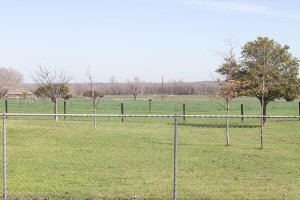
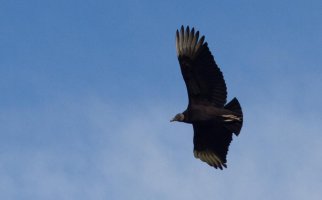
These 2 pics are using the 7D with the 50 1.4 @ 5.6, ISO auto, aperture priority using the accurate center focus point. In the distant one you can see the buzzard on the fence post, a little over 340' away. Then he flew off and head towards me and I caught him on the wing, with the sharp center point no less! The second is a 100% crop with zero pp, opened in ACR and saved as jpeg.

Oh yeah, did I fail to mention it's 72 degrees and another beautiful day! :)
 

Attachments

  • IMG_9932_resize.jpg
    IMG_9932_resize.jpg
    198.4 KB · Views: 1,495
  • IMG_9934_100% crop no pp 7D+50 1.4 @ 5.jpg
    IMG_9934_100% crop no pp 7D+50 1.4 @ 5.jpg
    40.4 KB · Views: 1,467
Upvote 0
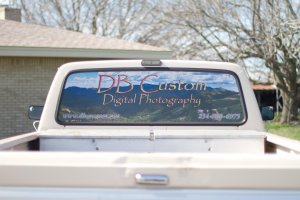
And using the 7D with LiveView through the 50 1.4 @1.4.

In the fullsize image, the small holes in the vinyl show as well as trees and small detail in the picture. Even though they didn't get it printed to the resolution I gave it to em! The picture is a downsized version of a 42 shot handheld pano taken from just shy of Nogal Peak looking towards Ski Apache, Ruidoso NM. The original is 3.5'x13.5' at 240dpi. Taken with the 7D and 24-105 @105.

Thanks for getting me straight on this one Neuro, I wouldn't have guessed the target itself was the culprit after successfully calibrating my 5DMkII using it. I might actually keep this lens now! lol

Sorry Joao, didn't mean to hijack your thread but want you to know there's hope!

And thanks, Kernuak, don't know why it did that still but it's good to know what it is anyway. I'll keep my eye on it.
 

Attachments

Upvote 0
I ended up sending a 50 1.4 back 3 months ago similar issue with my 60D. No matter the aperture i had bad auto focus. It was so all over the place I couldn't even narrow it down to front or back. Mounted on a tripod aimed at a stationary target of course. Canon said I got a bad copy.

The 60D doesn't micro adjust nor do any rebels. Micro adjustment is one thing I would have desired but i wrongly assumed the 60D had it. Then again I don't think micro adjust would have solved this issue.
 
Upvote 0
kdsand said:
I ended up sending a 50 1.4 back 3 months ago similar issue with my 60D. No matter the aperture i had bad auto focus. It was so all over the place I couldn't even narrow it down to front or back. Mounted on a tripod aimed at a stationary target of course. Canon said I got a bad copy.

The 60D doesn't micro adjust nor do any rebels. Micro adjustment is one thing I would have desired but i wrongly assumed the 60D had it. Then again I don't think micro adjust would have solved this issue.

If you had a bad copy no micro adjust would have saved you... but then canon would have replaced it if it was under warranty.
 
Upvote 0
Status
Not open for further replies.