7D MKII and EF100-400mm f/4.5-5.6L IS II USM Autofocus

bjd

Aug 29, 2011
554
179
8,926
Hi I wanted to open a thread to discuss this. I have a few issues with the AF performance of above equipment (as I also had when I got my 5D MK3 too), so please bear with me.
The 5D and Lens went to Canon to be calibrated and checked out and were found to be OK.

I have done AMFA calibartion of the above combination and at 100mm needed to go to -5, 400mm seemed to be correct.

I'll try to add a few separate posts showing the issues.
Cheers Brian
 
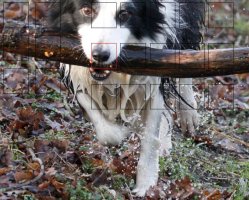
I'll post an example screenshot out of DPP (of which I have many) showing the AF point that achieved focus (red) and you can see very bad back focus.
In this case I have used Zone AF, and Dave is walking slowly towards me. Now I did this to try to get better results, I started with Single Point AF results were very bad, then moved through each expansion till I got to 65 Point automatic selection. Results got progressively better, so I assumed that my subject (black or white) was maybe the problem.
But the Camera is happily selecting AF points on white, black or mixed as having focus, but the focus is not achieved IMHO.

Here are the Camera setup infos for this picture:
File Name _7D_3744.JPG
File Size 2.8MB
Camera Model Canon EOS 7D Mark II
Firmware Firmware Version 1.0.4
Shooting Date/Time 25.01.2016 11:38:14
Owner's Name
Shooting Mode Aperture-Priority AE
Tv(Shutter Speed) 1/1000
Av(Aperture Value) 6.3
Metering Mode Evaluative Metering
Exposure Compensation +1/3
ISO Speed 3200
Auto ISO Speed OFF
Lens EF100-400mm f/4.5-5.6L IS II USM
Focal Length 135.0mm
Image Size 2736x1824
Crop/aspect ratio 3:2
Image Quality Fine
Flash Off
FE lock OFF
White Balance Mode Auto
AF Mode AI Servo AF
AF Configuration Tool Case 1
Tracking sensitivity 0
Accel./decel. tracking 0
AF point auto switching 0
AF area select mode Zone AF
AF Microadjustment -5
Picture Style Standard
Sharpness 3
Contrast 0
Saturation 0
Color tone 0
Color Space Adobe RGB
Long exposure noise reduction Disable
High ISO speed noise reduction Disable
Highlight tone priority Disable
Auto Lighting Optimizer Disable
Peripheral illumination correction Disable
Chromatic aberration correction Disable
Distortion correction Disable
Dust Delete Data No
Drive Mode High-speed continuous shooting
Live View Shooting OFF
Camera Body No. 073022007110
Comment

And here is the screenshot:
 

Attachments

  • AF_001.JPG
    AF_001.JPG
    109.7 KB · Views: 1,012
Upvote 0
And here is a strip of two short bursts.

#1 is bad, #2 is bad, #3 is getting there, #4 is bad and #5 is also bad.

AI Servo 1st Image priority and 2nd Image priority are both set to "Focus".

I have tried with AF Case 1 and Case 2, I think I get slightly better results with Case 1.
 

Attachments

  • c1-c5.jpg
    c1-c5.jpg
    335.2 KB · Views: 224
Upvote 0
Sooooo, am I expecting too much yet again. All I have been trying
to do is have my dog Dave running towards me, starting at about 50M away
(me crouched down) firing off a few high-speed bursts and expecting to get
more than about 10% of the shots in Focus.
In this case I wonder if its the fact that he's coming towards me, and he is black and white
causing the problems? OTOH, the AF is not hunting to achieve focus, most of the time the camera
gets off a long burst at high speed, which I find to be very fast.

And one more thing. I know Zone AF will mean I cannot control where Focus is, but (out of desperation),
I'm giving the Camera and Lens the opportunity to chose a spot and then nail it, and I think it is chosing
the spot OK, but then not focusing correctly.


Ideas?

Cheers Brian
 
Upvote 0
Hi
I don't have either body or the lens, but while roaming through the Lens forum discussing long lenses I came across this description of setting up AF on a 7D MKII for shooting birds in flight. What struck me is how important the settings are. It may or may not apply to the kind of shooting you do.
The writer, Isaac Grant wrote:

"how you have your camera set up will have a big impact on these shots as well. I had a much greater percent of keepers when I set the custom settings on my 7d2 so my AF-ON button is set for ai servo, case 2 and 15 focus points. I use this for all small BIF shots. For larger BIF shots I have my * button set to ai servo, case 2 but center point and surrounding 4 points. This way I can aim the focus to where I want it to be. Don't want the camera deciding to focus on the closest part of the wing and not on the eye. Too many times if using many focus points on a larger bird I missed the shot because I had the front wing in focus but not enough of the rest of the bird, despite that fact that I was shooting at f8."

The full thread (although most of it is on lenses) is here

http://www.canonrumors.com/forum/index.php?topic=25918.75

Jay in Toronto
 
Upvote 0
Sorry to hear you are having issues. Try using Case 2 without any mods, make sure you are using AI Servo, High Speed..use single center point AF and or Expansion, mode 3/2 on the Lens...also might want to try Shutter Priority as opposed to Aperture Priority...around 1/800 - 1/1200 for starters, auto ISO up to 3200 max or select manually...
Focus Priority is ok but I use the other..I want that moment weather or not its perfect.. My AF is tied to my shutter button, I don't use the back focus button for action..(half press begins focus and tracking) click to pic..

I shot motorcycles coming at me at about 80-120 MPH last week and my tracking /AF was spot on....also make sure you are shooting with Large raw or large .jpg files.... check your focus range switch too...#1 3.22' to infinity or #2 for 10' to infinity..it will acquire focus faster depending on how close your dog is at the start of your photos...(50M #2) mode 3 or 2 for the stabilizer mode...and take everything back to default on the back focus/front focus... unless you are 100% sure you are using the above settings correctly switch it back...

try not using Zone....your camera is taking a guess at what to track, you need to tell it what to start with and know for sure where that AF point is at... and on the 100-400 if its not spot while using a low Aperture it will throw off the focus area...

hope some of this helps

Jason
 
Upvote 0
Jaysheldon said:
Hi
I don't have either body or the lens, but while roaming through the Lens forum discussing long lenses I came across this description of setting up AF on a 7D MKII for shooting birds in flight. What struck me is how important the settings are. It may or may not apply to the kind of shooting you do.
The writer, Isaac Grant wrote:

"how you have your camera set up will have a big impact on these shots as well. I had a much greater percent of keepers when I set the custom settings on my 7d2 so my AF-ON button is set for ai servo, case 2 and 15 focus points. I use this for all small BIF shots. For larger BIF shots I have my * button set to ai servo, case 2 but center point and surrounding 4 points. This way I can aim the focus to where I want it to be. Don't want the camera deciding to focus on the closest part of the wing and not on the eye. Too many times if using many focus points on a larger bird I missed the shot because I had the front wing in focus but not enough of the rest of the bird, despite that fact that I was shooting at f8."

The full thread (although most of it is on lenses) is here

http://www.canonrumors.com/forum/index.php?topic=25918.75

Jay in Toronto
Hi Jay,
sure I understand that. I have tried the various AF Point expansion modes, and using them does get me better results. But my problem is more that AF achieves Focus on one of the points in use, but the area under that point is not in focus.
Going to Zone AF in some of the shots was to say, "OK I'll let the camera decide what it can focus on (plenty of contrast there maybe) and then that point will be sharp".
But that is not the case.

Cheers Brian
 
Upvote 0
mycanonphotos said:
Sorry to hear you are having issues. Try using Case 2 without any mods, make sure you are using AI Servo, High Speed..use single center point AF and or Expansion, mode 3/2 on the Lens...also might want to try Shutter Priority as opposed to Aperture Priority...around 1/800 - 1/1200 for starters, auto ISO up to 3200 max or select manually...
Focus Priority is ok but I use the other..I want that moment weather or not its perfect.. My AF is tied to my shutter button, I don't use the back focus button for action..(half press begins focus and tracking) click to pic..

I shot motorcycles coming at me at about 80-120 MPH last week and my tracking /AF was spot on....also make sure you are shooting with Large raw or large .jpg files.... check your focus range switch too...#1 3.22' to infinity or #2 for 10' to infinity..it will acquire focus faster depending on how close your dog is at the start of your photos...(50M #2) mode 3 or 2 for the stabilizer mode...and take everything back to default on the back focus/front focus... unless you are 100% sure you are using the above settings correctly switch it back...

try not using Zone....your camera is taking a guess at what to track, you need to tell it what to start with and know for sure where that AF point is at... and on the 100-400 if its not spot while using a low Aperture it will throw off the focus area...

hope some of this helps

Jason
Hi Jason,
thanks, I'll try to answer your questions and suggestions:

Try using Case 2 without any mods,
Tried Case 1 and 2 mainly, no mods.

make sure you are using AI Servo, High Speed..use single center point AF and or Expansion,
Mainly AI Servo, high speed, various AF points tried

mode 3/2 on the Lens.
Not tried this yet. Thanks.

..also might want to try Shutter Priority as opposed to Aperture Priority...around 1/800 - 1/1200 for starters, auto ISO up to 3200 max or select manually...
OK I would understand that for very fast moving subjects. I think I am fast enough as there is usualy no motion
blur I can see. I find it better to keep the ISO down on the 7D MKII, but its worth a try.

Focus Priority is ok but I use the other..I want that moment weather or not its perfect.. My AF is tied to my shutter button, I don't use the back focus button for action..(half press begins focus and tracking) click to pic..
OK but that should really affect just the first shot in a burst. I tried back-button for a while but didn't stay with it.

I shot motorcycles coming at me at about 80-120 MPH last week and my tracking /AF was spot on....also make sure you are shooting with Large raw or large .jpg files.... check your focus range switch too...#1 3.22' to infinity or #2 for 10' to infinity..it will acquire focus faster depending on how close your dog is at the start of your photos...(50M #2) mode 3 or 2 for the stabilizer mode...and take everything back to default on the back focus/front focus... unless you are 100% sure you are using the above settings correctly switch it back...
Large RAw, for the best quality, Fast CF card, and the frame rate is very impressive. Problem was present without any AFMA settings, but I can try taking them off again.

try not using Zone....your camera is taking a guess at what to track, you need to tell it what to start with and know for sure where that AF point is at... and on the 100-400 if its not spot while using a low Aperture it will throw off the focus area...
Going to Zone AF in some of the shots was to say, "OK I'll let the camera decide what it can focus on (plenty of contrast there maybe) and then that point will be sharp".
But that is not the case.
I think I'll also take a look at the usable AF points with this lens at low aperture and see if that can explain what is happening. Thanks for your suggestions.
Cheers Brian

 
Upvote 0
Despite poor light condition I went out with the 7D and my 500MM f/4 (which I am still getting to know) yesterday. Tried, without converter and with a 1.4x or a 2x. Lots of badly framed shots, lots of BIF shots missing the BIF <G>, but also >80% where focus was spot on. Certainly no wildly out of focus shots. So the Camera seems to be working OK.
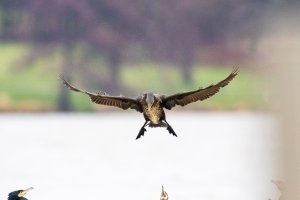
Here's an example of a Cormorant landing so its pretty much coming at me, I took a burst of 21 shots, I think all are pretty much sharp.

7DMKII, EF 500 f/4 MKII with 1.4x MKIII TC, ISO 3200, f/6.3 1/2500 sec.

Cheers Brian
 

Attachments

  • _7D_4086.jpg
    _7D_4086.jpg
    539.8 KB · Views: 237
Upvote 0