This is the Canon RF lens roadmap

I do have one important question for you, though. Many of the reviewers of Canon's 24-240mm RF lens are stressing the importance of using Canon's lens profiles to correct this lens (in-camera and when editing), but they do not say how to do that. I shoot RAW and edit in Lightroom Classic.

Can and will you tell me in which menu are these lens profiles located in Canon cameras, how can I invoke them within Lightroom Classic and exactly how am I supposed to use them?
In-camera corrections are selected in one of the shooting menus (which will depend on the camera, on my R3 they’re in Shooting 4). Those apply only to the JPG you see on the camera review (Canon’s DPP will apply your settings to RAWs, but you don’t use DPP).

Lens profiles are in the optical corrections tab in ACR, I suspect there’s a similar tab in LRc (I don’t use LR at all). The profile for the RF 24-240 was added in LRc v8.4.
 
  • Like
Reactions: 1 user
Upvote 0
In-camera corrections are selected in one of the shooting menus (which will depend on the camera, on my R3 they’re in Shooting 4). Those apply only to the JPG you see on the camera review (Canon’s DPP will apply your settings to RAWs, but you don’t use DPP).

Lens profiles are in the optical corrections tab in ACR, I suspect there’s a similar tab in LRc (I don’t use LR at all). The profile for the RF 24-240 was added in LRc v8.4.
Thank you very much for telling me that.
A drawback with being self-taught about technology (including digital photography and photo editing) is that there are gaps in my knowledge. Thank goodness for help from people like you, and Google searches!
 
Upvote 0
I actually liked the way handled the situation. 100-500mm is a loooot more versatile and more useable in so many situations. It also is lighter and shorter. The 200-600mm is quite long...
Since there are several telephotos and Converters available I'm quite sure Canon sees the need for another zoom lense. If they do, I'd actually hope the go for a "real telezoom wildlife lense". I think on canon news there once was a patent for like 250-700mm or even 800mm. That'd fit quite nice in the portfolio.
28-300mm L series is my hope.
 
Upvote 0
Ahhh yes, the elephant.

View attachment 201796


Superzoom lenses are always an optical compromise. I had the 28-300L, it was decent. The IQ of the RF 24-240 is similar, which is impressive for a non-L lens.

I suspect the market for an RF L superzoom just isn’t large enough to justify one. Canon said about the 28-300 that it was aimed at photojournalists, and that’s a vastly smaller group today than when the lens launched as an update to the venerable 35-350L.
I am a photojournalist. I guess that is why I like the 28-300mm range so much. It lets me be prepared for almost any shooting situation. If there was an RF L-series version with fast auto focusing and good weather sealing, I would use that lens a lot, saving my 100-500mm RF lens for use on my second body at auto races and air shows.
When I cover auto races and air shows, I carry two cameras with a Cotton Carrier. When I shot with Nikon, I'd put a Tamron 150-600 G2 on my Nikon D5, and the Nikon 28-300mm on the D4s. I was ready for anything.
 
Last edited:
Upvote 0
Thank you very much for telling me that.
A drawback with being self-taught about technology (including digital photography and photo editing) is that there are gaps in my knowledge. Thank goodness for help from people like you, and Google searches!
We are all on the same leaning curve, this and other RF lenses are the new generation following on the trail of cell phone cameras and their computational photography. The premise is to intentionally not seek perfection in the optical system, but make it such that with software computational corrections developed at the same time as the lens the outcome is acceptable, good or excellent. The 14-35L is the first L lens with this logic, while the 24-240 (which I own) was the most noticeable first step. I have pretty much given up using RAW with that lens, the corrected JPGs are very good (for a non-L lens), exposure bracketing can help if unsure about lighting, but the RAWs always look less appealing and require hard work to process if not using DPP. If only Canon (or the industry at large) would come up with a 10-bit or 12 bit jpeg or some similar format with better dynamic range than the current jpeg but a processed file....
 
  • Like
Reactions: 1 users
Upvote 0
We are all on the same leaning curve, this and other RF lenses are the new generation following on the trail of cell phone cameras and their computational photography. The premise is to intentionally not seek perfection in the optical system, but make it such that with software computational corrections developed at the same time as the lens the outcome is acceptable, good or excellent. The 14-35L is the first L lens with this logic, while the 24-240 (which I own) was the most noticeable first step. I have pretty much given up using RAW with that lens, the corrected JPGs are very good (for a non-L lens), exposure bracketing can help if unsure about lighting, but the RAWs always look less appealing and require hard work to process if not using DPP. If only Canon (or the industry at large) would come up with a 10-bit or 12 bit jpeg or some similar format with better dynamic range than the current jpeg but a processed file....
For a few months recently I tried going back to shooting the highest quality JPEGs (with a Sony Alpha 1), so that I would not have to continue editing every single raw picture in Lightroom (Classic), but with minimal editing I could make my RAW images look as good or better than the JPEGs, and save poorly exposed photos. Is the extra work of which you speak specifically due to the conversions necessitated by the 24-240mm and other R-series lenses (eg. due to having apply the appropriate Canon lens profile)?
I shoot in low light a lot, and many of these underexposed images, when shot as JPEGs, cannot be saved. That is why I've gone back to shooting RAW.
 
Upvote 0
For a few months recently I tried going back to shooting the highest quality JPEGs (with a Sony Alpha 1), so that I would not have to continue editing every single raw picture in Lightroom (Classic), but with minimal editing I could make my RAW images look as good or better than the JPEGs, and save poorly exposed photos. Is the extra work of which you speak specifically due to the conversions necessitated by the 24-240mm and other R-series lenses (eg. due to having apply the appropriate Canon lens profile)?
I shoot in low light a lot, and many of these underexposed images, when shot as JPEGs, cannot be saved. That is why I've gone back to shooting RAW.
Yes, that is the gist. I have also been an avid RAW shooter, and when I take the "serious" glass (RF 24-105L, RF 70-200L, RF100-500L, even the 35mm f:1.8), I shoot RAW for the same reasons you mention: exposure compensation, white balance, tweaks to the LUT, and that sort of correction takes next to no time, for excellent results. The lenses requiring computational corrections are a different kettle of fish, unless using DPP (and I agree that is not a workflow of choice) a lot of corrections are involved, hence the tendency to use the JPEG which, while not perfect, is properly corrected for all the intentional optical flaws that are part of the lens's design.
 
  • Like
Reactions: 1 user
Upvote 0
Yes, that is the gist. I have also been an avid RAW shooter, and when I take the "serious" glass (RF 24-105L, RF 70-200L, RF100-500L, even the 35mm f:1.8), I shoot RAW for the same reasons you mention: exposure compensation, white balance, tweaks to the LUT, and that sort of correction takes next to no time, for excellent results. The lenses requiring computational corrections are a different kettle of fish, unless using DPP (and I agree that is not a workflow of choice) a lot of corrections are involved, hence the tendency to use the JPEG which, while not perfect, is properly corrected for all the intentional optical flaws that are part of the lens's design.
I agree that we need a version of JPEGs that collects more image data, but that is unlikely anytime soon.

Is the full range of computational adjustments for Canon's 24-240mm RF lens only available when shooting JPEGs or when processing RAW images through DPP ( which I am unlikely to use, since the workflow that I am very familiar with mostly uses Lightroom Classic? Is it not also available when bringing RAW photos into Lightroom? My other RF lenses are Canon's 100-500mm F4.5-7.1 L, 24-70mm F2.8 L and 50mm F1.2 L. Do they not require these computational corrections?M, or can they benefit from them also.

If I keep it (and I think that I will need to, because there is no other RF or RF-compatible lens with this or a similar zoom range, which I need), when I shoot with the Canon 24-240mm RF lens (which may be for most of my general purpose shooting, including general photojournalism), are you recommending that I shoot the highest quality of JPEGs — not RAW, unless I am shooting in low light conditions, which will require the greater range of adjustment enabled by shooting RAW — because the design of that one lens makes it important to take advantage of the computational adjustments that the Canon R3 will make to the images.

Thank you again.
 
Upvote 0
I agree that we need a version of JPEGs that collects more image data, but that is unlikely anytime soon.

Is the full range of computational adjustments for Canon's 24-240mm RF lens only available when shooting JPEGs or when processing RAW images through DPP ( which I am unlikely to use, since the workflow that I am very familiar with mostly uses Lightroom Classic? Is it not also available when bringing RAW photos into Lightroom? My other RF lenses are Canon's 100-500mm F4.5-7.1 L, 24-70mm F2.8 L and 50mm F1.2 L. Do they not require these computational corrections?M, or can they benefit from them also.

If I keep it (and I think that I will need to, because there is no other RF or RF-compatible lens with this or a similar zoom range, which I need), when I shoot with the Canon 24-240mm RF lens (which may be for most of my general purpose shooting, including general photojournalism), are you recommending that I shoot the highest quality of JPEGs — not RAW, unless I am shooting in low light conditions, which will require the greater range of adjustment enabled by shooting RAW — because the design of that one lens makes it important to take advantage of the computational adjustments that the Canon R3 will make to the images.

Thank you again.
I am not a 100% expert but to the best of my understanding the in-camera adjustments to create the JPEGs are identical to the corrections in DPP for these lenses. I tend to shoot RAW + highest JPEG resolution anyway, with a 64GB SD card there is plenty of room for both, but unless there is a big snafu I will tend to discard the RAWs for the 24-240 since when using that lens (walk-around + family) the pictures I'm taking are more casual in nature anyway and 95% of the JPEG images are keeper-grade for that purpose. Displaying the histogram in the viewfinder while shooting helps nail exposure much better that in the old days of DSLRs, that reduces somewhat the need for RAW in most cases. I think I saw somewhere else in this thread a contribution mentioning that Adobe had now come out with profiles for at least some of these lenses, remains to be seen if they have corrected as much as Canon's in-camera / DPP profiles which were designed together with the lenses, in other words does Canon publish and license this information or do companies like Adobe have to figure it out for themselves by reverse-engineering the corrections? For the 24-240 most of the corrections, the tough ones anyway, are said to be in the 24-35 mm range, beyond that the corrections are more of the usual kind for regular lens profiles. For the 14-35 I read that the major corrections are in the 14-17mm range.
 
  • Like
Reactions: 1 user
Upvote 0
I am not a 100% expert but to the best of my understanding the in-camera adjustments to create the JPEGs are identical to the corrections in DPP for these lenses. I tend to shoot RAW + highest JPEG resolution anyway, with a 64GB SD card there is plenty of room for both, but unless there is a big snafu I will tend to discard the RAWs for the 24-240 since when using that lens (walk-around + family) the pictures I'm taking are more casual in nature anyway and 95% of the JPEG images are keeper-grade for that purpose. Displaying the histogram in the viewfinder while shooting helps nail exposure much better that in the old days of DSLRs, that reduces somewhat the need for RAW in most cases. I think I saw somewhere else in this thread a contribution mentioning that Adobe had now come out with profiles for at least some of these lenses, remains to be seen if they have corrected as much as Canon's in-camera / DPP profiles which were designed together with the lenses, in other words does Canon publish and license this information or do companies like Adobe have to figure it out for themselves by reverse-engineering the corrections? For the 24-240 most of the corrections, the tough ones anyway, are said to be in the 24-35 mm range, beyond that the corrections are more of the usual kind for regular lens profiles. For the 14-35 I read that the major corrections are in the 14-17mm range.
It is beginning to look like what I should do is shoot RAW on one card, JPEGs on the other and see if the JPEGs are good enough, all things considered. The problem with that, though, is that the JPEGs will have less dynamic range. Low light shooting using the histograms for reference, in a fast-paced shooting situation, is probably not going to produce the desired exposure results.
 
Upvote 0
If only Canon (or the industry at large) would come up with a 10-bit or 12 bit jpeg or some similar format with better dynamic range than the current jpeg but a processed file....
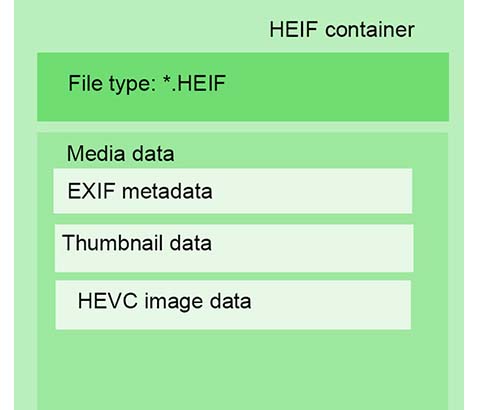
Isn't that format HEIF? It supports up to 16-bit colour depth.


  • Like
Reactions: 3 users
Upvote 0
It is beginning to look like what I should do is shoot RAW on one card, JPEGs on the other and see if the JPEGs are good enough, all things considered. The problem with that, though, is that the JPEGs will have less dynamic range. Low light shooting using the histograms for reference, in a fast-paced shooting situation, is probably not going to produce the desired exposure results.
Yes, precise use of histograms and fast-paced shooting do not mingle well, especially in a fast-changing lighting environment. An alternate can be exposure bracketing +- 1 ½ stops should cover most cases. On the RP if you activate exposure bracketing and have the camera on multiple exposure, it takes the 3 pictures with a single pressing of the shutter release, and does not continue to shoot even if you keep the shutter button depressed. No idea how that works on the R3 (can't afford to let another kidney go :-) )
 
  • Like
Reactions: 1 user
Upvote 0
Isn't that format HEIF? It supports up to 16-bit colour depth.


True, I wonder if the R3's in-camera adjustments, when applied to the HEIF format images, will be carried over to Lightroom Classic intact? If so, perhaps I should shoot HEIFs. JPEGs with the in-camera adjustments, RAW with the in-camera adjustments NOT carried over to Lightroom Classic and HEIF — unknown as to whether or not the in-camera adjustments are carried over to Lightroom Classic — all this is getting a bit overwhelming.
 
Upvote 0
Isn't that format HEIF? It supports up to 16-bit colour depth.


You are correct, apologies for having forgotten about that, definitely something to pursue if you are one of the lucky ones (it is only available on the EOS 1D X Mk3, R5, R6 and R3, and I'm going to guess it will not be retroactively implemented on older camera bodies like my RPs). Apparently it requires the DIGIC X processor used by these more recent high-end cameras. Adobe's website mentions HEIF, so there is a chance it is supported https://helpx.adobe.com/lightroom-cc/kb/heic-files-support.html It is interesting that Canon went along with a format standard that is vendor-defined (Apple, 2017), instead of trying to revive industry consortia initiatives e.g. JPEG2000 to address the issue of better bit depth. To Apple's credit, HEIF not only adds 2 bits (and apparently allows for more as a format), it also has a more efficient compression such that the resulting file is approximately the same size as an 8-bit JPG. Setting your camera to use HEIF is somewhere in the HDR menus, I do not have a manual for any of the supported cameras so you will need to sit down and look through the user manual to get the details. Sony seems to have also implemented HEIF, less clear about Nikon. Most computer browsers do not support it (yet).
 
  • Like
Reactions: 1 user
Upvote 0
You are correct, apologies for having forgotten about that, definitely something to pursue if you are one of the lucky ones (it is only available on the EOS 1D X Mk3, R5, R6 and R3, and I'm going to guess it will not be retroactively implemented on older camera bodies like my RPs). Apparently it requires the DIGIC X processor used by these more recent high-end cameras. Adobe's website mentions HEIF, so there is a chance it is supported https://helpx.adobe.com/lightroom-cc/kb/heic-files-support.html It is interesting that Canon went along with a format standard that is vendor-defined (Apple, 2017), instead of trying to revive industry consortia initiatives e.g. JPEG2000 to address the issue of better bit depth. To Apple's credit, HEIF not only adds 2 bits (and apparently allows for more as a format), it also has a more efficient compression such that the resulting file is approximately the same size as an 8-bit JPG. Setting your camera to use HEIF is somewhere in the HDR menus, I do not have a manual for any of the supported cameras so you will need to sit down and look through the user manual to get the details. Sony seems to have also implemented HEIF, less clear about Nikon. Most computer browsers do not support it (yet).
According to what Adobe says at the link that you have included, Lightroom Classic will not support photos and videos captured in the HEIF format unless they were shot with iOS devices. I saw nothing about HEIF photos and videos shot with any Canon cameras:
"Although modern camera devices provide the capability to capture HEIF/.heic photos and HEVC (H.265) videos, Lightroom and Camera raw support only HEIF/.heic files created with iOS devices."
 
Upvote 0
According to what Adobe says at the link that you have included, Lightroom Classic will not support photos and videos captured in the HEIF format unless they were shot with iOS devices. I saw nothing about HEIF photos and videos shot with any Canon cameras:
"Although modern camera devices provide the capability to capture HEIF/.heic photos and HEVC (H.265) videos, Lightroom and Camera raw support only HEIF/.heic files created with iOS devices."
Ah, yes, I see that. Full disclosure although I pay $10/month to the Adobe empire for PhotoShop and assorted other photo software, I am not a huge fan, and what you have found there is one such reason. A responsible company, seeing the #1 digital camera company adopting a new format for its flagship bodies would work tirelessly at supporting this format, since one can infer that it is mainly professional photographers who have access to these cameras. Why you would support folks using cell phones (yes, I know, some forms of pro imagery use them too) but snub people spending north of $6,000 on the camera alone is baffling to me. I use ON-1 Photo RAW for my RAW and JPG general photo sorting, editing and converting (RAW to JPG), the documentation for ON-1 Photo RAW 2022.1 (December 2021) adds the R3, with only a proviso that the sRAW and mRAW file formats are not fully supported (no access to the "tier 1" engine). In the supported formatted it lists "Apple HEIC" but this does not tell me whether this means "HEIC files as defined by Apple" or "Only HEIC files produced by Apple devices", and I do not have a Canon body that does HEIC so I can't check this feature.
 
  • Like
Reactions: 1 user
Upvote 0
Ah, yes, I see that. Full disclosure although I pay $10/month to the Adobe empire for PhotoShop and assorted other photo software, I am not a huge fan, and what you have found there is one such reason. A responsible company, seeing the #1 digital camera company adopting a new format for its flagship bodies would work tirelessly at supporting this format, since one can infer that it is mainly professional photographers who have access to these cameras. Why you would support folks using cell phones (yes, I know, some forms of pro imagery use them too) but snub people spending north of $6,000 on the camera alone is baffling to me. I use ON-1 Photo RAW for my RAW and JPG general photo sorting, editing and converting (RAW to JPG), the documentation for ON-1 Photo RAW 2022.1 (December 2021) adds the R3, with only a proviso that the sRAW and mRAW file formats are not fully supported (no access to the "tier 1" engine). In the supported formatted it lists "Apple HEIC" but this does not tell me whether this means "HEIC files as defined by Apple" or "Only HEIC files produced by Apple devices", and I do not have a Canon body that does HEIC so I can't check this feature.
Like you, I too have Adobe's $10/month photographers' package. I fought the subscription model for a long time, until they made it impossible to use their standalone software with the latest computer operating systems. While there may well be other, better editing software out there, I do not have the time or desire to learn how to use it. I can't keep up with everything I do as it is. I will be covering CES (the Consumer Electronics Show) next week. Before I leave on Sunday I still need to finish this week's column, setup and learn how to use my new EOS R3, write next week's column, pack and do a bunch of other stuff — including eating and sleeping. The fun never ends...
 
Upvote 0
Safe travels. I did find this info on a Fred Miranda forum https://www.fredmiranda.com/forum/topic/1655827/0?keyword=HEIF#15291671
It seems that Lightroom supports .HIF files. For Photoshop rename your file from IMG_1130.HIF to IMG_1130.HEIF and it should work. .HEIF is the file extension for Apple iPhone photos
I still clearly remember when the only competing formats were 8-tracks and cassettes for audio, and VHS and Beta for video. File formats have taken things to a new, nearly incomprehensible level for most people.
 
Upvote 0
I still clearly remember when the only competing formats were 8-tracks and cassettes for audio, and VHS and Beta for video. File formats have taken things to a new, nearly incomprehensible level for most people.
Yes, agreed. For our use as photographers one has to admit that JPEG has been a strong standard and remains relavant for 80% of image consumption. The pity is that JPEG 2000 that was meant to address among other things the need for something better than 8 bits per color channel never caught on. Was it simply too far ahead of its time (digital cameras in 2000 were seldom much better than 8 bits)? If there is consensus that Apple's HEIC - HEIF is the way to go, how long will it take to sort out filename extensions and other minutiae to make it a truly universal standard used across all operating systems, photo software, browsers, etc..?
 
  • Like
Reactions: 1 user
Upvote 0