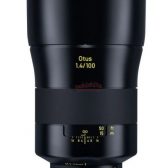
The missing link: 2000$ 200-600mm lens for Sony bodies


  • versatile tele-zoom range from 200mm telephoto to 600mm super-telephoto
  • Compatible with Sony’s E-mount 1.4x and 2.0x teleconverters, extending the reach to a maximum of 840mm at F9 or 1200mm at F13 with outstanding image quality and AF performance
  • Built-in optical stabilization with three different mode settings, enabling images that are sharp and in-focus at extended super-telephoto focal lengths


Lens Specifications
NameSony FE 200-600mm f/5.6-6.3 G OSS SEL200600G
Image Circle35mm (Full-frame E-Mount)
TypeTelephoto Zoom
Focal Length200 - 600mm
APS Equivalent300 - 900mm
Max Aperturef/5.6 - 6.3
Min Aperturef/32 - 36
Diaphragm Blades11 (rounded)
Lens Construction24 elements in 17 groups, including 5 ED (Extra-low Dispersion) glass elements and 1 aspherical element; Nano AR coating; Fluorine coating on the front element
Diagonal Angle of View(Based on image circle)12.5 to 4.2 degrees
Focus DetailsAF via DDSSM (Direct Drive Super Sonicwave Motor); AF/MF switch; Focus limiter switch; 3 Customizable focus hold buttons
Front Element RotationNo
Zoom SystemRotary (internal zoom)
Closest Focus2.4m / 7.87 ft.
Magnification Ratio0.66x / 1:1.52
Filter Size95mm
Dimensions(Length x Diameter)318.0mm x 111.5mm / 12.52 in. x 4.39 in.
Weight2115g / 74.6 oz (without tripod mount)
NotesOptical SteadyShot Image Stabilization; Dust and moisture resistant; Included Accessories: hood, front cap, rear cap, soft case, lens strap.
Typical Online PriceUS$2,000 (Avail. August 2019)

I´m still in hope that Canon will build such a lens too... for RF mount

Sony announces its first 600mm 4 lens... for 13.000$

found here


Lens Specifications
NameSony FE 600mm f/4 GM OSS SEL600F40GM
Image Circle35mm (Full-frame E-Mount)
TypeTelephoto Prime
Focal Length600mm
APS Equivalent900mm
Max Aperturef/4
Min Aperturef/22
Diaphragm Blades11 (circular)
Lens Construction24 elements in 18 groups, including 1 XA (Extreme Aspherical), 2 ED (Extra-low Dispersion), 3 Fluorite elements and 1 filter; Nano AR coating; Fluorine coating on front element
Diagonal Angle of View(Based on image circle)4.2 degrees
Focus DetailsInternal focus via dual XD (eXtreme Dynamic) linear motors; AF/MF, Full-time DMF, Focus Limit, Function Preset, OSS On/Off, OSS Mode and Beep switches; Set and 4 Focus Hold buttons
Front Element RotationNo
Zoom Systemn/a
Closest Focus4.5m / 14.8 ft.
Magnification Ratio0.14x / 1:7.1
Filter Size40.5mm drop-in type
Dimensions(Length x Diameter)449mm x 163.6mm / 17.68 in. x 6.44 in.
Weight3040g / 6.70 lb
NotesOptical SteadyShot Image Stabilization; Dust and moisture resistant; Included Accessories: lens strap, lens hood, lens caps, hard case, case strap.
Typical Online PriceUS$13,000 (Avail. August 2019)

No crop on 4K coming in next APS-C DSLR [CR1]

The Canon EOS 90D is expected to be announced somewhere around the end of August or early September. All signs point to it being an amalgamation of the EOS 80D and EOS 7D Mark II lines of cameras.
We have been told that the next APS-C DSLR will shoot 4K from a 32.5mp sensor, and will do so without any sort of “meaningful” crop. So we may be getting the new generation of Canon sensors with line skipping or pixel binning for video work.
Other than that, there’s nothing really new to report about the EOS 90D. You can check out the rumoured spec list for the EOS 90D here.
update I added pixel binning as a possibility for Canon in getting rid of the heavy crop they currently have on their ILC still cameras for 4K video.

Continue reading...

Help for a noob ^_^''

Hi guys,
I'm new / noob in the world of video, but I'm interested to learn more.
I bought an EOS R and I am happy but I have some questions:
  1. is better to use 4K All-I without C-Log or to use 4K All-I with C-Log? I will use internal 8bit C-Log. I will edit the video with Davinci Resolve 15.
  2. If I use C-Log is better the color Matrix "Cinema EOS Original" or "Neutral"?
  3. Where I can find good LUT To use with 8bit C-Log?

Thank you for the support.

Kind regards


Giuseppe

Canon EOS R Tethering in Lightroom

Good day all.
Has anyone been able to tether Canon EOS R with Adobe Lightroom successfully?

I have the latest firmware installed on Canon EOS R.
And i am running Lightroom Classic version 8.3.1 on a MacBook Pro 2015.

According to Adobe, in their latest release, Canon EOS R is one of those included in the May 2019 Updated release of Lightroom Classic (version 8.3).
I participated in a discussion going on in the Adobe Community about this problem, and one of the Support Staff pointed me in the direction of this article: Fix tethered shooting in Lightroom

However, I have done the following:

  1. Make sure that you're using the most recent version of Lightroom. = CHECKED, OK
  2. Make sure that your camera is supported. = CHECKED, OK
  3. Turn the camera off and on. = DONE, OK
  4. Turn off the camera and the computer. = DONE, OK
  5. Put an empty memory card in the camera, especially if you're using a Nikon camera. = Not applicable to my Canon Camera
  6. Try a different USB cable and USB port. = Didn’t need to do this, as my cable is ok.
  7. Check your hard disk. = CHECKED, OK
  8. Reset Lightroom preferences. = This is where I had to apply the recommended change
  • Navigate to one of the following locations, depending on your operating system: macOS: /Users/[user name]/Library/Preferences/
  • Delete following file, depending on your version of Lightroom that you're using: Mac: com.adobe.LightroomClassicCC7.plist
  1. Make sure that your camera's firmware is up to date. = DONE, OK
  2. Close applications that could be causing a conflict. = DONE, OK

  1. Make sure that your camera manufacturer's capture or editing software isn't open. It could be trying to control your camera. After closing, retry tethered shooting in Lightroom. = DONE, OK
  2. Check that the transfer mode in the camera is set appropriately. = DONE, OK
  3. Check your camera's documentation for more information. = DONE, OK

After completing step 8. above, I tether my Canon EOS R to my MacBook Pro, and it worked ok initially.
However, after a couple of shots, it stopped working again, and my camera froze, displaying an Err 70 code. I followed the instruction on the camera to reset.

There may be something that is not quite right in the file com.adobe.LightroomClassicCC7.plist (this is the file that Adobe recommends that a user deletes).

Every time it doesn't work, i go to Finder, and delete this plist file.
After that, i restart my computer, and launch Lightroom. It works, but after two shots, it stops working again.

I will appreciate if anyone who has successfully tethered their Canon EOS R with Lightroom, and it works for them, if they can be kind enough to share their settings / how they got it to work.

Thanks.

Latest sales data shows Canon maintains big market share lead in Japan for the year

Sales numbers for cameras and lenses tend to be freely available in Japan, which is something lacking in the rest of the world, especially Europe and North America.
BCNRetail has released its market share numbers for the 12 months between April 2018 through to March 2019.
Manufacturer market share leaderboard:

Canon 37.3%
Nikon 26.7%
Sony 13.1%
Olympus 6.0%
Fujifilm 5.8%

Canon maintains a big lead in market share for cameras.
Year-over-year sales growth/decline leaderboard:

Fujifilm +19.4%
Canon -1.3%
Sony -6.6%
Olympus -13.8%
Nikon -15.0%

Fujifilm was the big winner year-over-year, and Canon saw a slight decline in sales. Nikon had the biggest falloff.
You can check out the full report over at BCNRetail.

Continue reading...

Lensbaby and the RP

A friend has lent me his lensbaby for the summer, but my RP doesn't want to have anything to do with it: the shutter release doesn't do anything at all.

My hypothesis is that the RP doesn't detect the presence of the lens and refuses to take a picture. I didn't find anything in the preferences menus about that; I can take a photo without a card (!), but not without a lens.

What do you suggest I do?

Thanks!

Going lite but hope not too lite with RRS

Planning a trip. Will be trekking in Northern Scotland and trying to limit weight on my back. I know I could carry a point and shoot but then I come home and don't like what I see on my screen. So, I usually resign myself to bringing the 5D4 and some glass. On past treks, I've limited what I carry and often missed my 100-400 when coming across birds and other critters. This time, I am really thinking I'll carry the Canon RP with the RF 24-105. But, will prob also bring the 100-400 with the EF-RF adapter.

Now, the next dilemma is "stability." I usually don't carry a tripod, again because of weight. Been able to make due with high ISO, leaning on trees, placing camera on a rock, etc. But then I had an idea. I have RRS "Pocket" pod / head (TFA-01 Ultra with BH-25 Pro). I took the RP with adapter and 100-400, put it on the tripod and head using the lens foot, and tried it. Remarkably stable!

Think I am going to use this kit. RRS specs are, in my experience, conservative. I know this is not a replacement for my more substantial tripod and ballhead but some support is always better than no support

Puffins, Guillemots and Razorbills

The Auks, like Puffins, are fun birds. They congregate in large numbers on cliffs and islands, skim across the water or fly higher like rockets, and carry fish to their chicks. They are a treat to watch and photograph. So, I thought to start a thread dedicated to them, beginning with some shots from the Farne Islands, off the coast at Seahouses in Northumberland, which we visited this week. Here are two shots of Puffins flying back to their burrows with sand eels (taken on 5DIV with 400mm DO II).
184998184999
  • Like
Reactions: 7 users

Preorder: Tamron SP 35mm F/1.4 Di USD at Adorama

Preorders are now live for the recently announced Tamron SP 35mm F/1.4 Di USD, a lens claimed to be the “finest” in Tamron’s history and it will retail for $899 USD.
Key Features


high-resolution image quality
Appealing background bokeh
Fast F/1.4 aperture and high-speed
Lens Mount: Canon EOS
Fixed Focal Length: 35mm Lens
Lens Format: Full Frame
Maximum Aperture: f/1.4
Lens Type: Wide Angle SLR Lens


Preorder: Tamron SP 35mm F/1.4 Di USD $899

Continue reading...


Canon TS-E lenses at 187MP on the Panasonic S1R [Review]

I've just finished a lengthy review of the Panasonic S1R, especially looking at using it with Canon lenses.


My TS-E17 and 24 work really well particularly in the 187MP multi-shot mode

I've attached a 250MP shot (shift/stitched) at a quarter full res. and detail showing what more the 187MP mode gets over 47MP (and my 5Ds)

I really liked the S1R, and it's given me some more clarity on what I'd like to see in any mirrorless replacement for my 5Ds:
  • The S1R sensor stabilisation is just great with all the Canon lenses I tried
  • The S1R 187MP multishot mode works a treat with my TS-E lenses, but it needs to be able to fire a flash for individual images.
  • I’d like to see an EVF as good as the 5.7Mdot one in the S1R
  • On the fly image magnification for manual focus and more adjustable focus peaking
  • I don’t want to see the sensor open to the world when I swap lenses (The S1R collects dust like my old 1Ds)
  • I want a lot more customisation options than I get on the EOS RP (much as I like it)
  • The S1R does video – I never tried it, just make sure that I can always remap the video record button to something useful


184974184975
  • Like
  • Wow
Reactions: 1 users

Patent: Canon camera with in-body stabilization and in-lens stabilization working together.

One of the worst-kept secrets (I guess it’s not a secret anymore) is that Canon will be bringing IBIS to the EOS R system, we’re not sure if we’ll ever see it in the EOS M or EOS lineup, but it’s definitely coming for the RF mount cameras in the future.
Canon News uncovered Japan Patent 2019-087937, which talks about how Canon is going to implement collaboration between IBIS and IS equipped lenses. If Canon didn’t figure out a way for both systems to work together, I think adding IBIS would simply be a half-baked feature addition.

Part of the patent talks about the moving sensor for stabilization:
The imaging element 101 is movable in a direction intersecting the optical axis of the imaging optical system 210 (indicated by a broken line in the drawing) by a shift mechanism...

Continue reading...

Canon R experience

The is my experience shooting the Canon R for 4 months. It is not an in-depth review checking every feature. I shot very little video with it so video won't be in this discussion.

I love Canon’s APS-C M cameras and Full Frame DSLRs and have owned and used almost all current models including M3, M5, M6, M50, T3i, 70D, 7D Mark II, 5D Mark III, 5D Mark IV, 5Dsr, 6D, 6D Mark II, and the EOS R. A Full Frame Canon mirrorless camera would be a natural progression and possibly my ideal camera system. I also like trying out the latest gear. I bought the EOS R November 2018 and sold it March 2019.

PROS:
  1. Potential for fast lenses. A definite plus for people who want fast lenses. For me, since I usually shoot at f/8-f/22 and with a tripod, I’d be happy with an RF 17-40 f/4, 24-70 f/4, 70-200 f/4, and a 100 macro.
  2. Lighter and smaller than a DSLR, but not by that much. The bodies might be smaller and lighter but the lenses aren’t by that much.
  3. The lens control ring is pretty cool, though RF lenses or the right adaptor are required.
  4. Configurability. I’ve never customized my DSLRs, I guess I haven’t had to, but the R lacked a depth of field button so I was forced to customize a button to get the depth of field function. Now that I’ve done it, customization is pretty cool.
  5. As with all mirrorless cameras, locking up the mirror is no longer required when shooting macro or landscape shots.
  6. Same battery as the DSLRs.
  7. Realtime exposure preview in LCD
  8. Handled 0F-20F temps with ease.
Looking at the “pros” above, I took advantage of mapping depth of field preview to a button and only because the R lacked a DOF button that DSLRs include. No mirror to lock up doesn’t necessarily equate to no vibration as the Sony A7r proved though it is one less thing to remember to do when shooting. The realtime exposure preview is invaluable. I don’t have any RF lenses or the adaptor with the control ring so didn’t get that new feature. Fast lenses don’t interest me at all. I use a tripod or crank up the ISO if the light is low.

NEUTRAL:
  1. Smaller – This is a judgment call on whether this is a pro or con. I notice it when gripping the camera and shooting freehand. The grip isn’t as comfortable to hold as a 5D Mark IV since it’s smaller. This is noticeable when there is a telephoto attached and are shooting free hand.
  2. The common complaints from dpreview and youtube reviewers and commenters: single card slot, cropped 4k video with no DPAF, no IBIS. None of these impact me and my photography. I don’t shoot much video. When I do it’s with my M50 or iPhone, and 1080/24p is my format of choice. Most of my photography is on a tripod so IBIS makes little difference to me. Two card slots? I’ve never had an SD card fail on me. Honestly, the commenters on dpreview and to some extent the reviewers just nitpick and magnify the importance of missing features that are really insignificant to most photographers.
  3. HDR is not great. Used it a few times. I need to test this feature more, but am not impressed so far. I haven’t used it that much in my DSLRs so it’s tough to make an accurate assessment without more testing.
  4. Top deck LCD – This is a vestige leftover from the film SLR days when there was no LCD in back. This is an unnecessary feature that just consumes space and battery life. With a tiltable and flippable LCD display, why is an additional top deck LCD necessary or even desirable? The back LCD has all the info the top deck has and with the tiltable screen there is no reason to have and LCD on top anymore.
  5. One thing I hated but found a way to turn off was the EVF sensor. When you put your eye or anything up to the EVF there is a sensor that turns off the LCD which is what I use to compose now since I'm so used to shooting pix with a phone. I accidentally trigger the EVF sensor on almost every shoot. It is configurable! 4th yellow Set-up Menu screen -> Display Settings -> Display Control -> Manual Display Control. Then select Manual display either Viewfinder or Screen. It's Viewfinder by default.
An example of my exposure problems will be attached soon. The three images were shot seconds apart yet the exposure varies by 3 stops. Exposure comp accounts for 1 stop. I was shooting with Evaluative but it was underexposing. I switched to Partial same problem. I added 2/3 of a stop but then the image was overexposed by 2 stops. I also got two shots with the same exif data which I thought was odd. I power cycled. Throughout all the Canon cameras I've owned and 1000's of images, I've never had Evaluative metering let me down or be off by more than 1 stop to my taste. This shoot several exposures were 2 or more stops under or over.

1 of 3

What should I replace my 7D II with?

I've had my 7D II for approx. 4 years now. and I have pushed several Hundred thousand images thru the lens and buffers. I have had to have the shutter replaced as well as a power supply issue. Now I am getting a Err 06 auto censor clean failure and I was able to get option turned off. With the demise of the 7D line what suggestions would the EOS community give about replacement? Get another 7D? hold out for a 90D? or limp along until a New Sports EOS R hits the market. Change brands?

Unreleased Canon Cinema EOS camera used for 8K capture at WWDC

During yesterday’s WWDC event to introduce the new MacPro, Pro Display XDR and Pro Stand, along with a whole slew of software announcements. It turns out Apple was using an unreleased cinema camera from Canon for 8K capture. The camera was used to capture 4:4:4 ProRes 8K RAW.
Jonathan Morrison shows us the camera during a live stream from the WWDC event, you can see the camera in action in the video above.
We’ve mentioned in the past that Canon could be releasing a new Cinema EOS C300 Mark III sometime in 2019 and that there will be an upgrade option to allow the EOS C300 Mark III to capture 8K video for the users that desire the added pixels.
Canon originally showed off their 8K cinema camera at the Canon EXPO back in 2015. The development process has been a long one and I think we’re going to see Canon enter the 8K fold very soon. Canon was late to the 4K party and have...

Continue reading...

5D mark iv- Error 40

I have had my 5D4 for almost 3 years without any problems whatsoever, however it has just developed "error 40" when you turn the camera on. I have only ever used oem batteries in the camera, however they have been a mix of Lp-E6n and Lp-E6's both types of battery are compatible. I have 3 batteries two 6's and one 6n and the error comes up with all 3 batteries, if i put them into my mark 3 there is no problem, I also tried to use them via the oem battery grip and error 40 still shows up. This leads me to believe that it is a camera issue rather than a battery issue. The camera has never been exposed to water and is stored inside my house in my think tank case, it has rarely been used outside in the rain and certainly not in the last 6 months.
When I was first discovering the fault I accidentally pressed the shutter button and the fault went away, I took a couple of test shots and all seemed fine, however if the camera is turned on and off the problem reappears.
I can't get the camera to Canon service for 4 weeks as I do not trust the postal service in this country (Ireland) and major carriers like fedex or ups aren't readily available whereas I can drive to Dublin in a few weeks and deliver it in person. (Canon service doesn't do weekends and I work during the week).
So to my question, because the camera acts normally after the initial warning message, should I use it while waiting to go to service or do I risk doing more damage to whatever is causing the error?
I had posted a similar question on a facebook group and all I got back was that it was a lens connection problem. This is not a lens connection or lens related issue, as it also happens with no lenses connected to the camera.

The Canon RF 85mm f/1.2L USM: The developers answer 10 questions

Canon Europe has posted an interview with the developers of the recently announced Canon RF 85mm f/1.2L USM, a lens that is likely to become another classic.
Some questions and answers from the interview:
How is the bokeh different from that of its EF-mount cousin?
Kaishi: “In terms of bokeh, a key point is that the minimum focusing distance is closer than that of the Canon EF 85mm f/1.2L II USM. The strong bokeh created by f/1.2 can be used to create new types of imaging expressions such as close-ups of areas decorated with jewels.”
How sharp is the lens, really?
Kaishi: “When we were developing this lens, many performance tests were carried out repeatedly on a prototype. When shooting at the widest aperture setting using Eye Detection AF in portrait photography, our test photographers spontaneously let out cries...

Continue reading...

Filter

Forum statistics

Threads
37,434
Messages
973,333
Members
24,792
Latest member
Rigel1959

Gallery statistics

Categories
1
Albums
29
Uploaded media
372
Embedded media
1
Comments
25
Disk usage
1 GB